
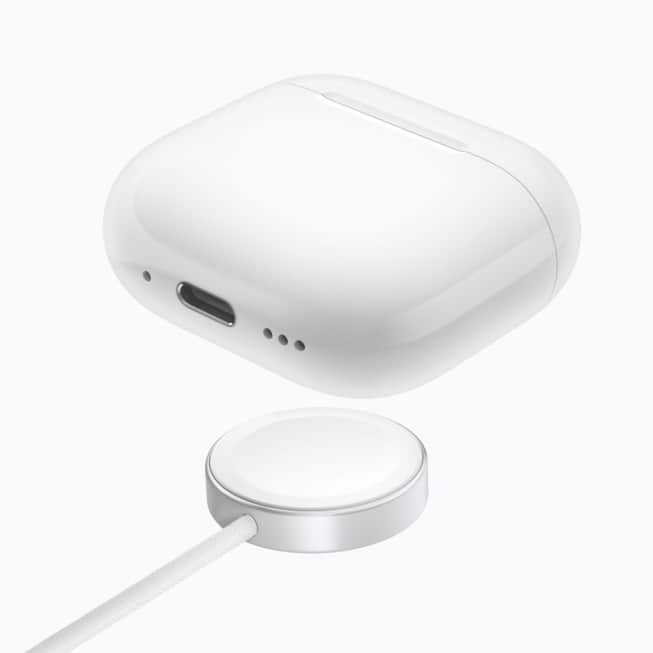
AirPods 5 have no setup button on the back of the case, so you reset them by tapping the front of the case instead. Open the lid, double-tap the front three times as the status light changes, and wait for the light to flash amber, then white.

Apple’s support document on resetting AirPods, dated September 14, lists AirPods 5 “both models,” meaning the standard case and the Wireless Charging Case, alongside every AirPods 4 model and AirPods Pro 3. Apple says you might need a reset “if they won’t charge, or to fix a different issue.”
How to reset AirPods 5
Keep the iPhone or iPad your AirPods are paired with close by, because the second step happens there.
Don’t miss the best of The Mac Observer
Set us as a preferred source and our Apple reporting ranks higher in your Google Search results and Discover feed — one tap, no account changes.
- Put your AirPods in their charging case, close the lid, and wait 30 seconds.
- On an iPhone or iPad that’s paired with your AirPods, go to Settings, then tap Bluetooth. If your AirPods appear in the My Devices list, tap the More Info button next to them, tap Forget This Device, then tap again to confirm. If they don’t appear, continue to the next step.
- Open the lid of the charging case.
- Double-tap the front of the case while the status light is on.
- Double-tap again when the status light flashes white.
- Double-tap a third time when the status light flashes faster.
- When the status light flashes amber, then flashes white, follow the steps on your device’s screen to reconnect your AirPods.
Timing is the part people get wrong. Each double-tap answers a change in the light: first that it’s on, then flashing white, then flashing faster. Three quick double-taps in a row skip those cues.

If the light doesn’t flash white
Apple gives a short retry for when the sequence doesn’t take:
- Put your AirPods in the charging case and close the lid for 20 seconds.
- Open the lid of the charging case.
- Double-tap the front of the case while the status light is on, then double-tap again when it flashes white.
- When the status light flashes faster, double-tap a third time, until it flashes amber, then flashes white.
If the light still won’t flash amber, then white, after a few tries, Apple Support is the next stop.
Reconnect after the reset
Once the light has flashed amber, then white, set your AirPods 5 up again. With the AirPods in their charging case and the lid open, place them close to your iPhone or iPad and follow the steps on the screen.
Why older AirPods tips won’t help
If you’ve reset AirPods before, you probably held a button. Apple’s instructions for AirPods 1, AirPods 2, AirPods 3, AirPods Pro 1 and AirPods Pro 2 say to press and hold the setup button on the back of the case for about 15 seconds. AirPods 5 don’t have that button, so older instructions, and your muscle memory, point you at a part that isn’t there.
The rest of the process is the same for both groups: the 30-second wait in the closed case, forgetting the AirPods in Bluetooth settings, and the amber-then-white flash that means it worked. Only the middle step changes, from one long press to three timed double-taps.
For a refresher on what AirPods 5 can do, see our AirPods 5 launch coverage. Our event recap has the rest of what Apple announced alongside them.



