
Your Apple Watch can do a lot more than count steps or track workouts — it can actually help you stay healthy in small, practical ways. One of those ways is the Handwashing feature. It uses motion detection and the sound of running water to recognize when you’re washing your hands, then starts a 20-second timer, which is the amount of time recommended by health experts for proper hand hygiene.
If you haven’t turned this on yet, it’s worth doing. Here’s how it works and how to set it up in a minute or less.
Table of contents
Why Handwashing Detection Exists
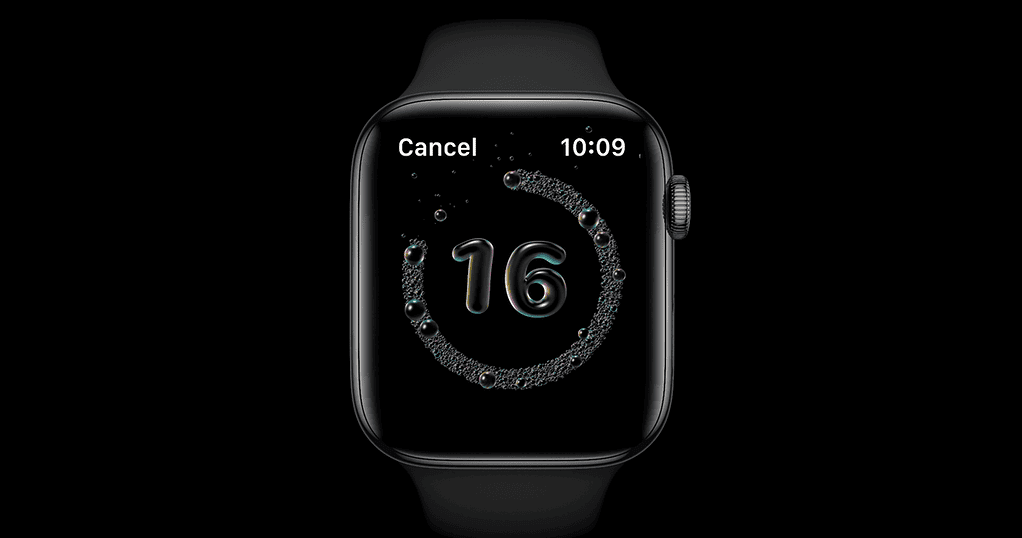
Let’s start with why Apple added this feature. Handwashing became a big focus during the COVID-19 pandemic, when health organizations emphasized that scrubbing for at least 20 seconds was one of the simplest ways to prevent illness. Apple built that guidance right into watchOS, so your watch can gently remind you to do it right — without needing to count Mississippis in your head.
Don’t miss the best of The Mac Observer
Set us as a preferred source and our Apple reporting ranks higher in your Google Search results and Discover feed — one tap, no account changes.
It’s not perfect, but it’s surprisingly smart. The watch listens for running water, feels the motion of your hands, and when it thinks you’ve started washing, a small timer appears. If you stop early, the watch nudges you to keep going until time’s up.
How to Turn On Handwashing on Apple Watch
You can enable the feature directly from your watch or through your iPhone’s Watch app. Both ways are easy.
On your Apple Watch:
- Press the Digital Crown to open the app grid.

- Open the Settings app.
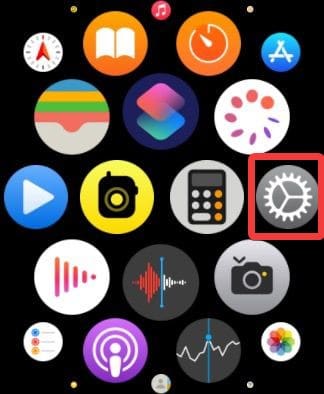
- Scroll down and tap Handwashing.
- Turn on Handwashing Timer.
That’s it. The next time you start washing, your watch will detect it automatically and display a countdown.
On your iPhone:
- Open the Watch app.
- Tap My Watch at the bottom, then scroll down and select Handwashing.
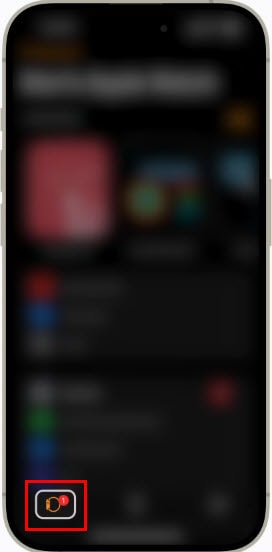
- Turn on Handwashing Timer.
- If you want reminders to wash your hands when you get home, turn on Handwashing Reminders as well.
The reminders use your location to recognize when you’ve returned home, then gently prompt you to wash up — a small but useful feature, especially after being out in public.
Viewing Your Handwashing Data
If you’re curious about how often you’re hitting that 20-second mark, you can check your stats in the Health app on your iPhone.
- Open the Health app.
- Tap Browse.
- Go to Other Data, then select Handwashing.
You’ll see a timeline showing how long your average handwashing sessions last and how frequently you wash. It’s surprisingly motivating once you realize how often you stop at 15 seconds instead of the full 20.
A Few Things to Know
Handwashing detection is available on Apple Watch Series 4 or later running watchOS 7 or newer. Older models don’t have the necessary microphone and sensors to detect the sound of water. You’ll also need your paired iPhone running iOS 14 or later.
It’s worth noting that the feature isn’t foolproof — loud noises or splashing can occasionally stop the timer early. The best approach? Just wash as usual and let the timer run in the background. When you finish, your watch gives a quick chime and a thumbs-up animation.
The Bottom Line
Turning on Handwashing detection takes less than a minute, but it adds a surprisingly thoughtful layer to your daily routine. It’s not about obsessing over germs — it’s about small, consistent habits that make a difference. Apple built this feature to encourage exactly that.
So, if you haven’t already, head into your Apple Watch settings and flip it on. The next time you’re washing your hands, you’ll get a little digital nudge to finish strong — and a small reminder that tech can help you take care of yourself in simple, human ways.




Discussion