

Apple has previewed iOS 27 at WWDC 2026, and the update builds directly on the big changes introduced with iOS 26. While iOS 26 introduced the Liquid Glass design, redesigned system apps, smarter Reminders, new CarPlay features, and an expansion of Apple Intelligence, iOS 27 focuses on making the iPhone feel faster, clearer, and more intelligent in daily use.
Apple says iOS 27 brings the next generation of Apple Intelligence, a new Siri AI experience, stronger parental controls, and performance improvements across its platforms.
iOS 27 vs iOS 26: Quick Comparison
| Area | iOS 26 | iOS 27 |
|---|---|---|
| Design | Introduced Liquid Glass across iPhone | Refines Liquid Glass for better clarity and usability |
| Siri | Standard Siri with Apple Intelligence support | New Siri AI with screen awareness, personal context, and web answers |
| Performance | Faster and more responsive than older iOS versions | Further speed and reliability improvements |
| Photos | New layout, spatial scenes, better controls | AI-powered editing improvements, including Spatial Reframing |
| Safari | Modernized browsing experience | Smarter tab handling and Apple Intelligence features |
| Parental controls | Age-based child setup and safety tools | More powerful Screen Time and child safety controls |
| Compatibility | Supports iPhone 11 and newer models listed by Apple | Expected to support many iOS 26 devices, with AI limits on older models |
1. Siri AI Is the Biggest Instant Change

The most noticeable iOS 27 upgrade is Siri AI. Apple describes it as a new Siri experience that understands what is on your screen, uses personal context across apps, performs deeper app actions, and gives answers using web information when needed.
Don’t miss the best of The Mac Observer
Set us as a preferred source and our Apple reporting ranks higher in your Google Search results and Discover feed — one tap, no account changes.
In iOS 26, Siri improved through Apple Intelligence, but iOS 27 turns Siri into a more active assistant. For example, Siri AI can understand a photo, search your messages or emails for relevant details, and help complete tasks across apps.
Apple also says Siri AI includes a dedicated Siri app where users can revisit past conversations, with iCloud syncing across Apple devices.
2. Liquid Glass Looks More Practical in iOS 27

iOS 26 introduced Liquid Glass, Apple’s new system-wide design language. It changed buttons, menus, app layouts, the Lock Screen, and several built-in apps.
With iOS 27, Apple is refining that design rather than replacing it. The update focuses on readability, responsiveness, and cleaner interaction across iPhone apps. This matters because many users noticed iOS 26 immediately because of its visual style, while iOS 27 feels more like a usability polish for that same design direction.
3. Photos Gets Smarter Editing Tools

Photos changed heavily in iOS 26 with a simpler two-tab layout, updated controls, and spatial scene support. Apple’s iOS 26 guide says Photos uses Library and Collections as the main tabs, while also letting users turn favorite photos into spatial scenes.
In iOS 27, Apple Intelligence adds Spatial Reframing, which helps improve a photo’s composition after capture. This is one of the changes users will notice quickly because it affects a daily app rather than a hidden system setting.
4. Safari, Messages, and Mail Get More AI Help
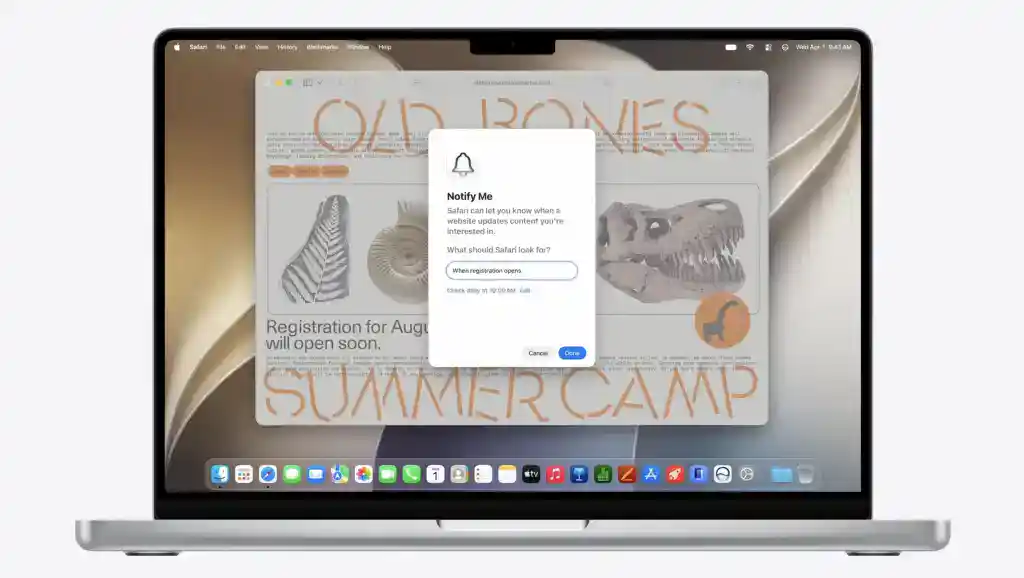
iOS 27 spreads Apple Intelligence across apps that people use every day, including Safari, Messages, and Mail. Apple says the new intelligence features help with browsing across multiple tabs, communication, image editing, and creative tools like Image Playground.
Compared with iOS 26, this makes the system feel more connected because AI features appear inside normal workflows instead of staying limited to a few separate tools.
5. Parental Controls and Screen Time Improve

iOS 26 already improved Family features by helping parents move children to Child Accounts more easily and enabling age-appropriate protections. Apple also added safety improvements across Communication Limits, Communication Safety, and the App Store.

iOS 27 goes further with stronger parental controls and major Screen Time updates. Apple says parents get more control over what children can see, who they can contact, and when they can use apps.
6. Performance Is a Bigger Focus This Year

iOS 26 made supported iPhones faster and more responsive, according to Apple’s iPhone guide.
iOS 27 continues that direction with improvements aimed at speed, reliability, and day-to-day responsiveness. This is especially important for users on older supported iPhones, where small changes in app launches, scrolling, keyboard response, and photo loading become easy to notice.
iOS 27 vs iOS 26: Should You Upgrade?
Most users should upgrade to iOS 27 once the stable version is available because it improves the core iOS 26 experience with smarter Siri, better Apple Intelligence features, refined visuals, stronger child safety tools, and better performance.
However, early beta users should expect bugs because iOS 27 is still in testing. Also, some Siri AI and Apple Intelligence features depend on device model, language, and region. Apple confirms that Siri AI starts in beta later this year for supported devices set to English, while availability varies by region.


Discussion