
Roundups of educational apps usually involve apps for students. But this is a list of five educational apps for teachers.
Tips
PSA: Apple Makes it Easier to Download iCloud Photos in Bulk
Apple made changes to iCloud.com and made it easier to download iCloud photos in bulk.
5 Free Apps to Order Valentine's Flowers
Valentine’s Day is just around the corner, and we’ve found five apps to help you order Valentine’s flowers.
Facebook Moments is Shutting Down
Facebook Moments is shutting down on February 25, because people weren’t using it. If you did though, here’s how to save your photos.

5 of My Favorite Features of macOS Mojave
macOS Mojave has a lot of nice new features. John lists five of his favorites that make life better for him.

macOS Mojave and 2013 Mac Pro: Interim Report [UPDATE]
The 2013 Mac Pro and its AMD FirePro D300 GPU have had their share of glitches and woes over the years. John thinks Mojave is the best macOS so far for that combo.

How Apple's T2 Security Chip Affects Your Disk Storage
All new Macs now feature Apple’s custom T2 security chip. This has operational security implications for your new Mac.
macOS: How to Use Keyboard Shortcuts to Open Bookmarks in Safari
Today’s Quick Tip is about Safari on the Mac and how you can use and adjust keyboard shortcuts to get to the sites you love. So if The Mac Observer is your favorite place (of course it is, right?), you can jump right here!
3 Ways to Manage Family Devices They Got as Gifts
If you’re the family tech support person you’ll want these mobile device management (MDM) tools to help you manage family devices.

Resolved: Making Better Mac Backups
This is the time of year when many are on vacation. And making new year’s resolutions. It’s good to reflect on and possibly update one’s Mac backup strategy. John walks us through it.
iOS: How to Control Your Snapchat Ad Settings
While you can’t stop ads completely, you can fine-tune your preferences.
How to Change the Accent Color in macOS Mojave
Today’s Quick Tip is about a little feature of Mojave that’ll let you change the color scheme of buttons and menus, so if you want your Mac to be pink rather than blue, you totally can do that!
How to Use One Mac as a Time Machine Destination for Another
Today’s Quick Tip is an interesting one (if we do say so ourselves). Did you know you can use one Mac in your house as a Time Machine destination for another? How very very odd. We’ll go over the oddness in its entirety in this article!
Here's How to a Send Voice Note on Instagram
Instagram has added the ability to send and receive a voice note in the app, the simple tool adds a new dynamic to the photo sharing app.
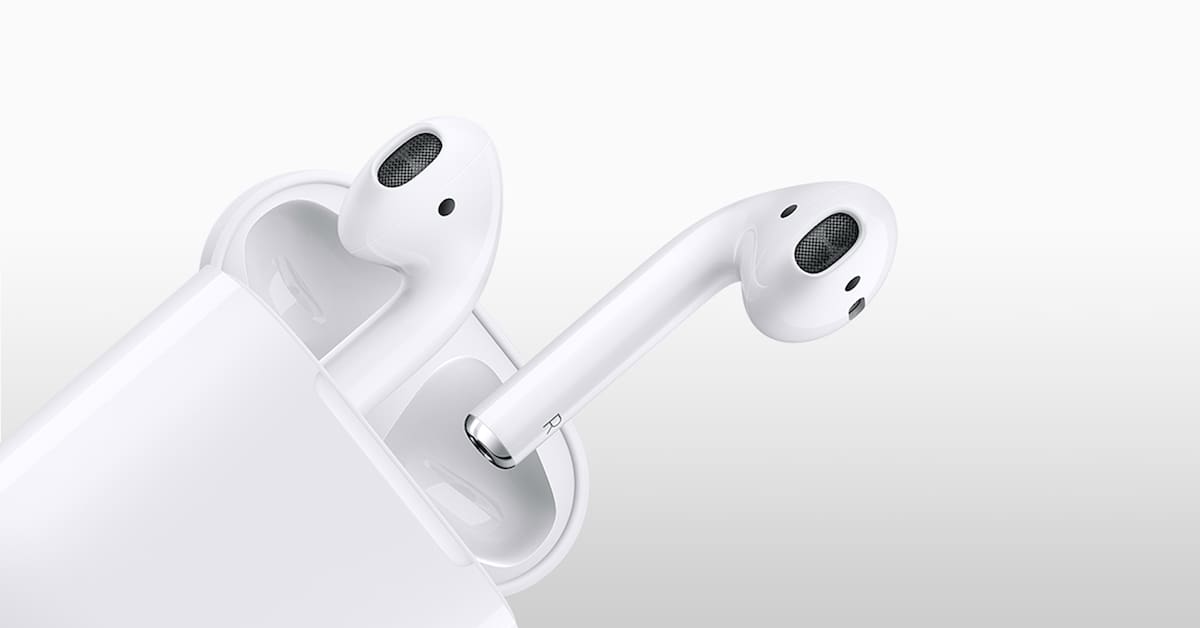
iOS: How to Find Your iPhone with Your AirPods
Got an Apple Watch? You can use it to ping a lost iPhone in your house. But did you know that you can do that with your AirPods, too, assuming they’re set up to do so? You can, and we’ve got the trick to it in today’s Quick Tip!
How to Use The New Instagram Close Friends Feature
It lets users create a separate list of followers that have special viewing permissions.

Numbers: How to Refer to Cells in Other Sheets
With Numbers, Apple’s spreadsheet program, you can have multiple sheets in a single document and use cells within each to calculate values in the others. It’s handy! Come on in and read about how.

What to Know Before Buying an Apple TV 4K
The holidays are upon us, and so John put together (most) everything a buyer might need to know about the Apple TV 4K before purchase.
macOS: How to Check Folder Sizes in Bulk
Andrew learned of this tip a couple of minutes ago. If you’ve ever wondered how to check folder sizes in bulk, here’s how to do it.

How to Always Insert Attachments at the End in macOS Mail
Today’s Quick Tip is about Apple Mail and how it (somewhat frustratingly) handles attachments. If you don’t like them dropping into the middle of your messages, come read about how to push them to the end!
macOS: How to Use Smart Categories in Numbers
In a recent update, Numbers gained the ability to sort by category, so if you want to break down your budget by transaction type, say, you can do that really easily. The details are all here in today’s Quick Tip!
How to Turn Off Siri Suggestions in iOS 12
Today’s Quick Tip is about Siri Suggestions in iOS 12. Have you seen reminders to call people back on your lock screen? Don’t like those prompts? We’ll tell you what to do!
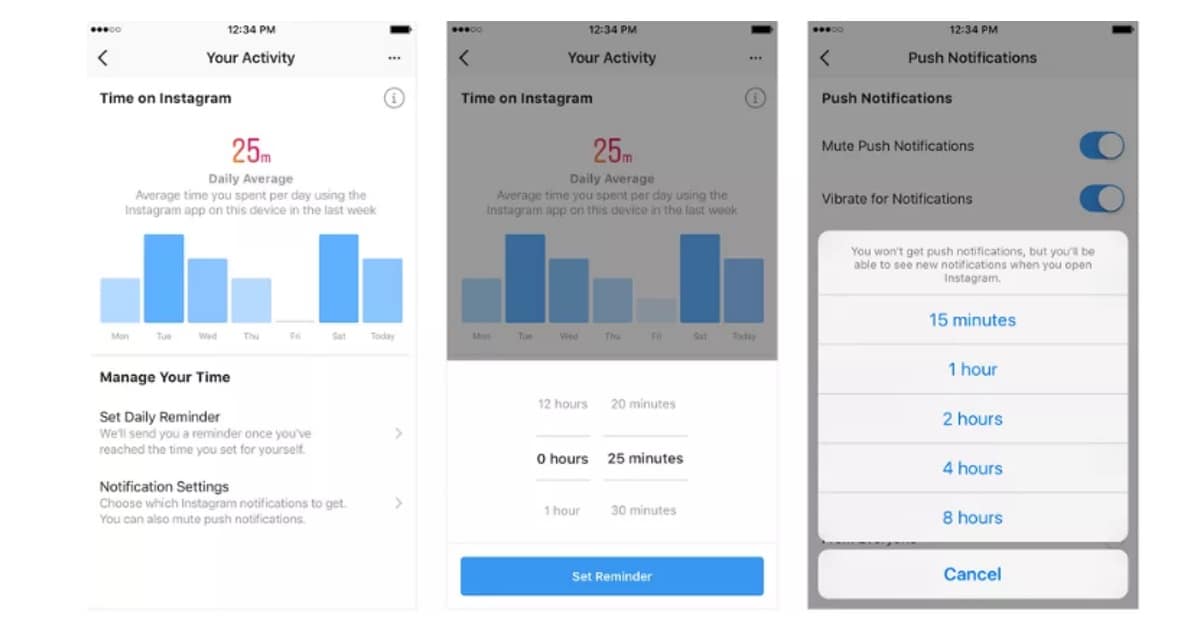
How to Use Instagram's Your Activity Dashboard
Charlotte Henry has a quick guide for using Instagram’s new ‘Your Activity’ feature to help users reduce their screen time
iOS 12: Manage Your Apple Pay Billing and Shipping Address
Here’s how to manage your Apple Pay billing and shipping address.