Apple’s Keynote and Numbers 15.4 updates split their new features into two lists, one for everyone and one for Apple Creator Studio subscribers, according to the apps’ App Store release notes. Creator Studio costs $12.99 per month or $129 per year in the US, and Apple says creating, viewing and editing in both apps, along with real-time collaboration, still does not require a subscription.
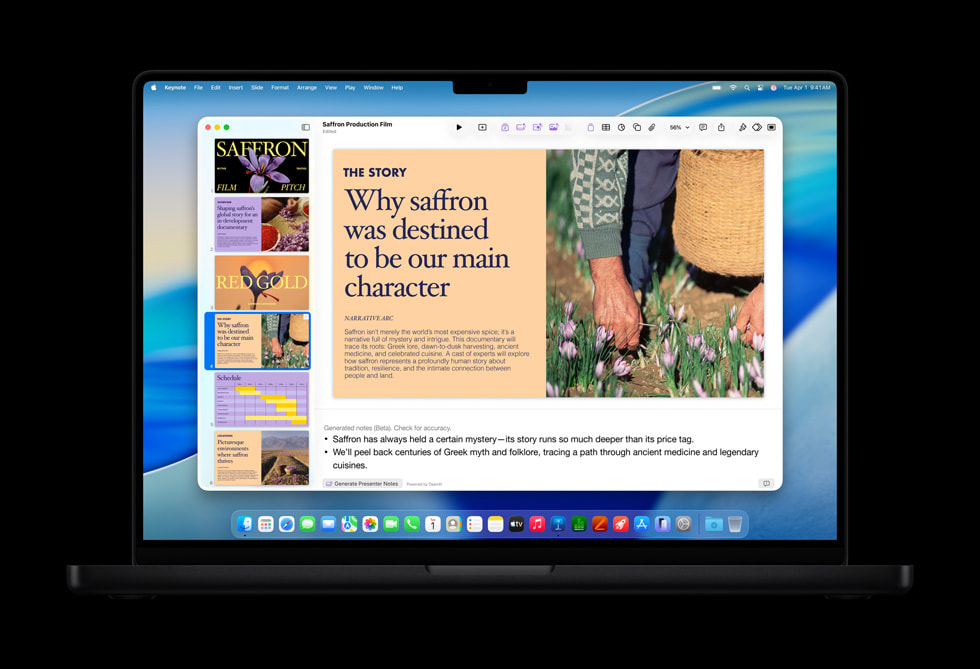
Both updates are dated September 29 on the App Store, the same day Apple announced the changes. Here is what you get for free, what sits behind the subscription, and what happens if you stop paying.
Free for everyone in 15.4
Apple lists these under “For Everyone” in the release notes:
Don’t miss the best of The Mac Observer
Set us as a preferred source and our Apple reporting ranks higher in your Google Search results and Discover feed — one tap, no account changes.
- Request access: you can request access to collaborate on a shared presentation in Keynote or a shared spreadsheet in Numbers.
- Siri help: you can “ask Siri questions about Keynote to get quick answers,” and Apple lists the same for Numbers.
- New functions in Numbers: Numbers gets new trigonometry, statistics and logic functions. Apple says they are there to “solve more complex problems.”
- Stability fixes in both apps.
The new Numbers functions are the most practical addition for people who never pay. Apple does not name the individual functions in the release notes.
What needs Apple Creator Studio
The subscriber list for 15.4 is shorter:
- Keynote: a new collection of professionally designed themes, plus improved intelligent slide generation (beta) that automatically creates new images tailored to your presentation.
- Numbers: a new collection of professionally designed templates.
These sit on top of the paid features Apple added when Keynote and Numbers joined Creator Studio. The App Store notes list them as the Content Hub of Apple-curated photos, graphics and illustrations, AI image creation and editing, Super Resolution and Auto Crop. Keynote adds turning a text outline into slides, generated presenter notes and slide cleanup, all three in beta. Numbers adds Magic Fill, which suggests data or generates formulas based on patterns.
Free and paid, side by side
This table covers the 15.4 update and the June 15.3 update, as listed in Apple’s release notes.
| Feature | Version | Free | Creator Studio |
|---|---|---|---|
| Request access to a shared file | 15.4 | Yes | Yes |
| Ask Siri questions about the app | 15.4 | Yes | Yes |
| New trigonometry, statistics and logic functions (Numbers) | 15.4 | Yes | Yes |
| New themes (Keynote) and templates (Numbers) | 15.4 | No | Yes |
| Intelligent slide generation creates tailored images (Keynote, beta) | 15.4 | No | Yes |
| Shift, radial wipe and character blur transitions and builds (Keynote) | 15.3 | Yes | Yes |
| Hide or show sheets and color sheet tabs (Numbers) | 15.3 | Yes | Yes |
| Replace images more easily from the Content Hub | 15.3 | Yes | Yes |
| Generate editable shapes from a text description | 15.3 | No | Yes |
| Open an image in Pixelmator Pro on iPad and see the edit in your file | 15.3 | No | Yes |
How much Creator Studio costs
Apple’s Creator Studio page lists three ways in:
| Plan | Price after the trial | Free trial |
|---|---|---|
| New subscriber | $12.99 per month or $129 per year | 1 month |
| Students and educators | $2.99 per month or $29.99 per year | 1 month |
| New iPad or Mac | $12.99 per month or $129 per year | 3 months |
The standard plan also includes Final Cut Pro, Logic Pro, Pixelmator Pro, Motion, Compressor and MainStage, so Keynote and Numbers alone are a small part of what you pay for. Apple says a standard subscription can be shared with up to five other family members through Family Sharing. Student and educator plans cannot be shared.
Apple’s support document adds that you can subscribe from inside Keynote or Numbers when you tap premium content or features, but you can’t subscribe within Keynote on Apple Vision Pro.
What happens if you cancel
According to Apple Support, you keep everything until the end of your billing period. After that, you still have Keynote and Numbers but without the intelligence features in the subscription.
Your files are safe. Apple’s Creator Studio page says Keynote and Numbers documents “remain unchanged and can be edited; however, no new edits using paid features will be possible.”
Requirements
Apple Support lists Keynote and Numbers as requiring macOS 26 or later on Mac, and iPadOS 26 or iOS 26 or later on iPad and iPhone. Keynote for Apple Vision Pro requires visionOS 26 or later.
Apple also notes that some Creator Studio features need an Apple Intelligence-capable device, and that some of its AI features “utilize third-party models and may have usage limits and restrictions.”
The same September update also brought Cinematic mode editing to Final Cut Pro, which we covered in our story on Creator Studio’s iPhone 18 Pro video tools. Apple’s full list of changes is in its Creator Studio update announcement.