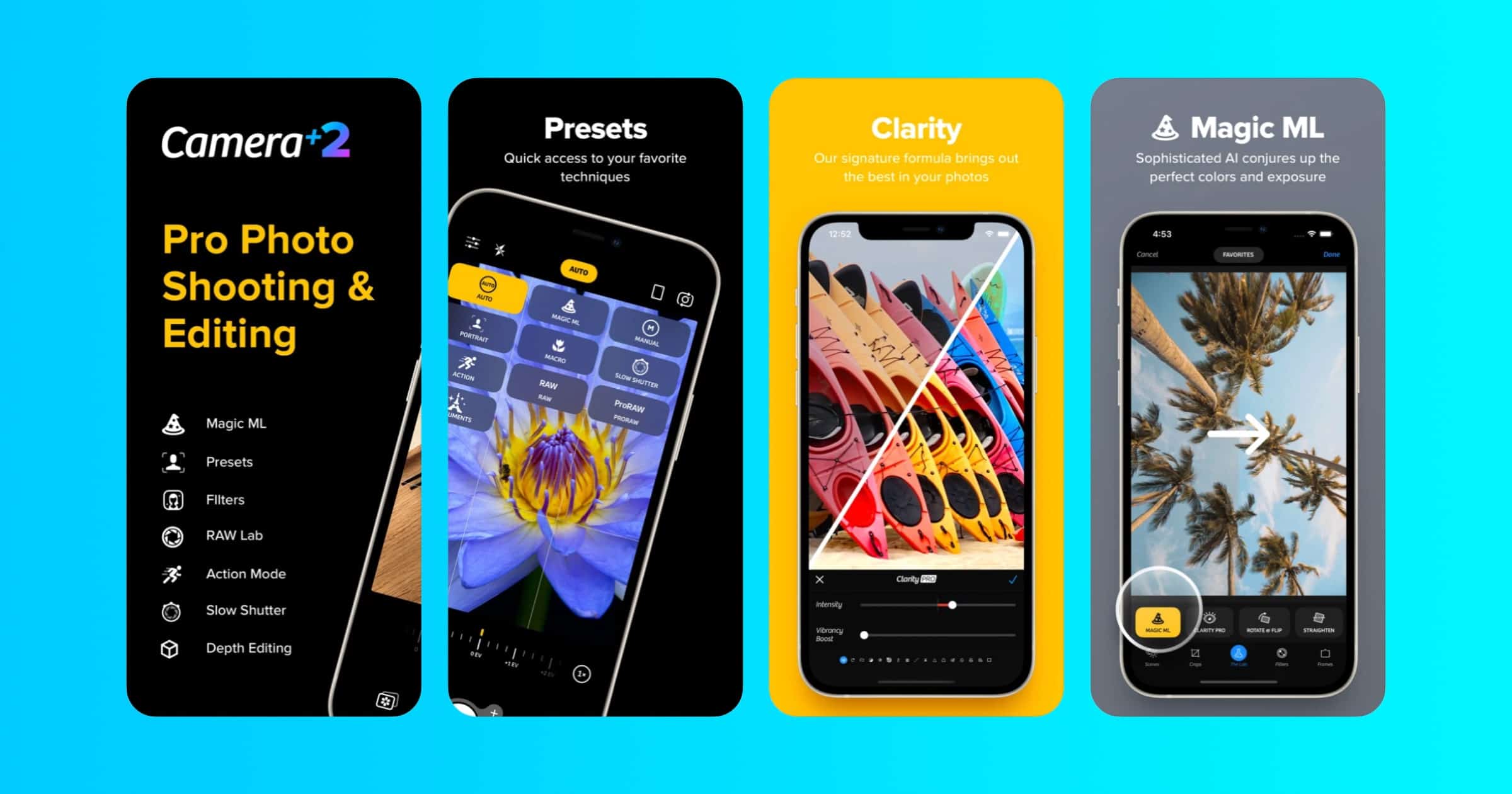
LateNiteSoft announced that its Camera+ 2 app is available for 50% this week for US$3.99. Here are some of the features: The Lab contains many photographic tools that allow you to fine-tune the exposure, boost the shadows, sharpen your photo, and adjust curves among many others. Dozens of built-in filters help you get that final look. RAW mode provides maximum flexibility for editing, by saving the exact image captured by the sensor at its full precision. The RAW Editor includes tools such as Curves and a White Balance picker. Camera+ 2 adapts to your style and technical savvy. If you like the system camera, select the Auto preset to use a simple, clear interface that will let you concentrate on your shot.
Photography

Photo Editor ‘Darkroom’ Adds Automated Workflows With Shortcuts
Darkroom announced on Monday that it added new shortcut actions to help automate your photo editing workflows.
You will be able to add a filter, set the filter intensity, inset on a frame, and now also crop to a preset and add your watermark to every photo or video processed. From there, you can save it out to a Files folder, upload to Instagram, you name it.
I should check out Darkroom again for this reason. And beg VSCO to add their own shortcut actions.

Lux Releases ‘Halide’ Camera App for the iPad
Lux, the company that makes the Halide and Specter camera apps, announced on Tuesday Halide for iPad.
We did bring all of the powerful features from iPhone, though: You can shoot RAW with your iPad, apply Instant RAW, view images and extensive metadata in detail in the reviewer, access our powerful Depth mode, and much more. Tons of refinements, design details and tidbits were added and changed to be great on the big screen, and we can’t wait for you to discover them all.
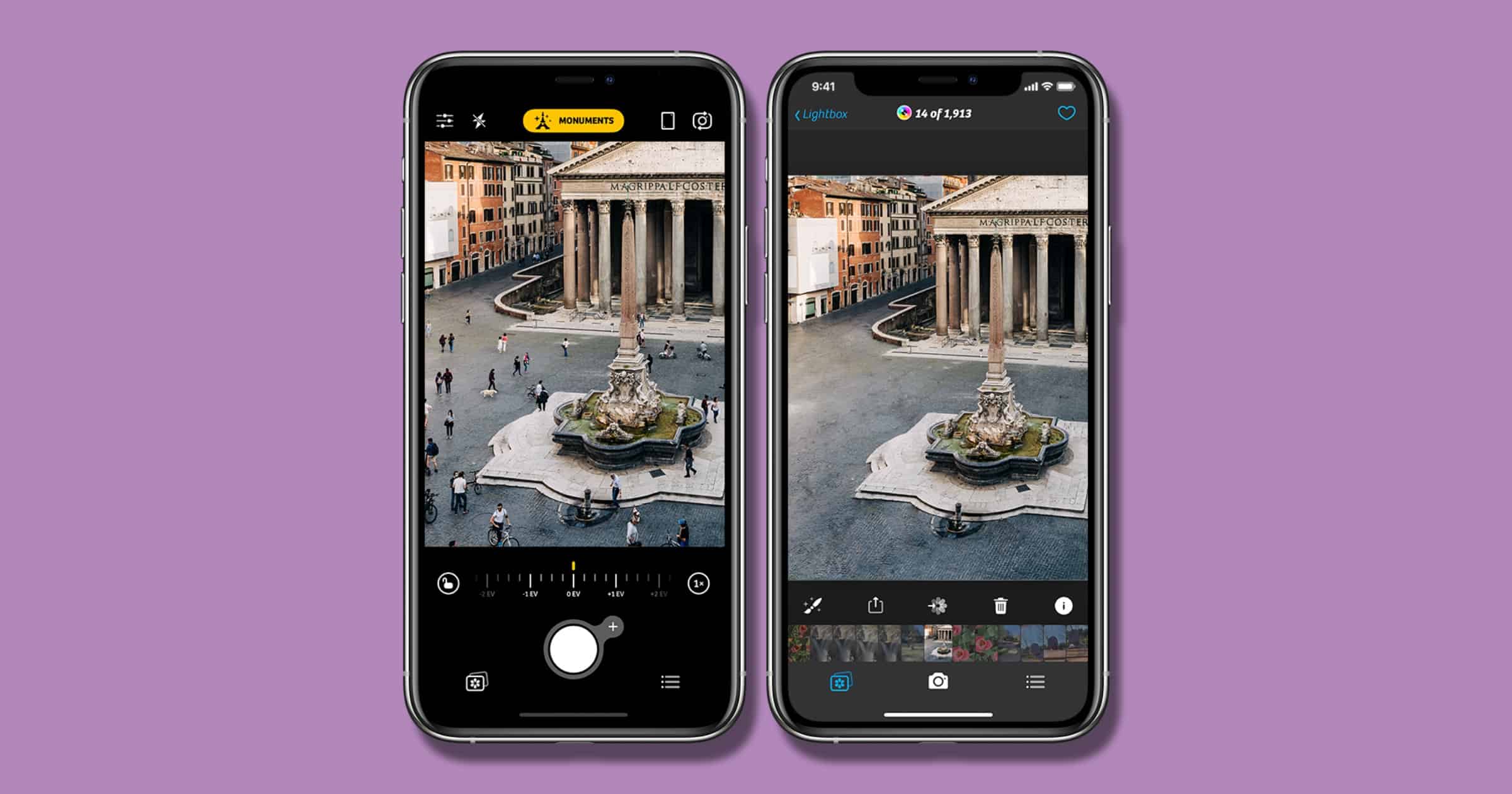
Camera+ 2 Adds AI-Powered Monuments Mode
Monuments Mode is a new camera mode for Camera+ 2 to help photographers take great photos. The team says: “The basic idea was: what if we grab a bunch of high-resolution video frames from the camera feed, perfectly align them on top of each other, and then somehow select the best parts without the moving distractions.” The mode is designed to remove objects in motion that get in the way of a minimal shot, like taking a photo of a building with people walking by. App Store Link

How to Take Great Flower Photos With iPhone 12 Pro
Apple shared an article on how to take great flower photos for people with an iPhone 12 Pro | Pro Max, with Nathan Underwood of Tulipina.

Google Photos for iOS Adds Video Editing, New Photo Editing Features
Google has added new editing features to its Photos app on iOS, including video editing. New editing features will be available exclusively to Google One members.
Starting today, we’re bringing some of the editing features currently available on Pixel to Google One members as a part of their membership. These effects transform your portraits using machine learning: with Portrait Blur, you can blur the background post-snap, and with Portrait Light, you can improve the lighting on faces in portraits. Both features work for photos just taken or images from the past — even if the original image wasn’t taken in portrait mode.

Affinity Apps Updated With RAW Engine, Contour Tool, More
Serif has updated its line of Affinity apps to version 1.9. on Thursday. New features include a contour tool, a RAW engine, GPU acceleration, and plenty of other goodies.
A key feature which sets Affinity Photo apart from the competition is its non-destructive workflow, and that has been taken to another level again with the ability to add liquify adjustments as live, maskable layers. On top of that there are substantial improvements to its RAW engine, new linked layer functionality, path text, as well as a whole new mode to control the stacking of astrography images for stunning results.
Additionally, all Affinity apps are currently available with 50% discount as an initiative to support the creative community during COVID-19, from affinity.serif.com.

Apple Shares Photos From ‘Shot on iPhone 12’ Campaign
Apple has shared photos shot on iPhone 12 from people around the world, showcasing what these powerful cameras can do.
Pixelmator Shares Free Photo Presets From Professional Photographers
Pixelmator wrote on Thursday that it will share three collections of color adjustment presets. These have been each designed by a photographer and shared for free. Paolo Baretta’s style is “characterized by cold delicate colors and a nostalgic, intimate mood, uniting my empathy with the loneliness of the human being.” Oladimeji Odunsi’s style is “more of people and portraits because I get to represent the part of the community I’m from and my style tries to include more vibrant colours/tones, contrasts and shadows.” Finally, Lan Nguyen’s style is “I don’t have a particular style since I’m very versatile, but the photos that I post on social media can fit in categories like: magical / dreamy / fantasy.”

Holiday Photography Tips – TMO Daily Observations 2020-12-21
Charlotte Henry and Andrew Orr join host Kelly Guimont to discuss the settings and methods you can use to get the best photos of your holiday.

VSCO Shares its 2020 Year in Review With Top Trends
VSCO has shared its 2020 Year in Review, exploring the top trends it saw throughout the year like popular hashtags and photo presets. For example, the top third preset of 2020 was B1, aka B&W Classic. That’s my favorite VSCO preset for black and white photography and I have a feeling I was partially responsible for pushing it to the top.
Without the pressure of public likes and comments on VSCO, we saw our community share their most raw and true moments, and how creativity helped them to get through this year’s ups and downs.

Skylum Releases ‘Luminar AI’ Photo Editor for $79 on Mac
Known for products like Aurora HDR and Luminar, Skylum has launched its latest photo editor called Luminar AI.
Pixelmator Photo 1.5 Update Supports Apple ProRAW
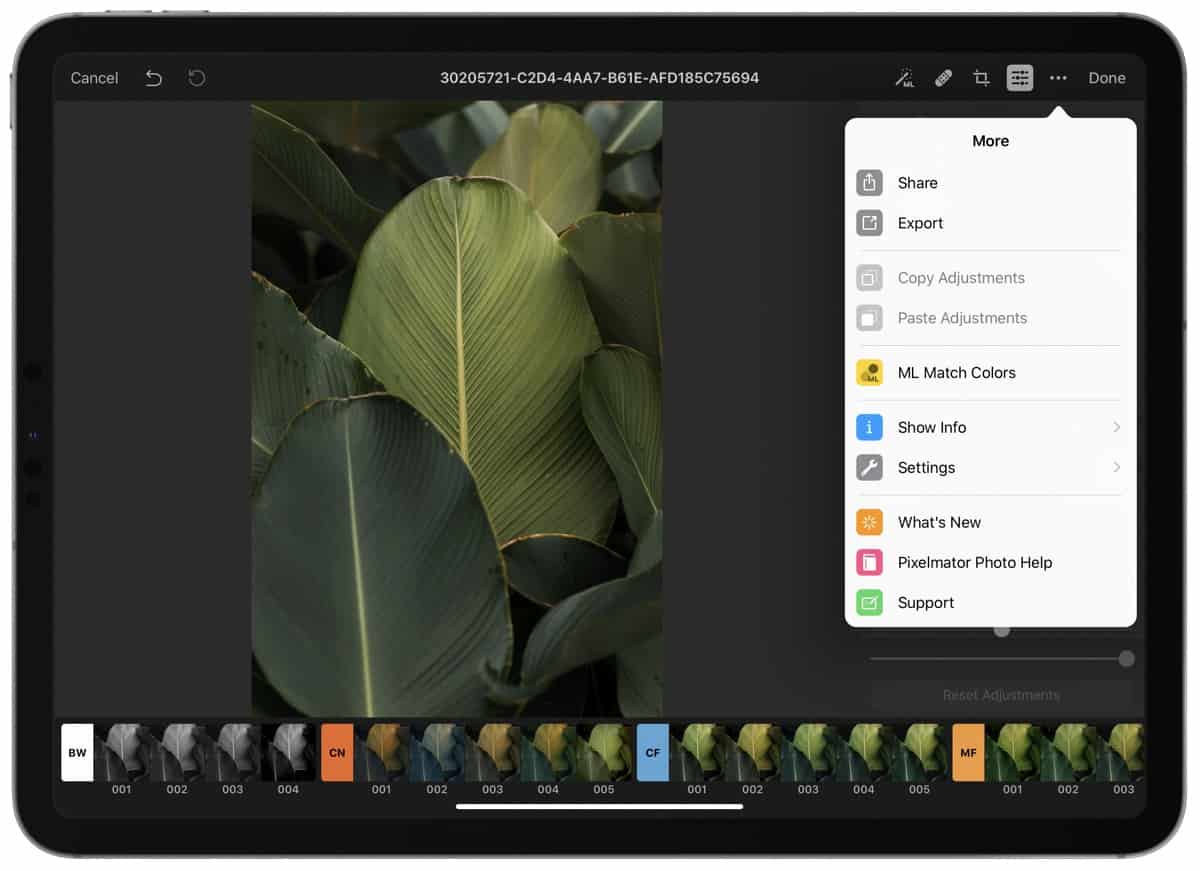
Pixelmator Photo 1.5 brings a ton of new features, including support for Apple’s ProRAW photo format we’ll see in iOS 14.3. Here are other features: Adjust the tonal curve directly in your photos – tap the On-Image Curves button, then drag up in your photo to lighten those areas, or down to darken them; The Shadows and Highlights sliders will be able to recover much more detail than before; Support for the new, native iOS color picker means you’ll be able to pick colors more quickly and easily; You can now tap the histogram to switch between the RGB and Luminance histograms; plus more improvements and a bug fix.

VSCO Gets Dark Mode and a Blur Tool
Photography company VSCO announced on Wednesday a redesigned in-app studio experience for photographers with new tools.

Favorited iCloud Photos Now Sync to Google Photos
Favorited photos stored in iCloud, as well as starred photos stored in Google, now sync with each other. Here’s how to enable the setting.

Adobe Lightroom Adds Support for M1 Macs, ProRAW
Adobe Lightroom is now a native app for M1 Macs and supports Apple’s ProRAW photo format it will release in iOS 14.3 for iPhone 12 Pro/Pro Max.
As we’re getting started on desktop Arm / Apple M1, we’ll continue to optimize for Arm and M1 in subsequent releases. And if you’re on an Intel based computer, don’t worry…we’ll continue to invest in and improve Lightroom for you too.

A Review of iPhone 12 Pro Max Photography
The developers behind camera app Halide examined the iPhone 12 Pro Max photography, as well as that of the iPhone 12 mini.
We had an advanced look at the Pro Max specs, but to recap, it has: A 47% larger sensor A faster ƒ/1.6 lens; A brand-new ‘sensor shift’ stabilization system for low-light; ISO sensitivity is 87% higher; A new telephoto lens, reaching a new length of 65mm (full-frame equivalent)
I’ve been under the impression that the iPhone 12 Pro also had the bigger sensor, but it sounds like it’s limited to the Pro Max. Now I’m sad.

VSCO Introduces New Video Effects and Camera Capture Modes
Camera company VSCO introduced new video effects and a redesigned camera with new capture modes on Wednesday.

Pixelmator Pro 2.0 is Available One Day Early
Pixelmator Pro 2.0 is available to download on Wednesday, one day earlier than initially planned. It fully supports M1 Macs.
Pixelmator Pro 2.0 Coming With M1 Mac Support and Redesign
The Pixelmator Team announced on Friday that Pixelmator Pro will be available on Thursday, November 19, with M1 and macOS Big Sur support.

iPhone 12 Pro Camera Scores 128 in DxOMark Review
The iPhone 12 Pro camera received a score of 128 in a review by DxOMark. This places the camera in fourth place.
With a DXOMARK Camera overall score of 128, the Apple iPhone 12 Pro makes it into the top five in our ranking, improving on last year’s 11 Pro Max by four points and replacing it as the best Apple device in our database. The overall score is founded on a high Photo score of 135 and a very good Video score of 112. With a score of 66, Zoom is the area where the iPhone 12 Pro loses some points against the best in class, mainly due to its tele-lens offering only a 2x optical magnification.

Photo Editor ‘Darkroom’ is Ready for M1
The latest in the wave of M1-ready Mac apps is Darkroom, a photo management and editing app.
Everything is updated to reflect the new macOS Big Sur aesthetic with native components like the new translucent sidebar and native window toolbars. We also optimized all interactions for mouse, trackpad, & keyboard input, sparing no detail in making Darkroom feel at home on the Mac.

Mimeo Photos Introduces Tabletop Decor, Limited Edition Photo Ornaments
Mimeo Photos has introduced two new photo products: Tabletop decor and limited edition photo ornaments perfect for the holidays. Photo Ornaments: For a limited time, choose from eight personalized photo ornaments available in materials like acrylic, metal and rustic wood in a variety of festive shapes and sizes. Tabletop Decor: The new collection features four different options of Tabletop Decor available in a variety of materials, including acrylic, metal and more, that arrive ready to display. Simply pick your favorite moments and make some room on your work-from-home desk, end table, or shelf.

Create Stunning Photos with this App's 100+ Effects, Fine Tuning Controls, Smooth Interface: $19.99
We have a deal on Photo Effect Studio Pro, photo editing software for the Mac and Windows. It features more than 100 effects presets developed by professional photographers and graphic designers, 30 frames to give your photo an extra degree of sophistication, and fine-tuning controls for Exposure, Brightness, Saturation, Rotate, Curve Adjustment, Color Balance, and more. This app is $19.99 through our deal. I’m linking to the Mac version of the deal, but the deal listing has an option for the Windows version, too.