

If you’ve ever tried cleaning up messages on your Apple Watch, you probably hit the same wall everyone does. You can swipe. You can tap the trash icon. But you can’t wipe everything at once. The watch simply doesn’t offer bulk deletion. Here’s the thing. You can clear everything in one go, just not from the watch itself. The trick is knowing what happens on the watch, what happens on the iPhone, and how the two sync.
Table of contents
The truth about bulk deleting on Apple Watch
Let’s get this part out of the way. There is no button, setting, or hidden gesture on Apple Watch that lets you delete multiple message threads at once. Apple never added it. Your watch only deletes messages one thread at a time.

But the watch mirrors your iPhone. That means you can delete as many messages as you want on your phone, and the changes will eventually sync back to the watch. Sometimes the sync takes a moment, but it works.
Don’t miss the best of The Mac Observer
Set us as a preferred source and our Apple reporting ranks higher in your Google Search results and Discover feed — one tap, no account changes.
So the fastest way to “delete all texts on Apple Watch” is to delete them in bulk on your iPhone.
How to delete all messages using your iPhone
This is where the cleanup actually happens.
- Open Messages on your iPhone
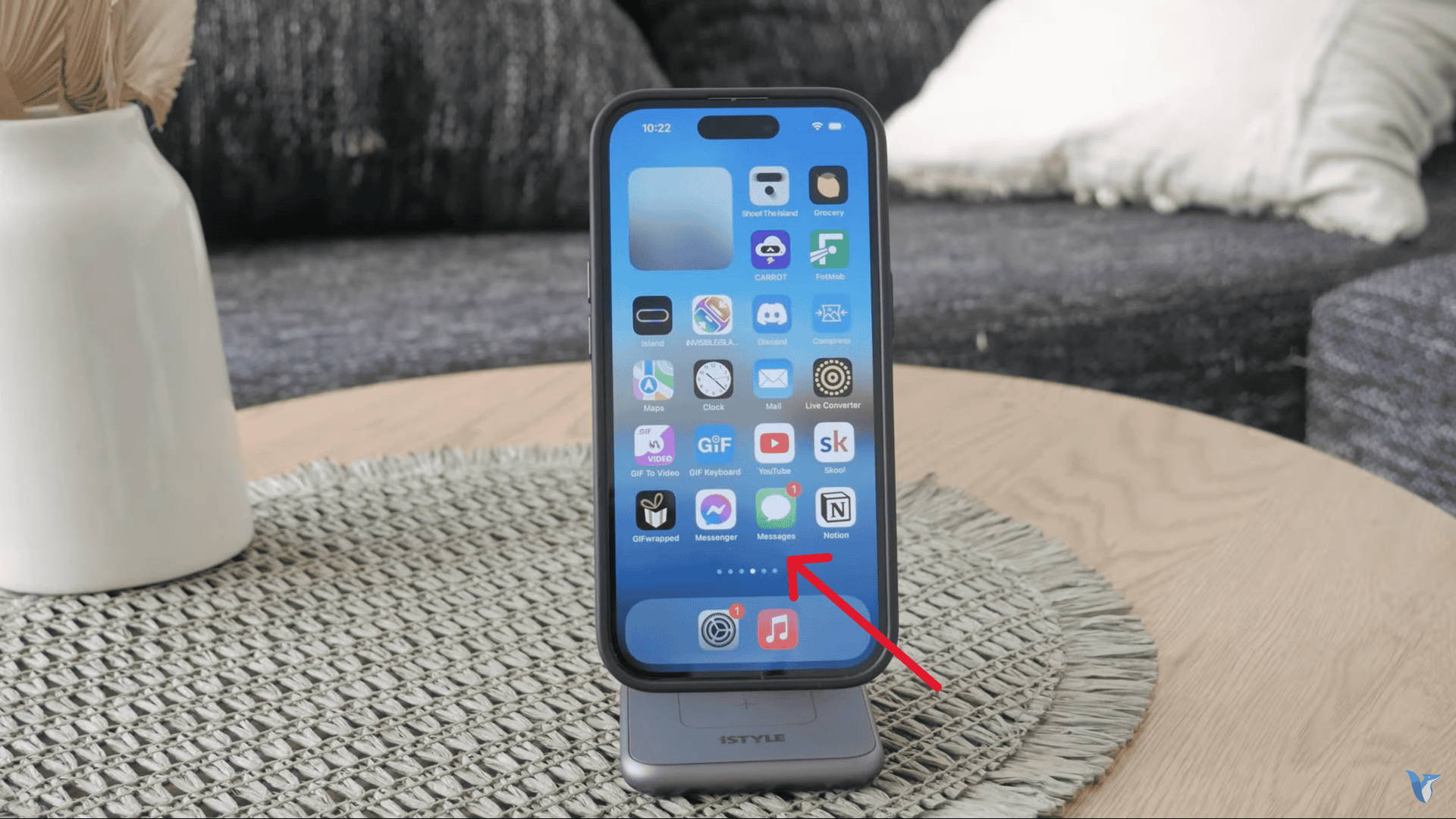
- Tap the three dots or Edit in the corner
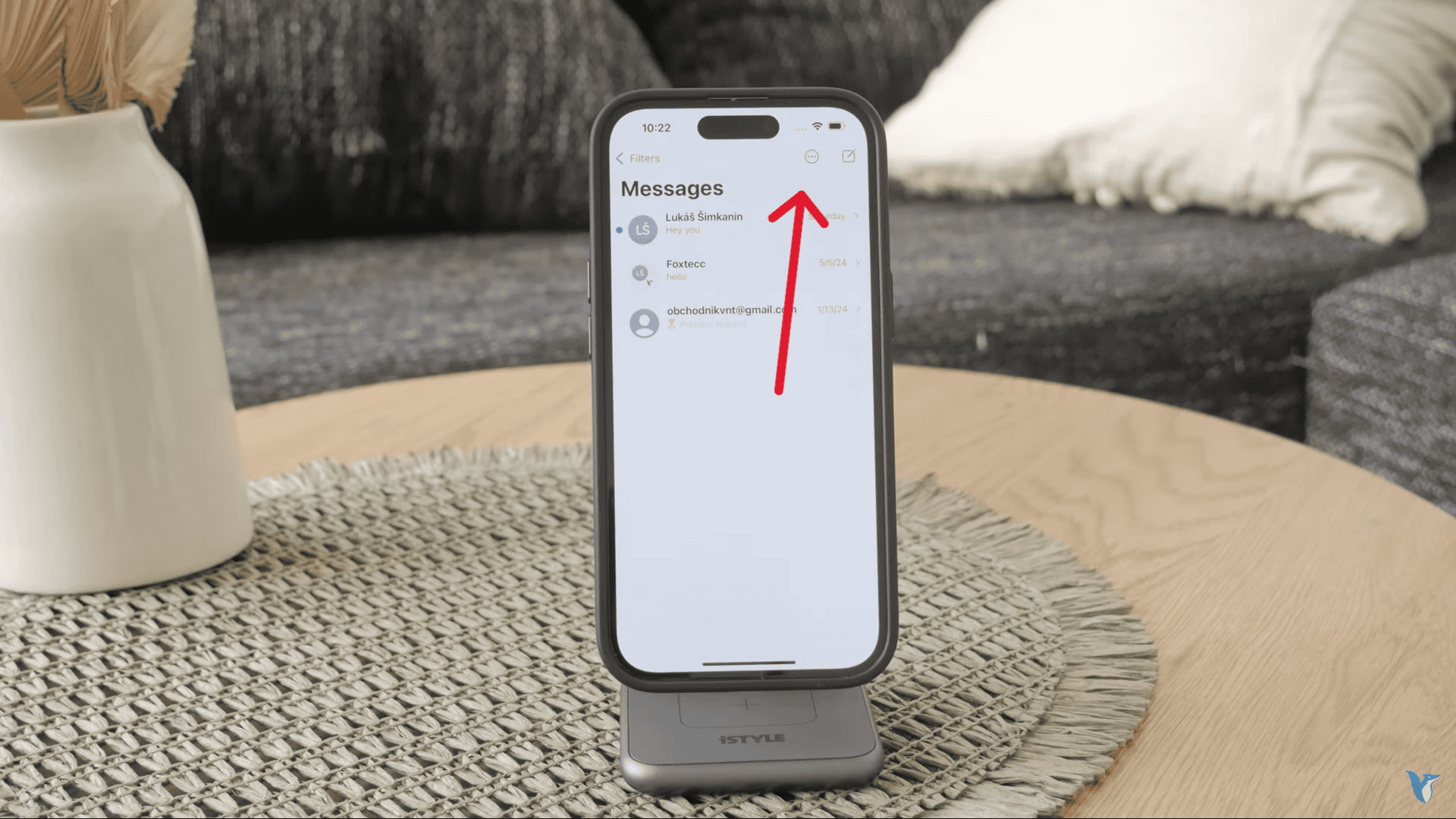
- Choose Select Messages
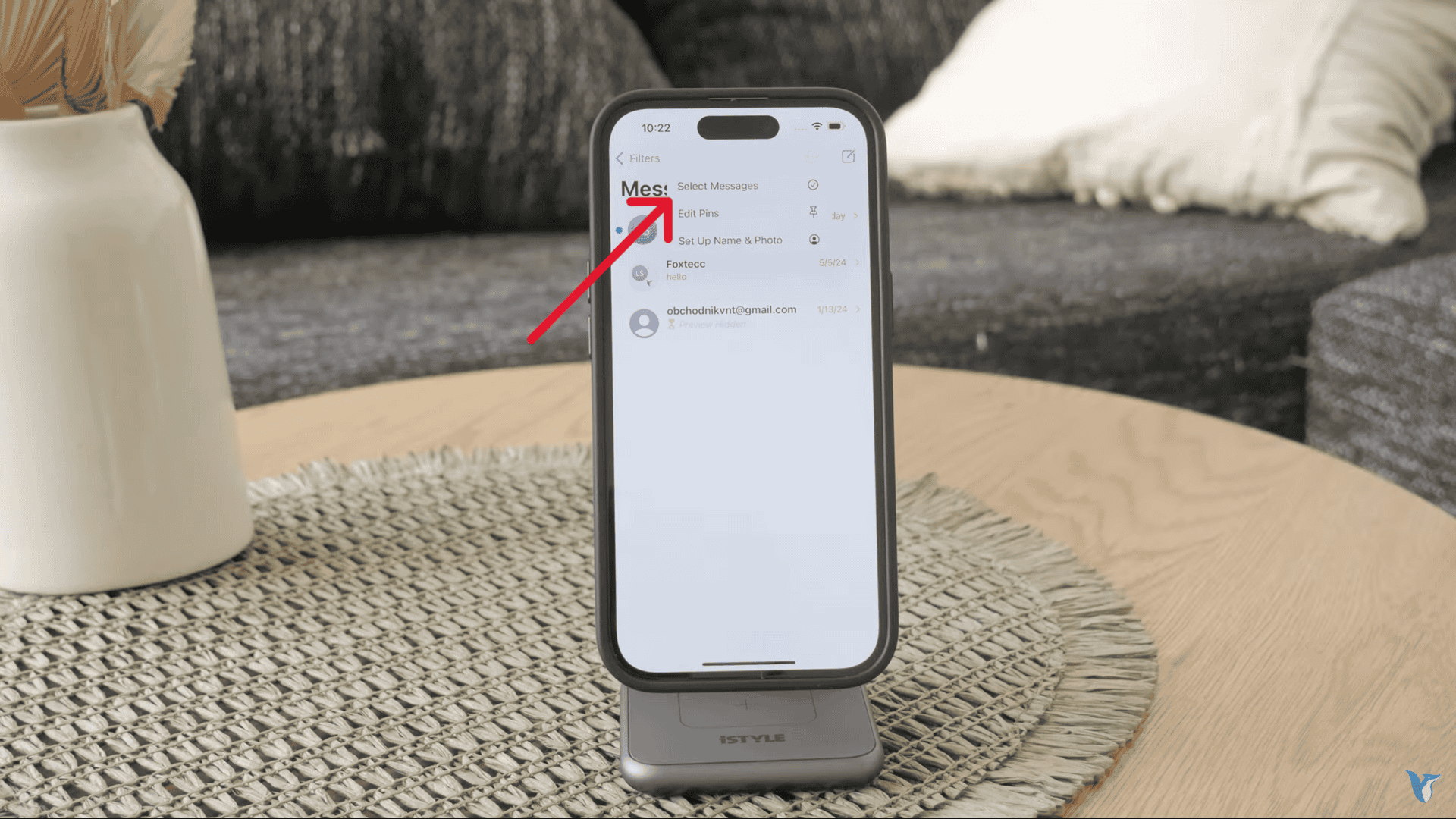
- Tap the conversations you want to remove
- Hit Delete
- Confirm


Once you do this, your iPhone clears the messages immediately. Your Apple Watch will catch up shortly after. If the changes don’t appear right away, give it a moment or wake the watch again.
This is the closest thing to bulk deleting you’re going to get.
How to delete messages individually on the watch
If you only want to remove a few conversations and don’t feel like reaching for your phone, you can still clean up the list manually.
- Open Messages on the watch
- Scroll to the thread you want to remove
- Swipe left
- Tap the trash can
That’s it. Simple, but time consuming if you’re clearing dozens of threads.
How to mute conversations instead of deleting them
Sometimes you don’t want to delete a conversation, you just want it quiet. Muting does the job without removing anything.
- Open Messages
- Swipe left on the conversation
- Tap the mute icon
Muted threads show a small bell with a slash so you can spot them instantly. You can unmute the same way.
Why messages don’t always sync perfectly
Messages between iPhone and Apple Watch do sync, just not instantly or flawlessly. The watch also only keeps messages for about 30 days. It’s designed more as a quick-reply extension than a full messaging archive. That’s why Apple hasn’t built more advanced cleanup options into the watch.
The bottom line
You can’t delete all text messages directly on Apple Watch, and you can’t remove multiple threads at once from the watch either. But you can clear everything quickly from your iPhone and let the watch follow along. For anything else — quick deletions or muting noisy threads — the watch handles those one at a time. It’s not perfect, but once you know the workflow, inbox cleanup gets a lot easier.




Discussion