

Need to rename a connected Bluetooth device on your Mac? Easy as pie, especially if you’ve got the Bluetooth icon in your menu bar! If you do, click it and choose “Open Bluetooth Preferences” to start this process.
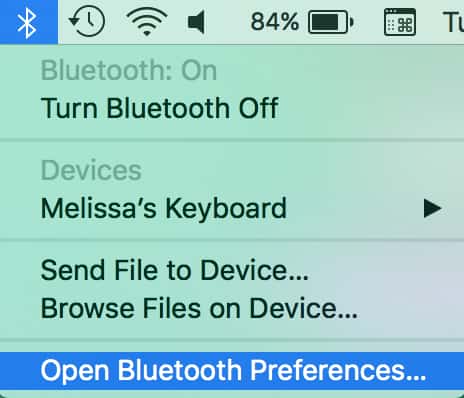
If you don’t see that icon, though, just visit System Preferences > Bluetooth. Almost as easy.
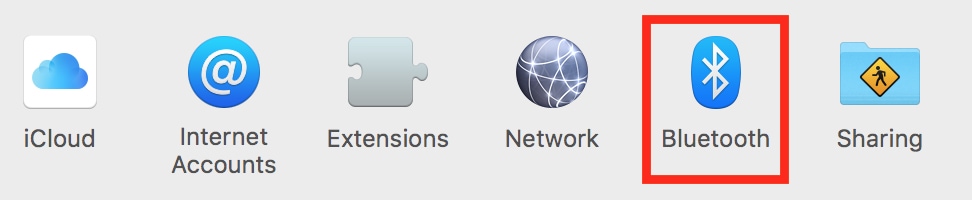
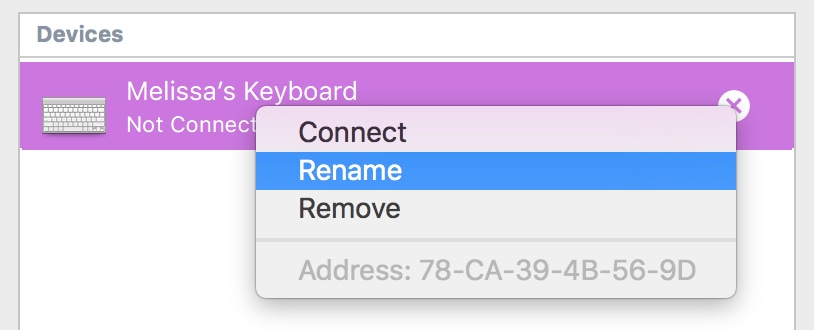
No matter which path you take, you’ll see your paired devices within that pane. There used to be a gear icon here from which you could change the names, but now, you’ll right- or Control-click on the one in question and pick “Rename” from the contextual menu.
Then you’ll be asked for the new name you want. Type it in, click “Rename,” and you’re done!
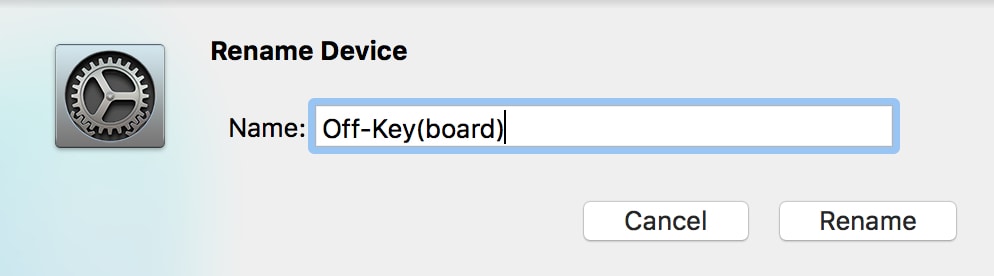
Best pun ever, right guys? Guys?
Don’t miss the best of The Mac Observer
Set us as a preferred source and our Apple reporting ranks higher in your Google Search results and Discover feed — one tap, no account changes.


Thanks Melissa! My 66 year old memory forgot how to do this so I did search, I remember how to do that, and found your tip.
Hey furbies!
I haven’t had any problem with mine. 🙂
–Melissa
Melissa, is it wise/ok to use non a to z or 0 to 9 characters in a Bluetooth device name ?
Ha! I figured as much! 🙂
Ummm, no, ?