
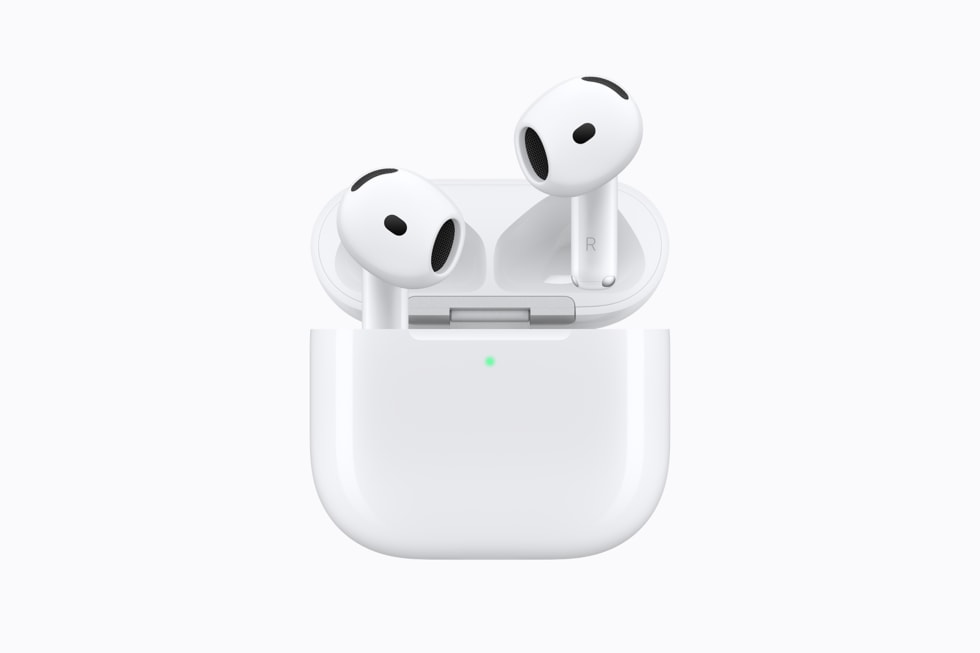
AirPods firmware updates install automatically in the background, and Apple documents exactly what has to be true for that to happen: your AirPods need to be charging, in Bluetooth range of an iPhone, iPad or Mac that is signed in and connected to Wi-Fi, and Apple says to allow at least 30 minutes. There is no App Store listing and no manual download button.

That makes AirPods firmware one of the least visible parts of the Apple ecosystem. Apple’s own support document on the subject, titled “About firmware updates for AirPods,” is short, and it treats version numbers as something you look up only when you need them, not something Apple pushes to the front of a settings screen.
How AirPods firmware updates actually happen
| Detail | What Apple documents |
|---|---|
| Update method | Automatic, while AirPods are in the charging case and in Bluetooth range of a connected device |
| Network requirement | The nearby iPhone, iPad or Mac needs an internet connection, typically Wi-Fi |
| Time to allow | At least 30 minutes, case lid closed, within range |
| Where to check the version | Settings, then Bluetooth, then the info button next to your AirPods, then About |
| No Apple device nearby | Book an appointment at an Apple Store or an Apple Authorized Service Provider |

What has to be true before an update installs
Apple’s support page lists the same conditions for every current model: AirPods 5, AirPods 4, AirPods 4 with ANC, AirPods Pro 3 and AirPods Max. The AirPods need power, so they sit in the case, and the case itself should ideally be connected to a charger rather than running on its own reserve. The paired device supplies the internet connection and the instruction to check for new firmware; Apple does not have AirPods reach the network on their own.
Don’t miss the best of The Mac Observer
Set us as a preferred source and our Apple reporting ranks higher in your Google Search results and Discover feed — one tap, no account changes.
None of this requires opening an app. There is no equivalent of the Software Update screen that iPhone and Mac owners are used to, and Apple’s page does not describe a percentage-complete indicator. The update either has happened, by the time you check, or it has not.
How to check which firmware your AirPods are running
- On iPhone or iPad, open Settings, tap Bluetooth, then tap the info button next to your AirPods name and scroll to the About section.
- On Mac, open System Settings, choose Bluetooth, then click the info button next to your AirPods name.
- Compare the version number shown against Apple’s support page for the latest builds Apple has published for your model.
What Apple’s own release notes look like
Apple’s firmware notes are brief. Recent examples Apple has published read simply as “bug fixes and other improvements,” without a numbered feature list of the kind Apple writes for iOS. That wording has covered updates for AirPods Pro 3 and AirPods Pro 2 together, for AirPods 4, and for AirPods Max with USB-C.
| Model | Recent firmware build | Apple’s release note |
|---|---|---|
| AirPods Pro 3 and AirPods Pro 2 | 8B41 | Bug fixes and other improvements |
| AirPods 4 and AirPods 4 with ANC | 8B39 | Bug fixes and other improvements |
| AirPods Max, USB-C | 8E258 | Bug fixes and other improvements |
| AirPods 5, both models | Not yet issued; ships September 18 | Not applicable yet |
If you do not have another Apple device nearby
Apple’s fallback for AirPods with no paired iPhone, iPad or Mac in reach is not a manual installer file. It is a service appointment: “Set up an appointment at an Apple Store or with an Apple Authorized Service Provider to update your firmware.” That is the only alternate path Apple documents, and it is worth knowing before assuming a firmware problem is a hardware problem.
What Apple has not said
Apple has not published a running changelog that ties a firmware build number to a specific new feature, the way it does for iOS point releases. It also has not stated a firmware version for AirPods 5, which is expected once the model reaches stores, or whether AirPods 5 will need their first firmware update before every feature listed on its box works.
If your AirPods do not show new iOS 27 options such as Custom EQ after Monday, September 14, 2026, checking the firmware version in Settings, then leaving the case closed and charging near your iPhone for 30 minutes, is the step Apple documents before anything else. Our iOS 27 release date guide and AirPods 5 announcement coverage cover the software side of the same week.



