

Smartphones have quietly become one of the most useful tools for older adults not just for staying in touch, but for staying healthy, safe, and entertained. Whether it’s reminding you to take your medication, helping you find the best gas prices, or keeping you connected with your grandkids, the right iPhone apps can make daily life a lot easier.
Here’s a look at the best iPhone apps for seniors in 2025, apps that actually do what they promise and make life a little smoother along the way.
Table of contents
Health and Wellness Apps
Insight Timer – For Relaxation and Sleep

Image Source: Valley iRepair
Don’t miss the best of The Mac Observer
Set us as a preferred source and our Apple reporting ranks higher in your Google Search results and Discover feed — one tap, no account changes.
Meditation can do wonders for stress and blood pressure, and Insight Timer is one of the best ways to get started. It offers thousands of guided meditations, breathing exercises, and yoga classes — many completely free. You can set how long you want to meditate, pick your favorite background sounds, or even fall asleep to soothing “sleep stories.”
The premium version adds classes and workshops, but most people won’t need it. The free version already packs more calm than you’ll ever need.
Medisafe – For Managing Medications
If you’ve ever missed a dose or mixed up pills, Medisafe takes that worry off your plate. It sends friendly reminders for each medication and even warns about potential drug interactions. You can track your weight, blood pressure, and heart rate, and if you wear an Apple Watch, the app syncs right up.
There’s a premium version for extra tracking tools, but the free one covers all the essentials.
GoodRx – For Saving on Prescriptions
Prescription prices are all over the place, but GoodRx makes comparison shopping painless. Type in your medication, and the app shows prices at nearby pharmacies — often with a coupon that beats your insurance price. You can show the coupon right at the counter.
GoodRx Gold, the paid version, adds even more discounts, but the free app alone can save you serious money.
ADT SoSecure – For Emergency Help
Think of ADT SoSecure as a medical alert system on your phone. If you need help, tap a button and you’re instantly connected to ADT’s trained response agents. They can call 911 or notify your emergency contacts. You can also share your live location with family great peace of mind for both you and them.
Fitness and Exercise Apps
SilverSneakers GO – For Staying Active

Image Source: SilverSneakers
If you’re eligible through Medicare, SilverSneakers GO gives you access to guided workouts, fitness classes, and even local gyms, often free. It’s built specifically for older adults, so the workouts are accessible but effective.
Even better, you can take classes at home or in person, whichever fits your comfort level.
MyFitnessPal – For Tracking Nutrition
MyFitnessPal helps you keep an eye on what you eat without making it a chore. You can scan barcodes, snap photos of meals, or log foods manually. It shows your calories, nutrients, and progress over time — a simple way to balance healthy eating with real life.
The free version covers the basics perfectly fine.
Safety and Security Apps
Find My – For Lost Devices and More
Losing your phone, wallet, or keys happens to everyone. Apple’s Find My app can locate your iPhone on a map, even if it’s turned off. Pair it with AirTags to track other items too — your purse, car keys, or even your pet’s collar.
You can make the lost device play a sound, or see exactly where it is on another Apple device. It’s simple and free, and it works.
1Password – For Remembering Logins

Image Source: 1password
If you’re tired of resetting forgotten passwords, 1Password handles it for you. It stores all your logins securely, fills them in automatically, and can even create strong new ones.
At $2.99 a month, it’s worth it for the peace of mind alone — no more scraps of paper or reused passwords.
Lively Health and Safety Service – For 24/7 Help
Lively is another strong safety option. With one tap, you can reach trained operators who connect you to paramedics or family members. The premium plan even gives you access to nurses and health advocates around the clock.
It’s ideal if you want extra reassurance without wearing a dedicated medical device.
Communication Apps
Facebook – For Staying Connected
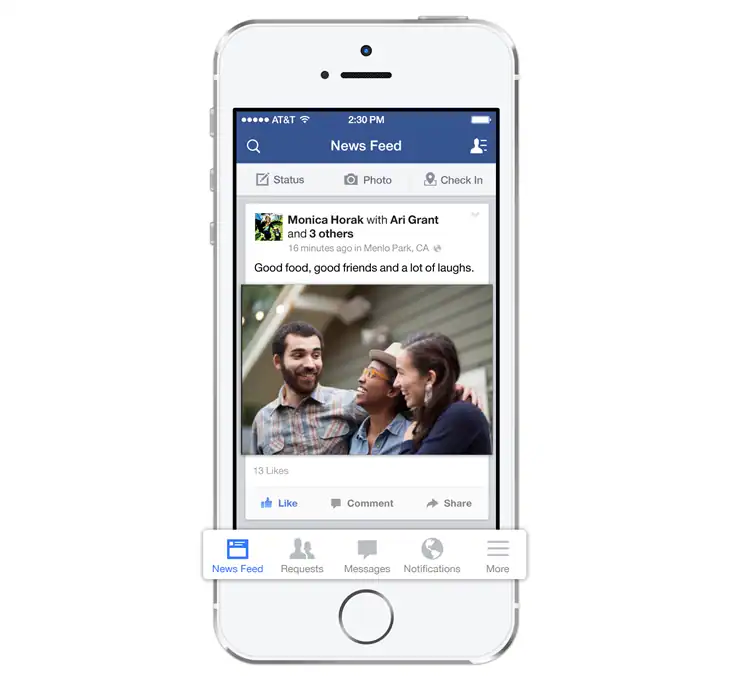
Image Source: Meta
Love it or roll your eyes at it, Facebook is still the easiest way to keep up with friends, family, and old classmates. You can see photos from grandkids, join local community groups, and even shop for used furniture on Marketplace.
Facebook Messenger also makes chatting or video calling simple — all in one place.
FaceTime – For Seeing Loved Ones
Nothing beats a face-to-face conversation. FaceTime, built into every iPhone, lets you video call family and friends easily, even if they’re across the world. The picture and sound are crisp, and you can switch to speaker mode or use closed captions if needed.
No setup, no fuss — just tap a name and connect.
Entertainment and Learning Apps
Seek by iNaturalist – For Exploring Nature
If you enjoy walks outdoors, Seek turns them into mini adventures. Point your iPhone camera at a plant, bird, or insect, and it tells you what it is. It’s surprisingly accurate, and you can even take on challenges like spotting new species in your neighborhood.
It’s free, fun, and a great excuse to spend more time outside.
Audible – For Listening to Books
Tired eyes? No problem. Audible brings books to your ears, with professional narrators (and sometimes celebrities). Perfect for road trips, gardening, or bedtime.
You get a free trial, and then plans start at around $7.95 a month.
Words With Friends – For Brain Exercise
Words With Friends is like Scrabble with a social twist. Play with friends or random opponents, take your turn when you can, and chat while you play. It’s fun, keeps your vocabulary sharp, and doesn’t cost a dime.
Transportation and Travel Apps
GasBuddy – For Finding Cheaper Gas
Gas prices can swing wildly, but GasBuddy helps you find the cheapest station nearby in seconds. It’s easy to use — just open the app, type your ZIP code, and compare prices.
You can even earn discounts through the optional GasBuddy card if you drive often.
Uber – For Getting Around Safely
If driving feels stressful, Uber is the easiest alternative. You request a ride, see the fare upfront, and track your driver’s location in real time. There’s no cash, no confusion, and no waiting for a taxi that might not come.
You can also order groceries or meals with Uber Eats from the same app.
Education and Dating Apps
Duolingo – For Learning Languages
Whether you’re brushing up on Spanish before a trip or just curious about Italian, Duolingo makes learning a new language surprisingly fun. Lessons are short, easy to follow, and feel like little games.
It’s free to use, with optional extras if you want to remove ads or access premium lessons.
eHarmony – For Meaningful Connections
If you’re looking for companionship or love, eHarmony remains one of the best dating apps for seniors. It focuses on compatibility rather than quick matches, using personality questions to find people who actually fit your lifestyle.
It’s not free, but it’s known for real success stories, especially among users 60 and up.
Making the iPhone Easier to Use
Apple’s Assistive Access feature lets you simplify your iPhone interface. It enlarges app icons, cleans up clutter, and focuses only on the apps you need. It’s perfect if you want an easier layout without losing the features you enjoy, like FaceTime, Photos, or Messages.
You can turn it on in Settings > Accessibility > Assistive Access.
The Bottom Line
The best iPhone apps for seniors aren’t about doing more — they’re about making life simpler, safer, and more connected. From Medisafe reminding you to take your pills, to FaceTime keeping you close to loved ones, these apps turn your iPhone into a genuine daily helper.
Pick a few that fit your lifestyle, take a little time to explore them, and soon enough, they’ll feel like second nature.


Discussion