

If you’ve ever opened your iPhone and spotted a charge you didn’t recognize, you know the jolt that follows. Sometimes it’s a subscription you forgot about. Other times it’s an in-app purchase your kid didn’t think counted as “real money.” And occasionally, it’s a charge that truly doesn’t belong to you. The good news is that your iPhone gives you clear tools to figure out what happened and fix it.
Let’s break it down.
Table of contents
Start by Checking the Transaction
Your first move is simple. Open the Wallet app, tap Apple Card, and scroll through your recent transactions. Tap the charge once, then tap again to open the full details. Apple shows the date, time, and type of purchase, so you can see exactly what was billed.
Don’t miss the best of The Mac Observer
Set us as a preferred source and our Apple reporting ranks higher in your Google Search results and Discover feed — one tap, no account changes.

Image Source: YouTube

Image Source: YouTube
If it’s labeled Apple Services, that can cover apps, music, movies, books, iCloud storage, in-app purchases, preorders, and recurring subscriptions. Apple may group several small purchases together, so don’t panic if one line item looks larger than you remember.
If you want a second layer of confirmation, search your email for receipts from Apple. These go to the email linked to your Apple ID.
Consider Family Sharing Purchases

Image Source: YouTube
If you have Family Sharing turned on, someone else in your group may have made the purchase. Before assuming the worst, ask them. Kids especially have a talent for tapping “Buy” without realizing it.
When the Charge Is from Apple Services
If the purchase really isn’t yours, you can request a refund directly through Apple.
Here’s the path:
- Open Wallet and tap Apple Card.
- Tap the Apple Services transaction.
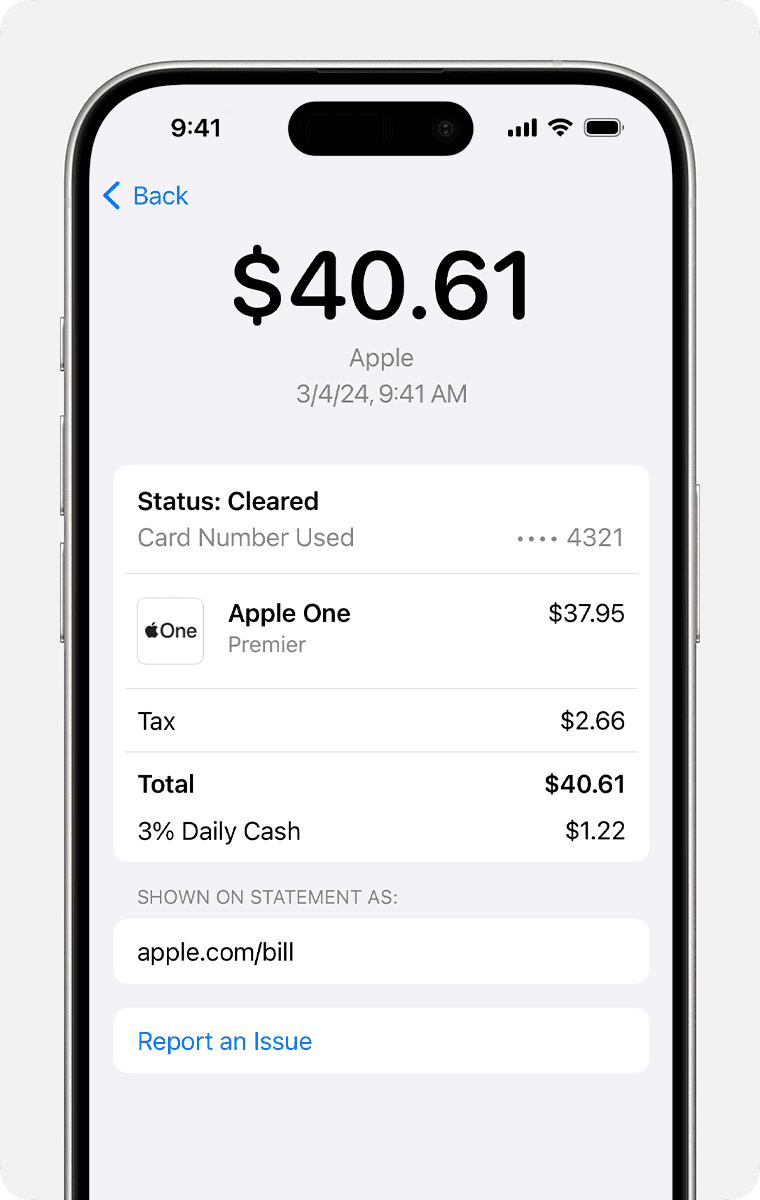
- Tap Report an Issue.
- Choose “I need help from Apple with this transaction.”
- Tap “Report a Problem to Apple.”
- Sign in and request a refund.

Apple usually responds quickly, and this is the fastest route for digital purchase issues.
When You Think Your Card Was Compromised
If something looks genuinely fraudulent, you can report the card as compromised.
Go to the same Report an Issue screen and choose “I want to report a compromised card and request a replacement.”
This opens a chat with Goldman Sachs, the bank behind Apple Card. Once you answer the prompts, they’ll send a new card and investigate the charge.
When the Charge Is from a Store or Another Merchant
If the purchase happened at a physical store or online retailer, your best bet is to contact the merchant first. Issues like incorrect totals or accidental duplicate charges usually resolve faster that way.
If that doesn’t fix it, go back to Apple Card:
- Tap the transaction.
- Tap Report an Issue.
- Choose “I need help with this transaction.”
- Continue to Chat and complete the dispute form.
Goldman Sachs will review it and update you by email or through Wallet.
If You Use Apple Card Family
Anyone on the shared account can make purchases, and all of them show up in your transactions. Before filing a dispute, check with the other members. If nobody recognizes the charge, you can follow the same steps above to report it.
Bottom Line
Unauthorized charges on your iPhone can feel stressful, but Apple gives you a clear path to figure out what happened and get it fixed. Start by checking transaction details, confirm whether it’s an Apple Services purchase or something a family member made, and use the built-in “Report an Issue” tools when something doesn’t add up.
Once you know where to look, getting answers becomes a lot easier.




Discussion