

The IMEI (International Mobile Equipment Identity) is a unique identifier required for carrier activation, eSIM support, theft reporting, and trade-ins. Apple Watch models with GPS + Cellular include an IMEI, while Wi-Fi/GPS-only models do not. If your Apple Watch lacks an IMEI entry, it is a GPS-only model and will show only the serial number. Knowing where to locate these identifiers saves time when dealing with Apple Support, carriers, or second-hand purchases.
Table of contents
Methods to Find IMEI
You can find the Apple Watch IMEI in several reliable places, both in software and on the device’s packaging. These methods apply only to GPS + Cellular models. GPS-only models list only a serial number.
1. On the Watch (Settings)
You can view identifiers directly on the watch itself. The IMEI appears in the About screen only on GPS + Cellular models. This requires the watch to be powered on and accessible. If no IMEI is shown, the model is GPS-only.
Don’t miss the best of The Mac Observer
Set us as a preferred source and our Apple reporting ranks higher in your Google Search results and Discover feed — one tap, no account changes.
- Press the Digital Crown and open Settings.
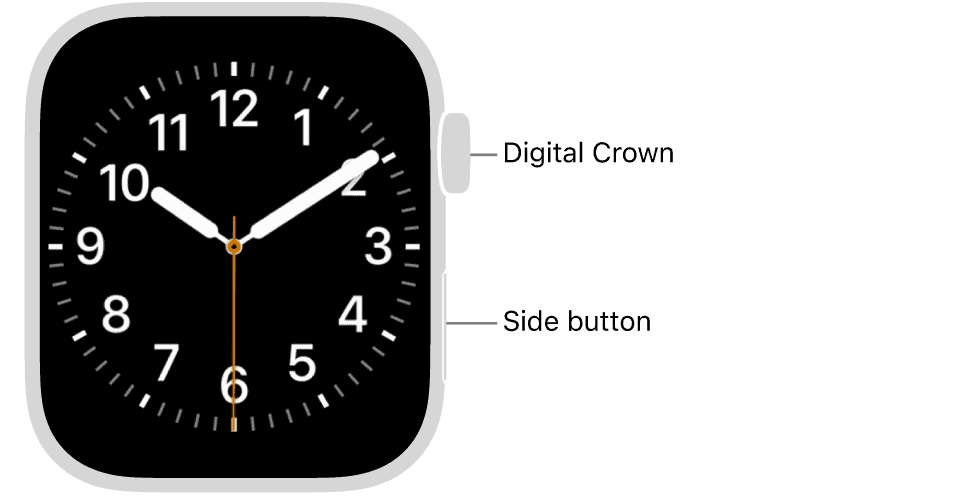
- Tap General, then tap About.
- Scroll down to view Serial Number and, if applicable, IMEI.
- If no IMEI appears, assume it is a GPS-only model.

2. On the Paired iPhone (Watch App)
The paired iPhone’s Watch app mirrors device identifiers, making it convenient to copy or share the IMEI when contacting carriers or support. This only works if the watch remains paired.
- Open the Watch app on your iPhone.
- Tap My Watch > General > About.
- Scroll to find the Serial Number and IMEI for cellular models.
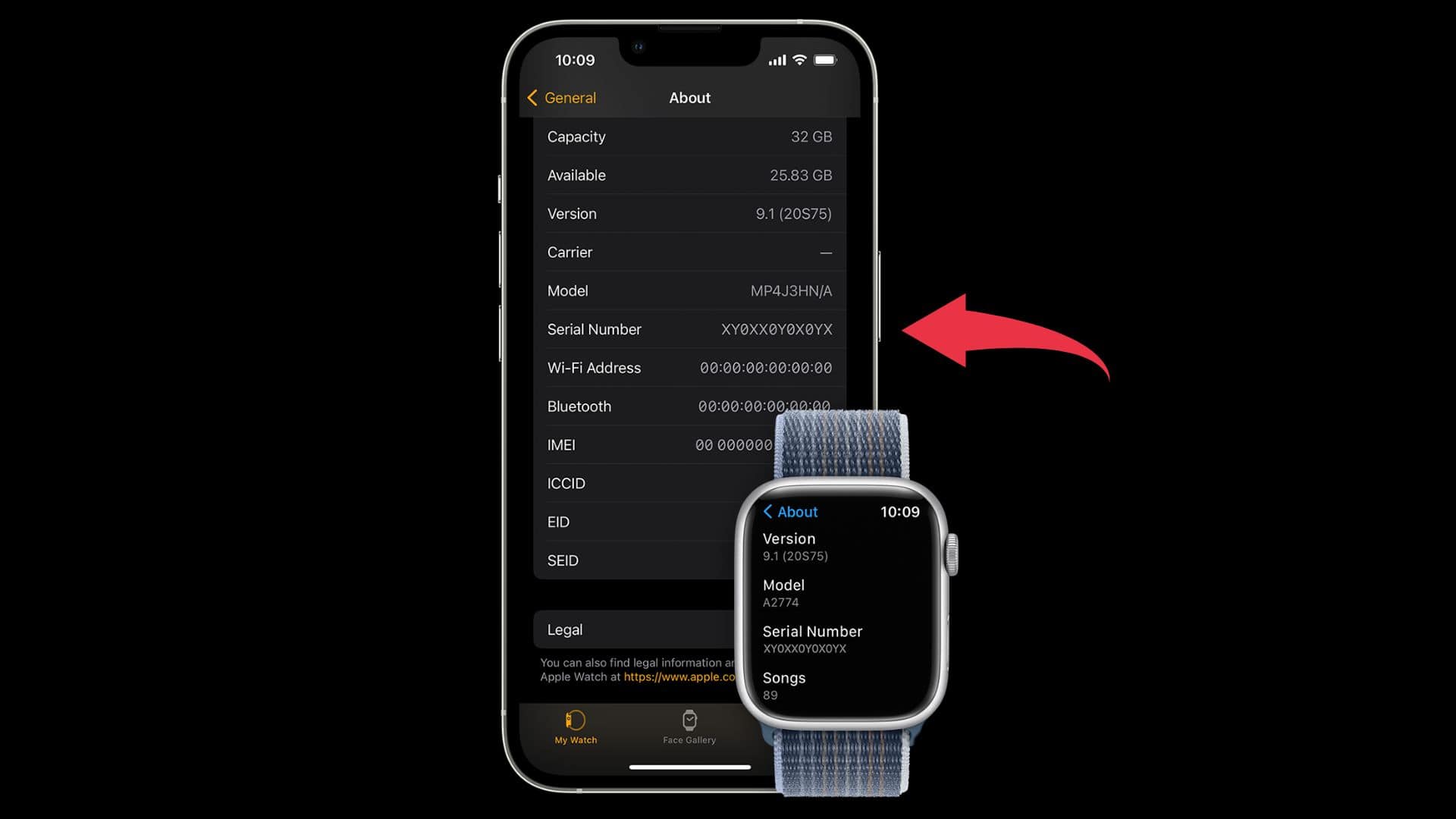
- If IMEI does not appear, it is a GPS-only model.

If you’re trying to locate the IMEI on your iPhone itself, we have a step-by-step guide for that too.
3. On the Original Box/Packaging Label
The retail packaging provides one of the fastest offline methods. Cellular models usually list the IMEI alongside the serial number on the barcode sticker. This is useful when the watch is lost, unpaired, or powered off.
- Find the original Apple Watch box.

- Locate the barcode/identifier sticker on the outside.
- Read the printed fields and note the IMEI (for cellular models) and Serial Number.
- Save a photo of the label for future reference.

4. Via Apple Account Device List (Web)
Apple’s online account management page may show the IMEI for GPS + Cellular models tied to your Apple ID. Availability can vary by region and model.
- Go to appleid.apple.com and sign in.
- Open the list of registered devices.
- Select your Apple Watch.
- Review the device details for IMEI if available.
5. Hardware Markings (Serial vs IMEI)

Apple engraves only the serial number on hardware, not the IMEI. On newer models, the serial is inside the band slot, while on the first-generation Apple Watch it is engraved on the back case. IMEI is always available in software or on packaging.
- Remove the band to check the inside slot for the serial (Series 1 and later).
- On first-generation models, check the back case for the serial.
- Remember that IMEI will not appear on hardware. Use About screen or box instead.
For more clarity on the difference between Apple Watch Cellular and GPS models, here’s a breakdown of the visual cues Apple recently removed.
6. If the Watch is Unpaired or Unavailable
If you cannot access the watch directly, offline and account records remain reliable sources. The box label usually lists IMEI for cellular models, while Apple ID device details may also show it. Carriers can provide it if the watch was previously activated.
- Check the original box label for IMEI (cellular models).
- Sign in to the Apple Account device list and review Apple Watch details.
- If the device was activated with a carrier, contact the carrier with proof of ownership.
- Once paired again, confirm IMEI in Settings or Watch app.
You can also check our detailed guide on how to look up your other Apple device’s serial number for warranty and service information.
Important Availability Note (GPS vs Cellular)
Only GPS + Cellular Apple Watches have an IMEI. GPS-only models will never show this identifier. Confirming your model type avoids wasted troubleshooting.
- Open About in the watch or Watch app.
- Check for the IMEI entry.
- If absent, confirm it is a GPS-only model.
- Use the serial number for support if IMEI is not available.
Tips
- Only GPS + Cellular Apple Watch models include an IMEI.
- Serial numbers and IMEI serve different purposes; carriers use IMEI, Apple uses the serial.
- Keep both numbers safe for warranty claims, theft reporting, or trade-ins.
- If buying second-hand, check that the IMEI on the box matches the device’s records.
- If the watch is lost, the IMEI on the box is enough for carrier blacklisting.
FAQs
No. Only GPS + Cellular models have an IMEI. GPS-only models display only a serial number.
No. Only the serial number is engraved. IMEI appears in software or on the original box.
Yes. Check the box label or Apple ID device list. Carriers may also provide it if the device was activated.
No. IMEI is for carrier and eSIM purposes, while serial numbers are for Apple service and warranty support.
Summary
- On the watch: Settings > General > About shows IMEI for cellular models.
- On the paired iPhone: Watch app > My Watch > General > About.
- On the box: Barcode label lists IMEI for GPS + Cellular models.
- On Apple ID: Device list may display IMEI if the watch is linked.
- Hardware only shows serial number, not IMEI.
- Carriers can provide IMEI if the device was previously activated.
Conclusion
The IMEI is a crucial identifier for any Apple Watch with GPS + Cellular capability. You can find it in the About section on the watch, in the paired iPhone’s Watch app, on the original packaging, or through your Apple ID account. If those options are unavailable, carriers may provide the IMEI if the watch was previously activated. Remember, GPS-only models never include an IMEI, so use the serial number for Apple Support needs.



Discussion