
Comcast provides free Wi-Fi for many its customers where available. Like most free wi-fi, though, it’s unencrypted. Wanting to allow their users to have secure connections, Comcast now offers a WPA-secured “XFINITY” network in many places. To connect you either need to know the password – something Comcast won’t tell you – or you need to install a profile on your iPhone that has the password baked in. We’ll show you how to do the latter!

Dave Hamilton
Dave Hamilton co-founded both The Mac Observer and <a href="https://www.backbeatmedia.com" data-wpel-link="external" target="_blank">BackBeat Media</a>, and he is producer and co-host of the <a href="https://www.macgeekgab.com" data-wpel-link="external" target="_blank">Mac Geek Gab Podcast</a>. He has worked in the computer industry since the early 1990s, doing time as a consultant, trainer, network engineer, webmaster, and programmer. He has worked on the Mac, all the various Windows flavors, BeOS, a few brands of Unix, and it is rumored he once saw an OS/2 machine in action. Before that he ran some of the earliest Bulletin Board Systems, but most of the charges have since been dropped, and not even the FBI requests that he check in more than twice a year. Dave's reachable for paid consulting at <a href="https://www.davethenerd.com" data-wpel-link="external" target="_blank" rel="nofollow noopener noreferrer">DaveTheNerd.com</a> and you can find links to him on Twitter, Facebook, and Google+ here, too.
Articles by Dave Hamilton
TASCAM Users: Don't Upgrade to macOS Sierra Yet
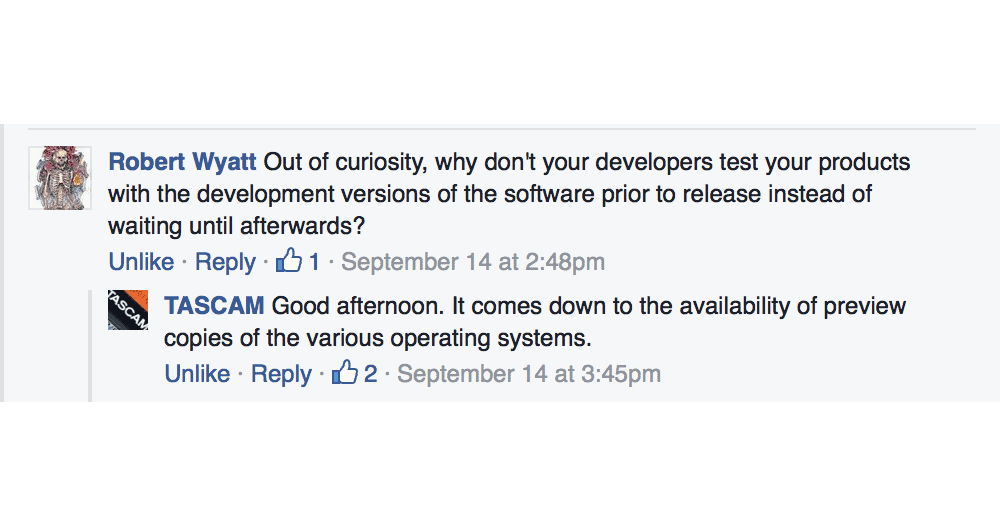
As has become unfortunately typical from TASCAM, macOS Sierra-compatible drivers for much of their audio hardware are not yet available. Previous years have seen a three-to-six month wait after the release of each new build of OS X for TASCAM to finally put out even preliminary public beta drivers.
TL;DR: if you use TASCAM audio hardware, don’t upgrade to macOS Sierra yet. Check back around Christmas. Maybe.

New TiVo BOLT+ Now Includes 6 Tuners and 3TB Storage
On Monday TiVo announced their BOLT+ DVR, enhancing the company’s flagship line with a sleek, black unit that includes six tuners and 3TB of recording capacity. Six tuners may seem like a lot until you think about how the current TiVo paradigm works: you have the BOLT+ (or BOLT, or 4+ tuner Roamio) on one TV connected to cable, then you have TiVo Minis at all your other TVs. You only pay a subscription fee for your main device, and each of the Minis can stream live or recorded shows from the host. The trick is, each active Mini occupies one tuner of the host device when in use. Six tuners begins to make a lot of sense if you have even 2 or 3 TVs in action at any one point in time. TiVo is really the only company who is properly addressing the whole-house media viewing solution this way, and it truly makes life a lot simpler. TIVo’s new BOLT+ is priced at $499.99 and will be available online and at brick-and-mortar retail on Thursday, September 15th.
iOS 10 GM Adds "Announce Calls" Feature
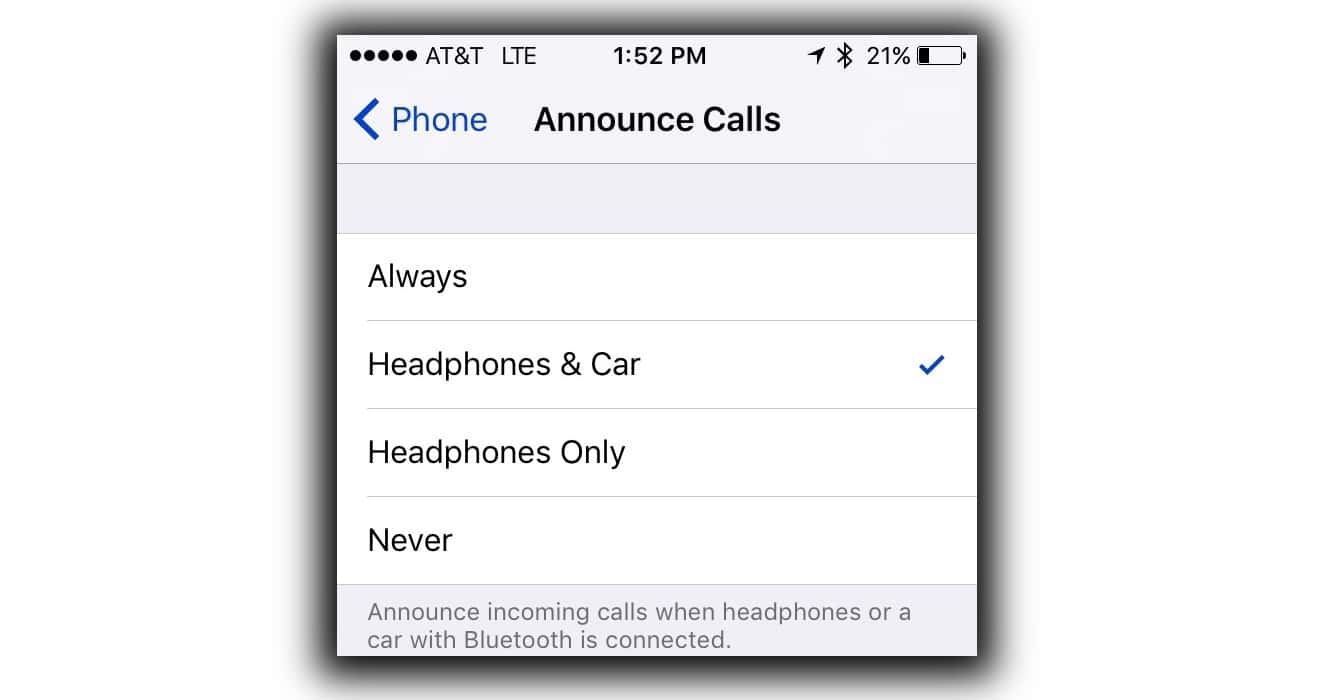
Rolled out to to developers last week, the iOS 10 Golden Master release (Version 10.0.1 14A403) includes a new Announce Calls feature in Settings > Phone. When enabled, your phone will begin ringing as usual and then your ringtone’s volume will duck down while Siri announces the name or number of the caller. You have the option to set this to Always, Headphones & Car, Headphones Only or Never. If set to Always, it will announce through your iPhone’s speaker only when the Ring/Silent switch is in Ring mode. iOS 10 will be available for all users tomorrow, Tuesday, September 13th.

Sonos's Future: Opening Up Control to Alexa and Third-Party Apps
On Tuesday, wireless speaker manufacturer Sonos summoned the press to Manhattan to show off some new software features they’ve been working on and, in doing so, painted a picture of a more open Sonos experience. Demonstrating Amazon Alexa voice control and Spotify app integration, Sonos showed a not-too-distant future where customers have the ability to control their Sonos products in a variety of new ways without sacrificing any of the existing benefits of the Sonos platform.

Seeing a Folder's Size in the Terminal
Mac Geek Gab listener Daryn is interested in seeing the size of both files and folders when using the Terminal. We’ll help him utilize the ‘du’ command to glean that information, and then we’ll talk about how to do that in Recovery Mode where ‘du’ isn’t readily available.

Three Ways to Free Up Space on your iPhone and Remove Old App Data
Recently on Mac Geek Gab the topic of phantom app data has come up, mostly in the context of how one can remove it. This data can be from deleted apps, temp files from existing apps, or sometimes even data that iTunes has downloaded for temporary storage. Over the course of the past few episodes we’ve found three ways to delete this data.

AT&T's New Mobile Share Advantage Plan Costs Compared
On Sunday AT&T rolled out their new Mobile Share Advantage Plans and, along with them, their online comparison tool that shows you just what the new plans will cost you. Digging in this morning it’s pretty evident that only a handful of people currently on Mobile Share Value plans will actually save money with these new plans. Click through to see the math and the details.

Sponsor: New MacX MediaTrans to Manage Your iOS Media and Data
We’d like to thank Digiarty, makers of MacX MediaTrans, for their sponsorship of The Mac Observer this week. For the time being, all TMO readers are eligible for a 30-day free trial of MacX MediaTrans. Once you’ve tried it, you can get a 2 Mac license of MacX MediaTrans for only $29.95, and that comes with lifetime upgrades!

Edit Playlist Columns in iTunes 12.4 and Later
Every update to iTunes seems to refine a useful feature out of the interface, and as I created a new playlist in iTunes this morning I found yet another. All new Playlists are stuck in “Playlist” view, which has a limited selection of columns and no obvious way to customize them. No worries, you can still customize them, you just have to change your View first. We’ll show you how.
VAVA Voom 20 Portable Bluetooth Speaker, Full Sound & Water Resistant
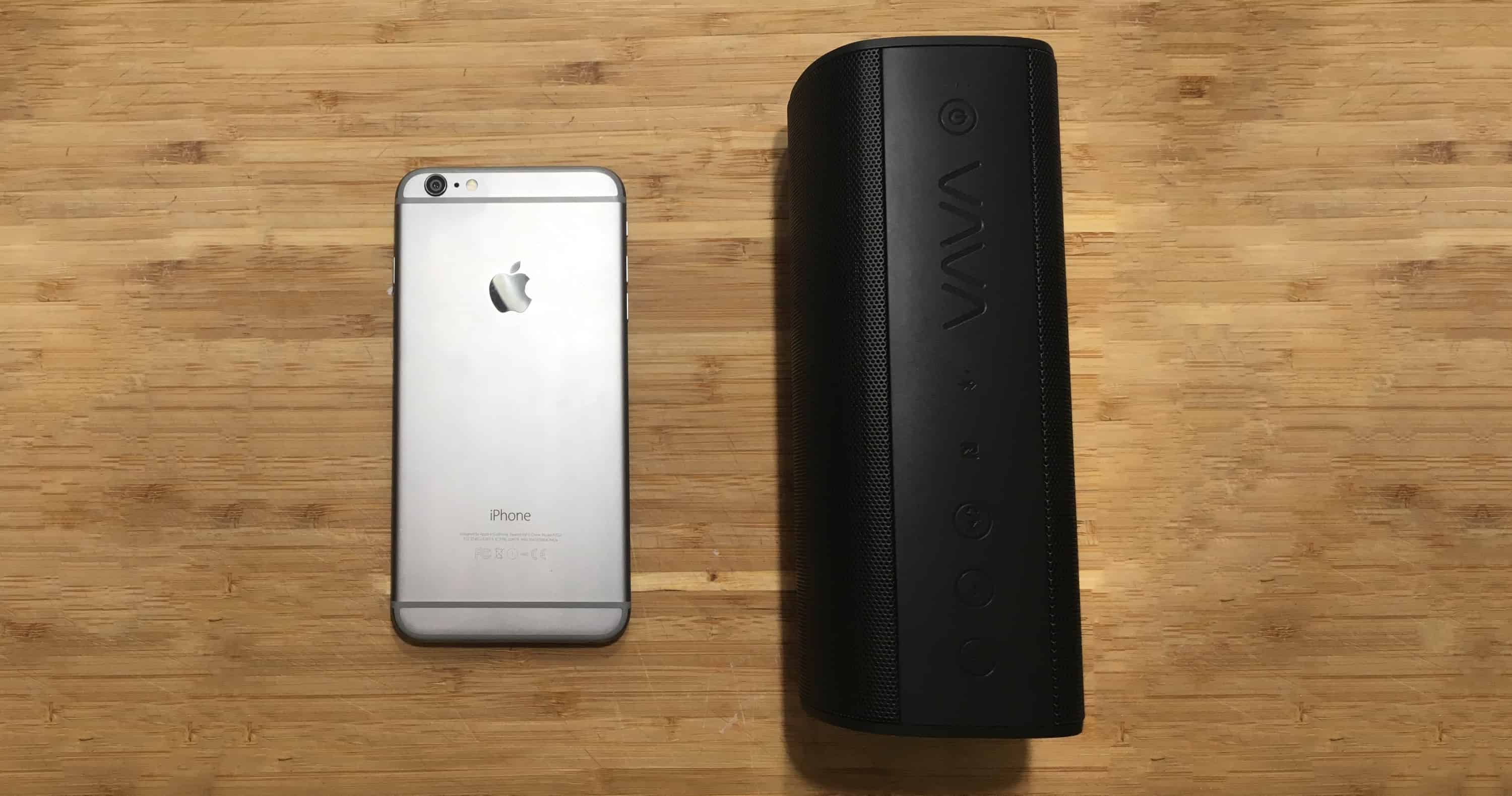
VAVA’s new Voom 20 is perhaps my new favorite Bluetooth speaker, and that’s saying a lot. It’s the right size – a little taller than a can of soda – and has a full, warm sound that can fill a room or your outdoor deck. With dual 8W drivers, two passive subwoofers, 10 hours of battery life and an IPX5 water rating, this speaker will go anywhere you want to bring it, be that the beach, your hotel room, or the kitchen of your AirBnB. It’s even got speakerphone capabilities as well as a USB port for charging your iPhone from the Voom 20s internal 5200mAh battery. It supports the aptX Bluetooth codec, so if you’re using this with your Mac you can get top-quality Bluetooth sound to it. One note: the volume control on the speaker is set independently of your device’s volume, so be sure to crank up both of them. With a special 25% discount available through August 8, the VAVA Voom 20 can be yours direct from VAVA for $59.99 with coupon code GOVOOM20. That’s less than half of what I’ve found comparable speakers cost.

Touch ID Trick: Train Multiple Fingerprints at Once
Apple’s Touch ID is an excellent security convenience, allowing you to quickly unlock your iPhone or iPad without having to type in your Passcode. Most of us will want to train at least the index finger and thumb of both hands in order to have some unlocking flexibility. That requires adding each fingerprint manually, and the iPhone only allows five total fingerprints to be trained. What if you want to train more than five fingers? Or what if you want to make the training process more efficient? In Sunday’s Mac Geek Gab 616, listener Robin provided an answer to these questions: train multiple fingerprints simultaneously.

Junecloud's Deliveries app Adds Complete Set of Apple Watch Complications
Deliveries, Junecloud’s excellent delivery tracking app, sees an update this week that adds a complete set of Apple Watch complications. Previous versions would only work with certain complications, and specifically had nothing for the smaller “Circular” complication that often sits in the corners of the watch face. Now any complication spot can be filled with your Deliveries data. Our tests also showed that the newest version of the app works fine on the current iOS 10 and watchOS 3 betas, but no comments were made by the developer. Your mileage may vary, of course.

Geocaching 4.5 for iOS Highlights GeoTours
Geocaching, both the name of the real-world treasure-hunt style game and its companion iOS app, sees an update to the latter today to better surface GeoTours. GeoTours are custom-built collections of geocaches to enhance (or serve as the foundation for) a trip or vacation to a specific area. There are now over 60 unique GeoTours available, and more are being added all the time. To learn about GeoTours or search for a specific one, start with the Search icon in the app and select GeoTours. You’ll be good to go from there!

How to Apply for Twitter Account Verification
Previously only available by private invitation, Twitter now allows users to apply for account verification. Note that you still need to be noteworthy or otherwise provide a compelling reason for Twitter to approve your verification, but at least now you can ask instead of having to sniff around at cocktail parties and coffee shops for someone who knows someone. To get verified your account must first be in proper shape. Read along and we’ll help get you there.
Pixelmator 2.3 Speeds-up iOS Photo Editing with New Selection Tools
Pixelmator, the powerful-and-inexpensive image editor for both Mac and iOS, gets a free update on iOS to version 2.3 today that brings its Quick Selection Tool and Magnetic Selection Tool over from the Mac. The Quick Selection Tool makes very short work of doing previously-difficult selections and allowed me to do the selection in the first pane below in about ten seconds on an iPhone SE.

Pixelnator’s new Quick Selection Tool is somehow intuitive in a way that other “magic” selectors are not. Having this available literally at ones fingertips on iOS opens up all sorts of options for work and… play. Enjoy. (A hat tip to Scott Canali for the inspiration behind today’s screenshots!).

Save $600 on MacTech Conference, Includes Home Automation Showcase
This fall will mark the 7th annual MacTech Conference, happening in Los Angeles November 15-18. For the first time, MacTech Conference 2016 includes a Home Automation Showcase featuring demonstrations of products and services that work with Apple’s HomeKit and other platforms. That’s not all, of course, as MacTech Conference continues its stellar conference track with sessions built especially for IT Pros, enterprise administrators and consultants of all levels. Super early-bird pricing ended back in May, but as a TMO reader you can take advantage of that pricing until Tuesday, July 5th by using our special link. That means you can register for MacTech Conference 2016 for just $999. Don’t let the weekend get in your way, register now and I’ll see you at MacTech in November!
Kindle Page Flip Comes to iPad and iPhone
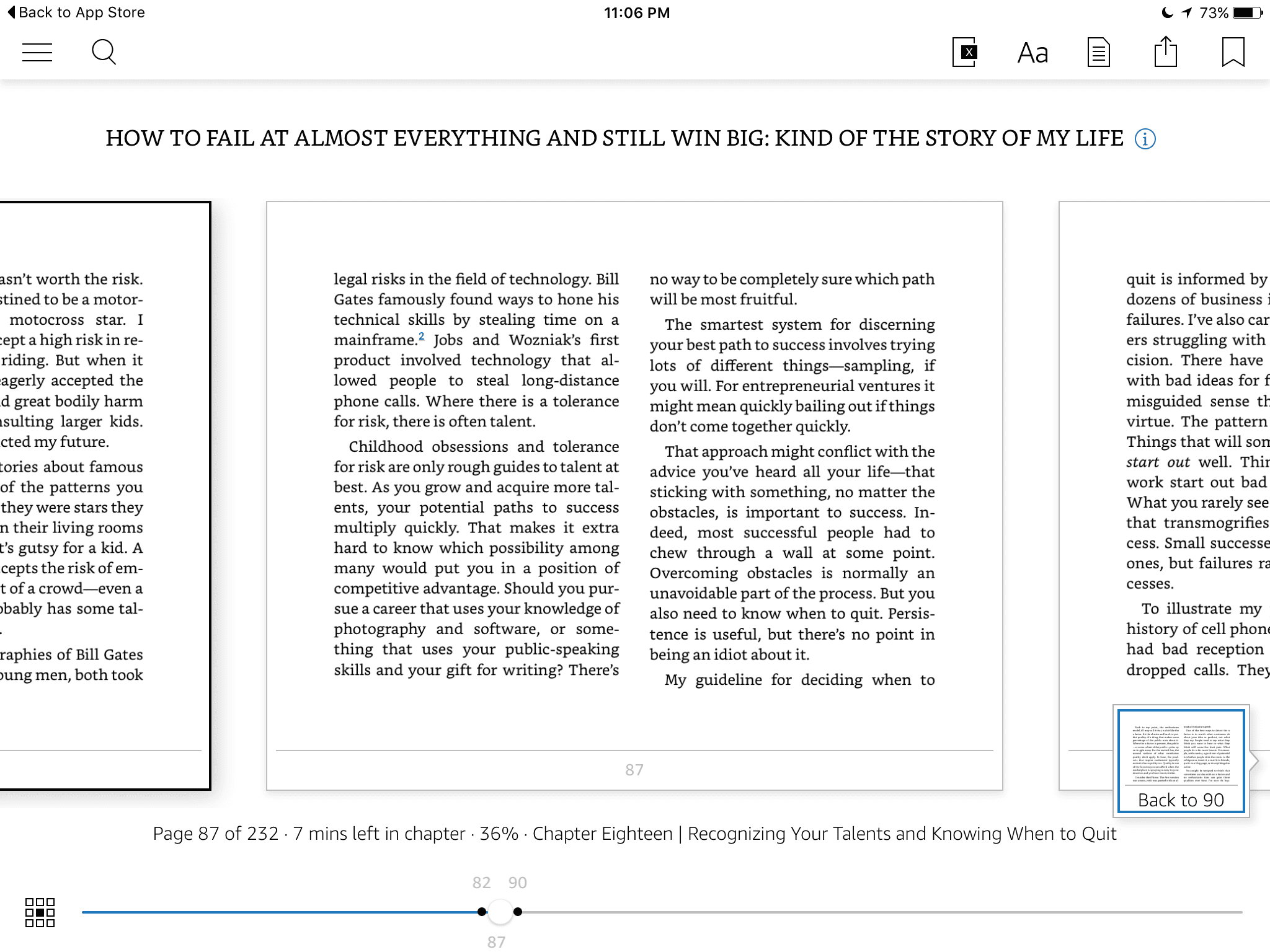
Version 5.0 of Amazon’s Kindle App for iPad and iPhone adds Page Flip, a new and natural way to navigate through books without losing your place. If you’ve ever been frustrated having to flip to see a map or something on another page, Page Flip solves that problem. Just tap in the middle of your screen to activate Page Flip and skim around until you find what you want. When you’re finished looking, tap again and Page Flip will offer to return you to your original spot. Even better, Page Flip remembers the locations you have flipped to, allowing for easy bouncing around. The updated Kindle App is available for free in the App Store.
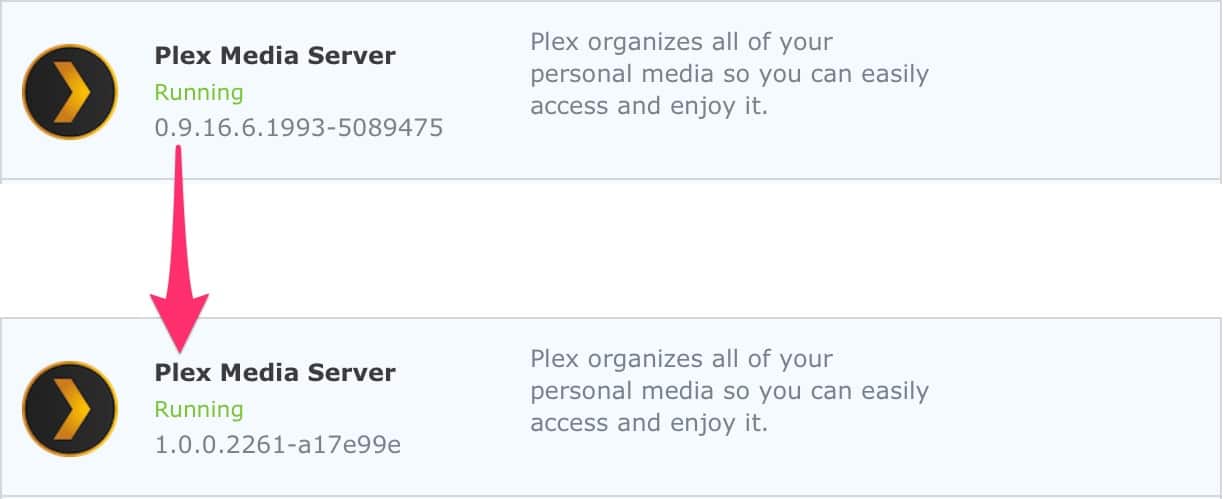
Plex Media Server Turns 1.0!
What started in 2008 as a small media server project today has matured into version 1.0. The first public release of Plex Media Server happened two years later in 2010, and it has been growing ever since, now used by milliions of people. The changes rolled into the 1.0 release aren’t all that major – certainly nothing more than any other Plex Media Server release we’ve seen recently – it’s the version number change itself that is significant.
Version 1.0 shows Plex’s commitment to ship software that no longer has the assumption of being beta, communicating reliability and predictability for customers. I’m a long-time Plex user and now with both iOS and Apple TV client apps it really is a best-in-class product. Many of its features are available for free, though a paid PlexPass is well worth your money if you want to view your content offline or on your mobile devices. Congrats, Plex! Thanks for doing what you do!
The iPhone SE is for Power Users, Too
At the iPhone 6 and 6 Plus Apple event I asked if I could put one of each in my pocket. They obliged and I tried. Both the 4.7″ iPhone 6 and the 5.5″ iPhone 6 Plus fit just fine. Both felt quite big to me, but both fit just fine in my jeans. It…
Subscription Pricing Isn't as Evil as You Think It Is
I think another, perhaps larger group are folks who aren’t happy about the net increase in price of Smile’s TextExpander with the new subscription model. Depending upon how you do the math, it’s reasonable to presume that the new version of TextExpander will cost you double what you paid before without offering you any new features…
Sponsor: Daylite and Billings Pro from Marketcircle
Our thanks to Marketcircle for sponsoring TMO this week. Targeting freelancers and small businesses who work in an all-Mac environment, Marketcircle's products, Daylite and Billings Pro, are focused on helping small businesses save time and stay organized. Daylite organizes your contacts, calendar, tasks, notes, emails, projects and new business opportunities into one cohesive app. Depending…