
Leaked product details from a home improvement retailer give us our first look at what may be the first Home Key smart lock.
Apple Wallet

Washington DC Council Approves Plan to Issue Digital IDs
The Washington D.C. council approved a bill from Mayor Muriel E. Bowser (D) that brings the city “a step closer to the reality of digital credentials.”

Apple Promoting Express Transit in London
Apple has been promoting Express Transit inside the Wallet app in London, 9to5 Mac reported on Tuesday. I had a look whilst using public transport on Wednesday, and didn’t notice the ads. However, it’s interesting that some users did have this relatively underused feature highlighted to them, and that not all of them were happy about it.
When you click on it, Apple explains how to get around using the Express Mode feature, which does not require Face ID or Touch ID when paying for public transportation…The weird thing about this activation, which you could call an ad, is that this notification appears even if you have the Express Mode feature already enabled – and it toggles an icon alert on the Wallet app as well. This is not the first time Apple users have complained about the company inserting ads on their devices.
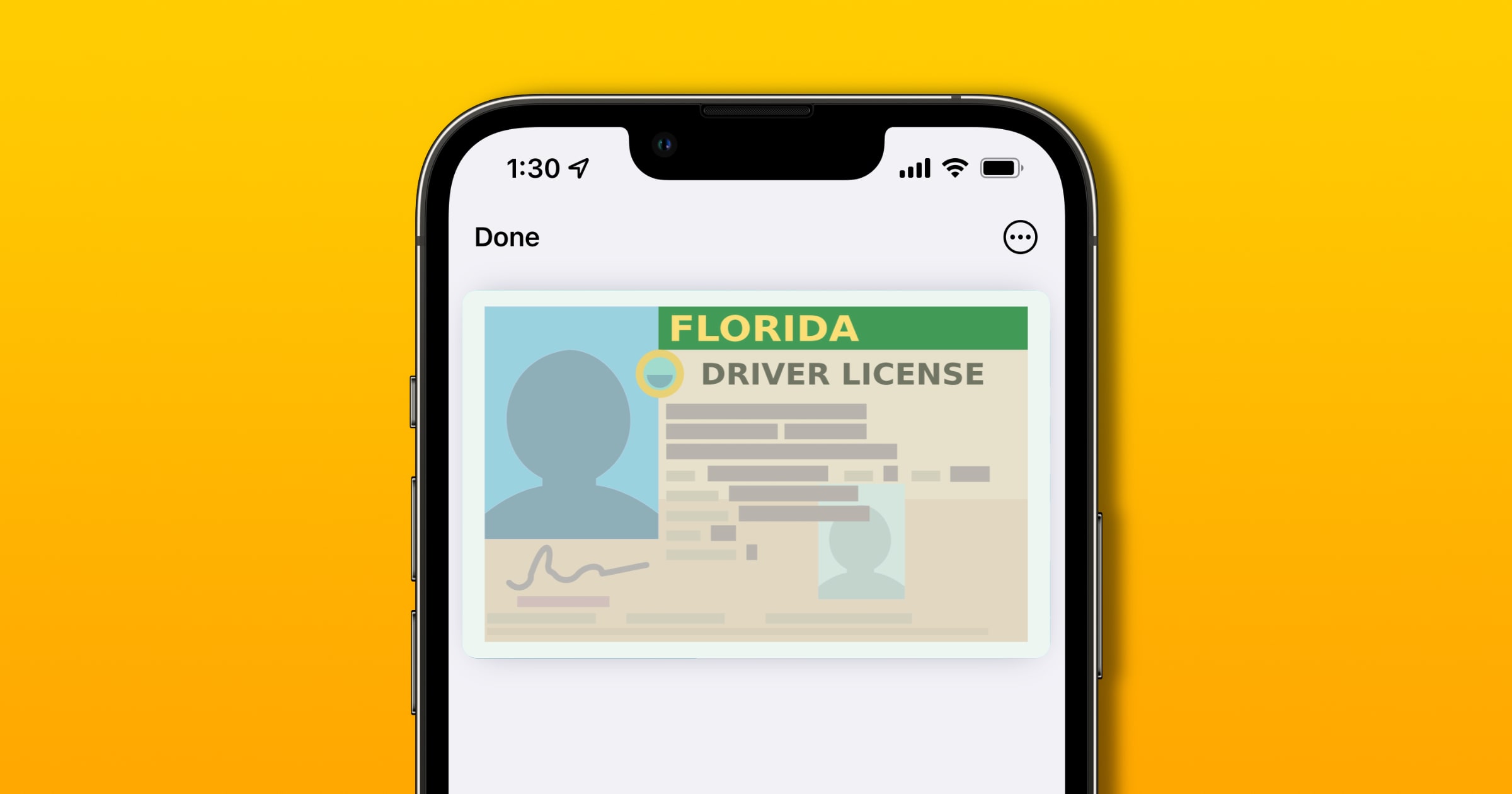
Taxpayers Foot the Bill for Apple's Roll Out of iOS 15 Digital ID
Apple has strict rules for states that opt into its digital ID service and taxpayers are on the receiving end of the trillion-dollar company’s invoice.
iOS 15 Wallet Tip: Expired Passes
Find your expired concert tickets, plane tickets, and more in the Expired Passes section of your iOS 15 Wallet. Learn more in this mini-segment from Mac Geek Gab 894.
Florida Digital Driver's License Available for Citizens in November
The Florida digital driver’s license program started in 2014, and the state is preparing to launch the initiative mid-November 2021.

Researchers Hack Apple Pay to Steal Money With Visa
Apple claims that the problem lies with Visa’s network, while Visa says the payments are secure and “attacks of this type were impractical outside of a lab.”

Here are the First States to Support iOS 15 Digital IDs
On Wednesday Apple revealed which U.S. states are the first to support storage of IDs within Apple Wallet in iOS 15 and watchOS 8.
Australians Can Now Add Covid-19 Digital Certificate to Apple Wallet
Australians who have received two doses of either the Pfizer or AstraZeneca Covid-19 vaccines can add the relevant certification to their Apple Wallet, Tap Down Under reported. It follows the same development in the UK.
As of today, it’s now possible to add a copy of your COVID-19 digital certificate to your digital wallet of choice – Apple Wallet or Google Pay – making it easier to show proof of vaccination for which will undoubtedly become required sometime in the future. There are two methods to add it into Apple Wallet; You can go straight to my.gov.au, tap on ‘Go to Medicare’ in the COVID-19 vaccination status area, and then under the PDF link, there’s an Add to Apple Wallet button. The other method, is to use the Medicare app – which is handy to have regardless for other features like a digital Medicare card.

Apple Wallet Supports Australian Health Insurance Cards Via HICAPS App
Australians are now able to add digital health insurance cards to their Apple Wallet via the Health Industry Claims and Payments Service (HICAPS) app. 9to5Mac has a good explainer of how it all works.
In Australia, when you pay a visit to an Extras provider, the receptionist provides you with a bill and asks if you have health coverage. At that point, you can hand them your HIF membership card and they’ll swipe it through an electronic claiming terminal known as a HICAPS machine. Now, with the Apple Wallet integration, users can just double click the side button on their iPhone with Face ID or double click the Touch ID button to view the health insurance card on the Wallet. Then, they just have to select their health fund membership card from Apple Wallet and hold the iPhone or Apple Watch near the terminal reader.

Israeli Wallet Company Says Apple Pay Is Killing Physical Wallet Industry
Israeli wallet brand Emmanuel Wallets is boycotting digital wallets like Apple Pay, saying it’s harming the physical wallet industry.
Classic wallets have accompanied the human race for centuries and serve as a practical means of maintaining a means of payment and a fashionable accessory. A wallet is the type of item one holds, such as a phone… so it’s part of its unique style and personal branding. No technological gimmick, not even one promoted by the world’s largest tech company, will succeed in reducing the popularity of a physical wallet.
“No digital wallet will succeed in reducing the popularity of a physical wallet.” Well then, what’s all the fuss about?

Coinbase Cards Can Now be Added to Apple Pay
People who have a Coinbase Card can add it to Apple Pay starting this week, the cryptocurrency exchange announced on Tuesday.
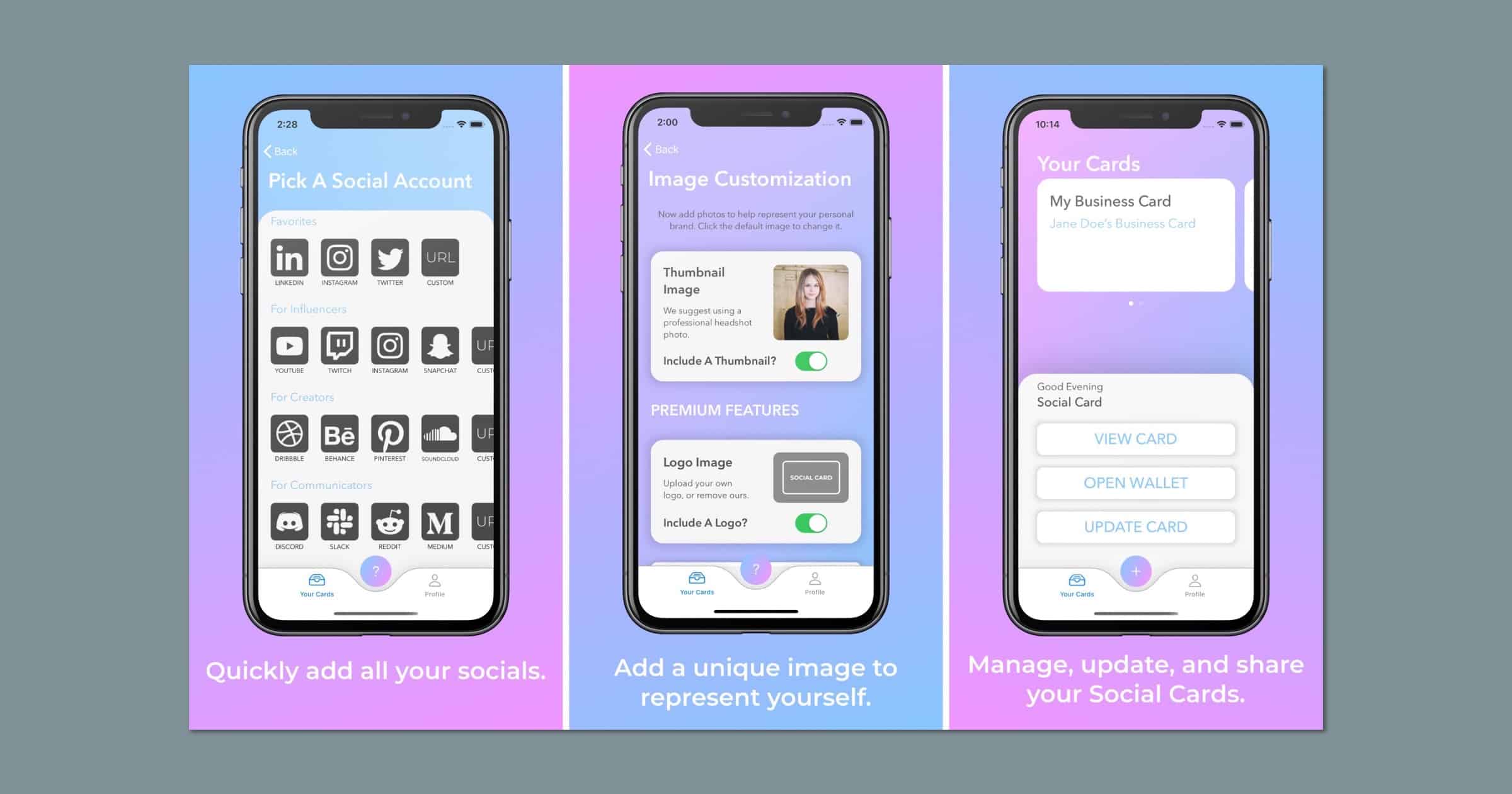
This App Can Load Your Business Card into Apple Wallet
An app I discovered a while back called Social Card lets you put your business card into Apple Wallet. By that I mean the app helps you create a personalized card where you can add information like email, phone numbers, websites, and links to social media like LinkedIn, Instagram, Twitter, Snapchat, and others. You can share you card with Airdrop, iMessage, email, or a QR code. You can create a card for free with limited options, and various in-app purchases gives you customization options to add a background, change the color, add a logo or your portrait, and more.

Disney MagicMobile Lets You Check in With iPhone, Apple Watch
A new Disney MagicMobile service lets guests at Walt Disney World Resort to check into theme parks with their iPhone or Apple Watch.

Bay Area Transit Card Coming Soon to iPhone Wallet
Apple announced on Thursday that the Clipper card used for San Francisco Bay Area transit agencies is coming soon to the Wallet app on iPhone.

Satechi Launches Dual Charger for Apple Watch, AirPods
Satechi has released a unique 2-in-1 USB-C charger for Apple Watch and AirPods. It’s available exclusively through Apple for US$49.95.

iOS 14.5 Beta Adds New Financial Features to Apple Wallet
Apple has released the iOS 14.5 beta and with it comes new features for Apple Card customers like budgeting and family sharing.
LA Vaccine Recipients Can Add a Digital Record to Apple Wallet
Residents in Los Angeles who get a COVID-19 vaccine will receive a digital record they can add to Wallet on iOS.
Apple Posts Job Listing for Apple Card Service & Customer Experience Manager
Apple has posted a job listing on Thursday for the position of Apple Card Service & Customer Experience Manager, Wallet & Apple Pay.

Apple Wants to Store Your ID Digitally. What Could Go Wrong?
William Gallagher writes how Apple is working on methods to store your ID digitally in Wallet, like credit cards. But I found this part concerning:
This all presumes that we are able to present our ID. There are situations, such as when we’re incapacitated, when we need to be identified yet we cannot personally do anything about that. In this case, Apple proposes that under the right circumstances, our devices could “automatically transmit the user’s identity credential.”
Apple gives the example of a first responder, “such as police officer, firefighter, etc,” who could legitimately possess a device that would automatically request ID like this.
I bet law enforcement would love a Stingray-like device that can automatically harvest IDs when they walk through a protest.

Apple Updates Apple Support With Wallet Passes
The Apple Support app was updated on Wednesday with a major feature: When you make a Genius Bar appointment you’ll see a button to add a pass to Wallet for faster check-in. Other updates included with version 4.1: Easier to find Advisors in your preferred language in regions with multiple languages; Accessibility improvements for VoiceOver, including Search navigation, labels, and more; Performance enhancements and bug fixes.

Santa Clara University Supports iPhone, Apple Watch for Contactless IDs
Santa Clara University students can now add their contactless IDs to Apple Wallet to use their iPhone and Apple Watch in place of a card.
How to Add an Apple Gift Card to Wallet in iOS 13
If you got an Apple Store gift card for Christmas you can easily add it to your Wallet, so you can just use your phone to make a purchase.

Apple Pay Belarus Begins With BPS-Sberbank
Apple Pay Belarus begins its rollout starting with BPS-Sberbank, one of the oldest and biggest banks in the Republic of Belarus.