
For each subscription you have, you’ll see all the renewal options with the ability to switch between service levels.
iOS


Fighting The Machine & Saying the S-Word – Mac Geek Gab 682
iOS 11 brought battery life issues for many – but not all – users, and Dave and John have a few solutions for those affected. But that’s not all you get, of course. Many tips, questions answered, and Cool Stuff Found round out the episode, including cable modem picks, iPhone X discussion, wireless charging devices, and an interesting backup analysis from a listener. Download, press play, and enjoy!
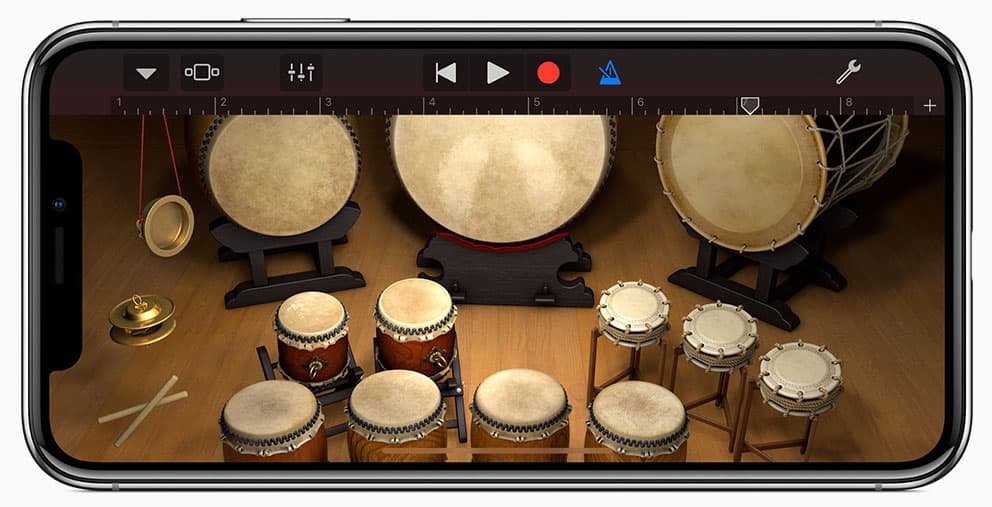
Apple Releases a Significant Update to GarageBand for iOS with New Sequencer, Sound Library, Instruments
Apple released GarageBand 2.3 for iOS, a significant upgrade that adds a sequencer, a sound library, and new instruments to the recording software.
Amazon Adds ARKit Shopping to its iPhone App
Amazon is making it easier to see how stuff looks in your home before you click the Buy button. The online retailer’s latest iPhone app update adds in ARKit support so you can virtually place items in your home while you’re shopping.
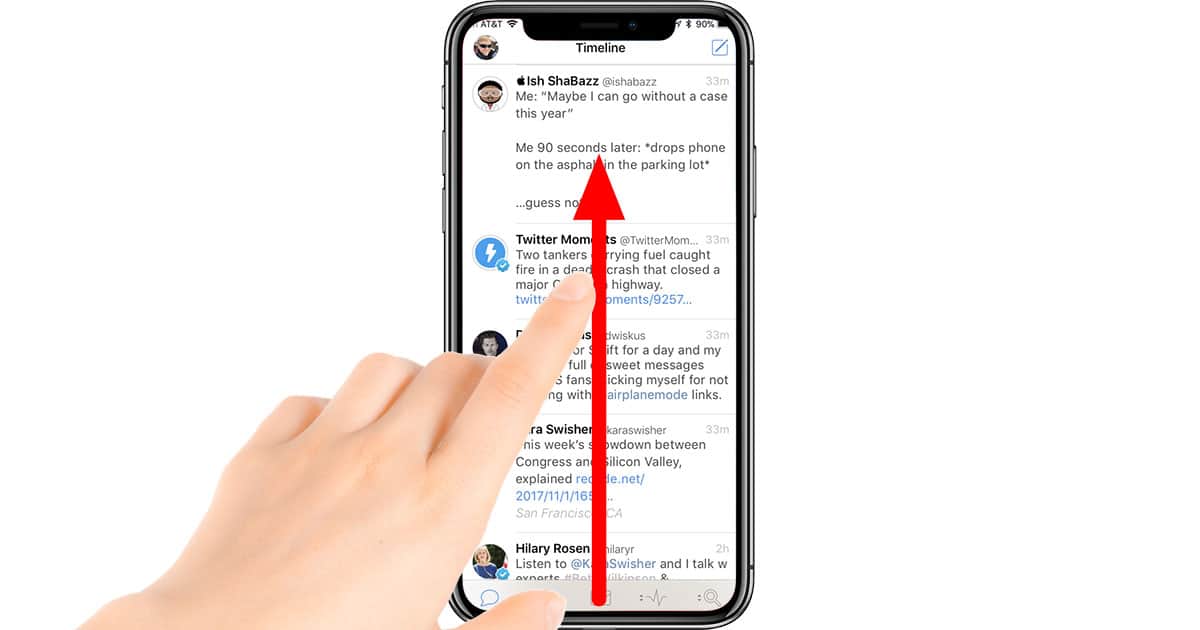
iPhone X: How to Get to the Home Screen
The Home button is gone from the iPhone X, so here’s how to get back to the Home screen with a gesture.
iOS 11: Adding the Magnifier to Control Center
The “Magnifier” feature on iOS has been around for a while, but now you can add it to Control Center for quick access. We’ll show you how to do that (and why you’d want to!) in today’s Quick Tip.
Apple Releases iOS 11.1 with New Emojis, KRACK Fix, and 3D Touch App Switcher
Other changes include bug fixes for Photos, Accessibility, notifications, an annoying bug that kept some app icons from showing on Apple Watch, and more.

Apple Rolls Out First iOS 11.2 Developer Beta
Apple released iOS 11.2 developer beta 1 on Monday, which is a pretty solid indicator that we’re about to see the official public release of iOS 11.1.

iOS 11: How to Create a Loop Live Photo Effect on iPhone
The Loop effect is great for photos where the subject is already moving continuously.

iOS 11: How to Install Third Party Keyboards on Your iPhone
Keyboards can be installed on your iPhone and iPad. Here’s how to install them on either type of device.

iOS 11: How to Turn On the Long Exposure Live Photo Effect
This type of photography is used for night photos, light trails, clouds, water, or stars. It records something that regular photos cannot: time.

iOS 11's Instructions for Stopping Family Sharing Plan: Transfer Your Kid to Another Family
Ouch. That seems a bit drastic, and is it even legal?
macOS and iOS: How to Disable Live Photos in FaceTime
Did you know that FaceTime on both the Mac and on iOS will now let you take Live Photos while you’re on a video call? Well, if that question shot as many shivers down your spine as it did Melissa Holt’s, you’ve gotta come read this Quick Tip. She’s going to tell us all how to turn it off!

iOS 11: Using the New Live Photos Bounce Effect
You won’t be able to see the effect on macOS High Sierra, but you can still have fun with Bounce on your iPhone and iPad.
Review: If Apple Made an iOS Reddit Client, it Would be Apollo
The developer, Christian Selig, is a former Apple intern who wanted to build a Reddit app that closely adhered to Apple’s design guidelines.
Apple Seeds iOS 11.1 Developer Beta 5
The patch notes are the same as iOS 11.1 Developer Beta 4, making this release a bug-fixes and continued-optimization release.
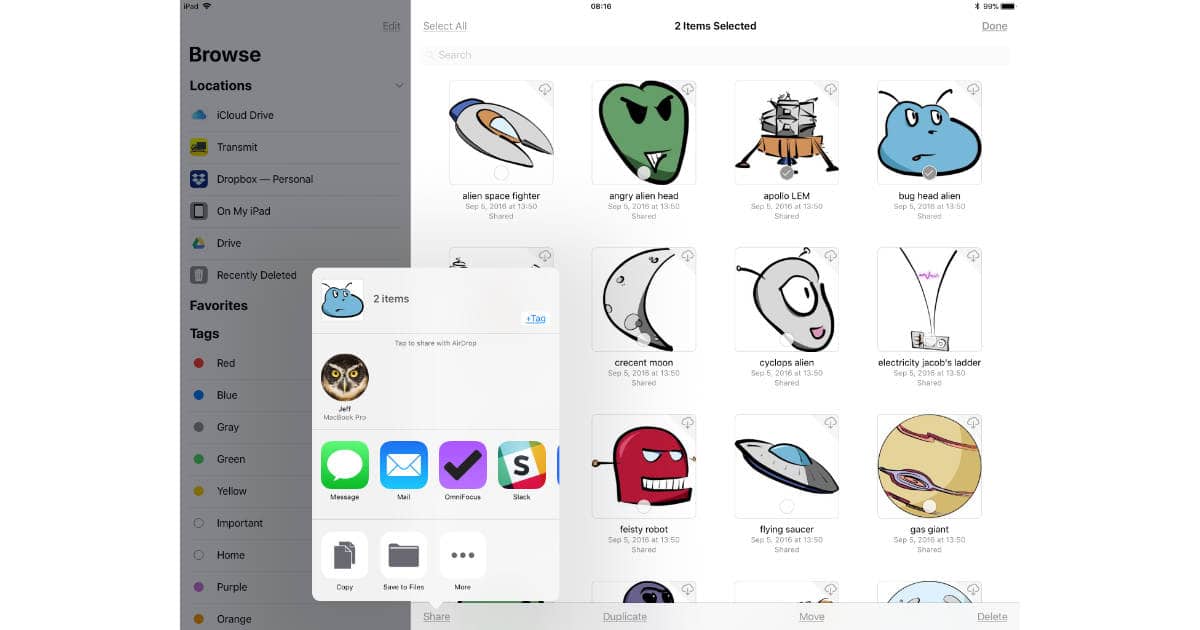
iOS 11: How to Share Documents from the Files App
The Files app in iOS 11 does more than let you see and organize documents with your iPhone or iPad. It lets you share files, too, although not all sharing is created equal.
Apple Releases iOS 11.1 Developer Beta 4 with Bug Fixes
Issues Apple marked as “Resolved” in this release JavaScript, push notifications, client certificate-based authentication, an issue with Facial Landmarks (for iPhone X), and several more.

Animoji Trademark Lawsuit, Apple's Sloppy UI Problem - TMO Daily Observations 2017-10-20
Bryan Chaffin and Jeff Butts join Jeff Gamet to share their take on the Animoji trademark lawsuit against Apple, and to look at Apple’s lack of consistency in macOS and iOS interface details.

How to Share Notes from iBooks in iOS 11 and macOS High Sierra
It’s easy to take and share notes in iBooks for both iOS 11 and macOS High Sierra—if you know how, that is.
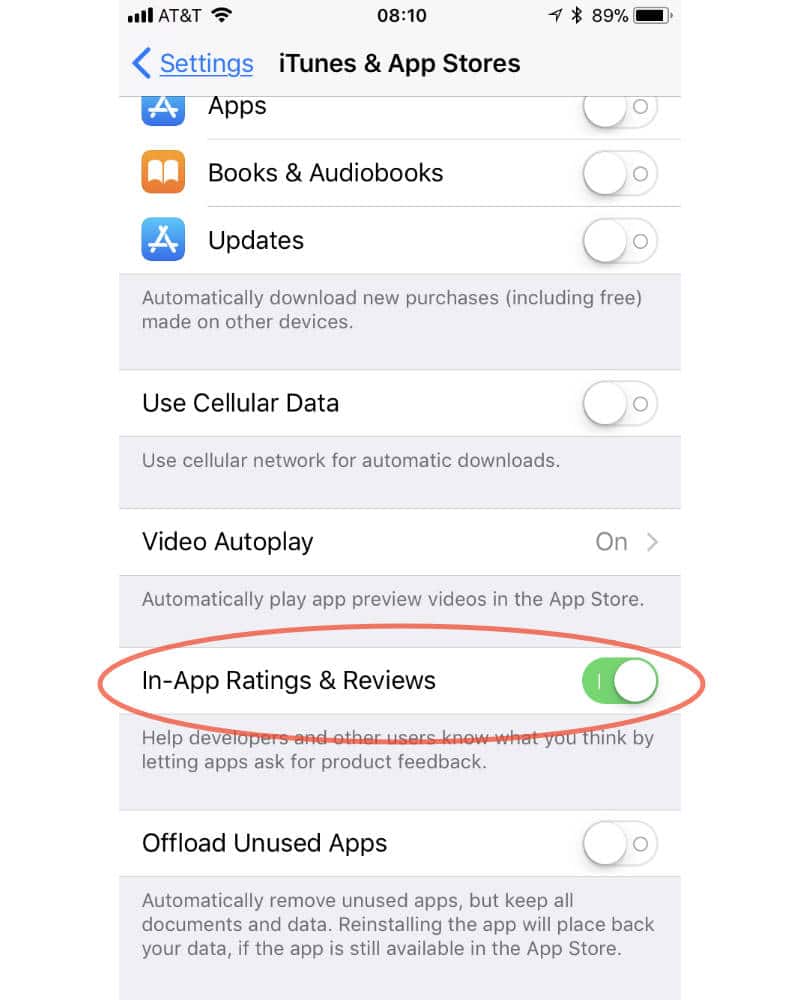
iOS 11: How to Block In-app Ratings and Reviews Requests
Are in-app reminders to rate and review apps on your iPhone and iPad annoying you? Here’s how to turn them off in iOS 11.

iOS 11: How to Turn On iOS Automatic Reader Mode in Safari
Did you know you can enable automatic Reader mode in iOS Safari? Just like macOS High Sierra you can choose to turn on Reader mode for individual websites, or all of them.

This AI-Powered App Can Hide Porn on Your iPhone
Photos on your device are never sent to Nude’s servers. If you choose, it stores the photo inside of a private vault, stored locally and encrypted.