
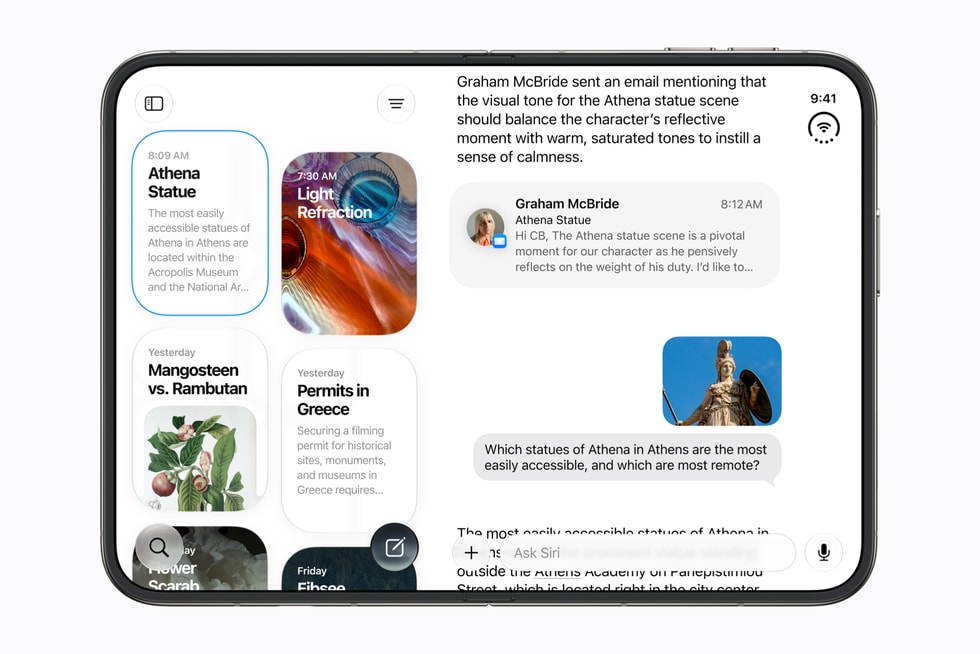
iOS 27 adds three accessibility features that Apple calls out by name on its iOS 27 page: richer VoiceOver image descriptions, auto-generated video subtitles with translation, and new Magnifier tools. All three arrive with the free update on Monday, September 14, on iPhone 11 and later.
Accessibility features tend to get one line in a keynote and a paragraph on a product page, and iOS 27 is no different. Here is what Apple has published for each, how to turn them on based on where these settings already live, and which iPhones may need Apple Intelligence to get the full version.
Richer VoiceOver image descriptions
VoiceOver already describes images to blind and low-vision users. Apple’s iOS 27 page says those descriptions get richer, which points to more detail about what is in a photo, a screenshot or an image on a web page, rather than a bare label.
Don’t miss the best of The Mac Observer
Set us as a preferred source and our Apple reporting ranks higher in your Google Search results and Discover feed — one tap, no account changes.
Apple has not said whether the richer descriptions are generated on-device for every compatible iPhone or whether the fuller versions depend on Apple Intelligence. Apple Intelligence in iOS 27 is limited to iPhone 15 Pro, iPhone 15 Pro Max and iPhone 16 or later, so owners of an iPhone 12, 13 or 14 should check the release notes for that distinction.
- Install iOS 27 from Settings, General, Software Update on or after September 14.
- Open Settings, Accessibility, VoiceOver and turn VoiceOver on if it is not already.
- Look for the image description options within VoiceOver settings and confirm descriptions are enabled.
- Open Photos, Safari or any app with images and move the VoiceOver cursor to a picture to hear the description.
These steps follow Apple’s published description of the feature on its iOS 27 page. The exact button names and menu positions may shift when iOS 27 ships on September 14, so treat them as a guide rather than a script.

Auto-generated video subtitles with translation
The second feature generates subtitles for video automatically and can translate them. Apple’s iOS 27 page does not say whether that covers video in every app, only Apple’s own apps, or system-wide playback, and it does not list the languages the translation supports.
For context, Apple Intelligence in iOS 27 supports 16 languages, and Live Translation is also a feature of the new AirPods 5. Apple has not tied the subtitle translation to either of those lists on the iOS 27 page.
- Open Settings, Accessibility and look under Hearing for subtitle and caption options.
- Turn on automatic subtitles for video.
- Choose a translation language if the option is offered. If not, subtitles will match the audio language.
- Play a video and confirm the subtitles appear. Apple has not said whether they can be resized separately from the existing Subtitles and Captioning styles.
Magnifier tools and the rest of the list
Apple’s iOS 27 page says Magnifier gains new tools, without naming them. Magnifier is the app that turns the iPhone camera into a digital magnifying glass, and on the iPhone 18 Pro it has a 48MP Fusion main camera with a variable aperture and 48MP Ultra Wide to draw on. The table sums up the three features and what Apple has and has not said.
| Feature | What Apple’s iOS 27 page says | Not published by Apple |
|---|---|---|
| VoiceOver image descriptions | Richer descriptions | Whether the fuller version needs Apple Intelligence |
| Video subtitles | Auto-generated, with translation | Supported apps and languages |
| Magnifier | New tools | Which tools were added |
| Compatibility | iOS 27 runs on iPhone 11 and later | A feature-by-feature hardware list |
Apple’s June announcement of iOS 27 also mentioned updates to Voice Control and Accessibility Reader, but those did not make the iOS 27 page’s headline list and Apple has not published details for the September release.
If a feature does not appear after updating
- Check the model. iOS 27 installs on iPhone 11 and later, but any accessibility feature that relies on Apple Intelligence needs iPhone 15 Pro, 15 Pro Max or iPhone 16 and later.
- Check the language. Auto-generated subtitles and translation may be limited to the languages Apple Intelligence supports; set the phone to one of them and try again.
- Restart the phone after the update. Accessibility settings sometimes need a fresh start before new options appear.
- Read the release notes. Apple publishes accessibility detail when the update ships, and the iOS 27 page is a summary rather than the full list.
Apple has not stated a release hour for iOS 27; it usually ships iOS updates around 10 a.m. Pacific. The iOS 27 release date guide has the schedule, and our event recap covers the hardware that arrives four days later.



