

Turning off an Apple Pencil might feel tricky because it does not have a power switch. None of the models do. Yet with a little know-how, you can save battery and avoid frustrating drain.
In this blog, I’ll share how to turn off each Apple Pencil model quickly and safely!
Don’t miss the best of The Mac Observer
Set us as a preferred source and our Apple reporting ranks higher in your Google Search results and Discover feed — one tap, no account changes.
How to Turn Off Your Apple Pencil?
 NOTE
NOTE
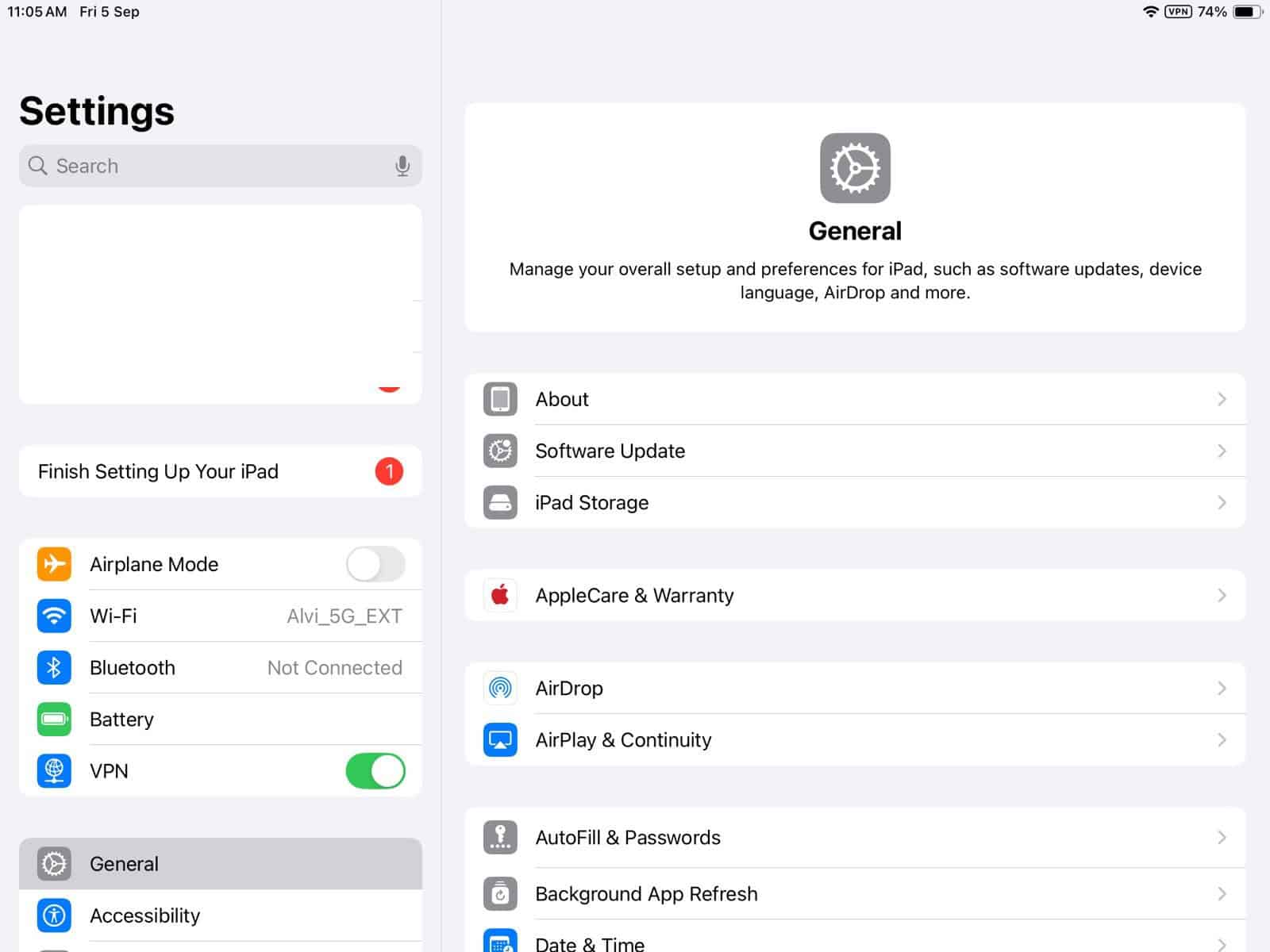
- Go to iPad Settings > Bluetooth.
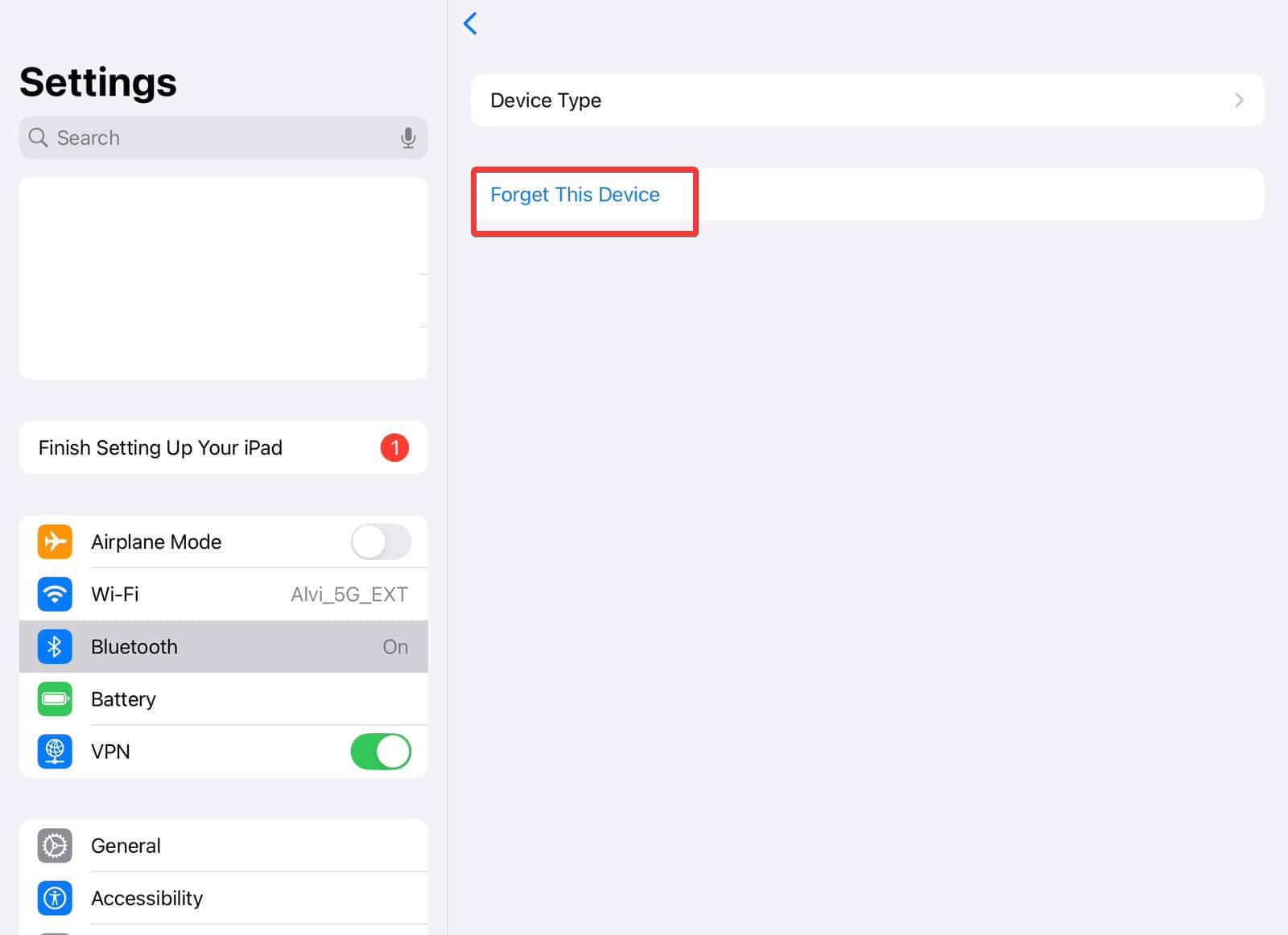
- Tap the i next to your Apple Pencil and choose Forget This Device.
- Later, to use it again, just plug it into the Lightning port and tap Pair when prompted.


This method stops any Bluetooth connection with the Apple Pencil and helps the pencil preserve battery.
Although not the recommended approach, if you want to temporarily disconnect the Apple Pencil, simply turn off Bluetooth on your iPad.
Tips
- Use Forget This Device in Bluetooth settings instead of just turning off Bluetooth, as it disconnects more reliably.
- If you want a quick action, create a Shortcut that turns Bluetooth off, waits a few seconds, then turns it back on. This indirectly puts the pencil to deep sleep.
- Keep your pencil away from the iPad when it is not in use, as distance helps slow its drain.
- Regularly check your battery levels via the iPad’s Batteries widget to catch fast drains early.
- If your pencil loses charge unusually fast, get it checked at an Apple Store. Lithium batteries age and need regular charging.
Frequently Asked Questions
No. None of the models offers a physical power switch. You rely on Bluetooth disconnection or forgetting the device.
Yes, after about 15 to 20 minutes, it enters low-power sleep. But it can still wake up and drain if Bluetooth remains active.
That disconnects the pencil and helps reduce battery drain. But when you turn Bluetooth back on, it often needs to be physically reconnected through Lightning, USB-C, or magnetic pairing.
Yes. A Shortcut can toggle Bluetooth off, wait briefly, then toggle it back on. This saves battery with just one tap.
Summary
- Forget the device in Bluetooth settings to truly turn it off.
- Use Shortcuts to automate Bluetooth toggling and reduce manual steps.
- Monitor battery health regularly. A worn-out battery drains fast and should be checked if it drops unexpectedly.
Conclusion
While Apple Pencils do not have a switch, you can still turn them off with smart habits. Use the Bluetooth settings to forget and fully disconnect the pencil. Try using a Shortcut for quick toggle control. Keep your pencil apart from the iPad when not in use to reduce drain.
With those small steps, you will keep your Apple Pencil ready and reliable when it matters most.
Before you leave, learn how to use an Apple Pencil and make the most out of it!


![Fix “macOS Cannot Verify That This App is Free from Malware” [2026]](https://www.macobserver.com/wp-content/uploads/2025/05/MacBook-displaying-multiple-macOS-Gatekeeper-icons-under-a-red-X-surrounded-by-Gatekeeper-dialogs-over-the-default-macOS-Sequoia-wallpaper.webp)

Discussion