

When you find iMessage not working on iPad, it’s usually due to problems with Internet access, misconfigured network settings, an out-of-sync date and time, or server-related issues at Apple’s end.
This guide shows you how to troubleshoot iMessage problems step by step, using proven fixes that have helped me and other users.
Table of contents
How to Fix it When iMessage is Not Working on iPad?
1. Check Internet Connection
iMessage needs Wi Fi or cellular data to work. Make sure Airplane Mode is off, your iPad is connected, and you can browse the web.
2. Turn iMessage Off and On and Restart
- Go to Settings > Apps > Messages, toggle off iMessage, wait a moment, then turn it back on.
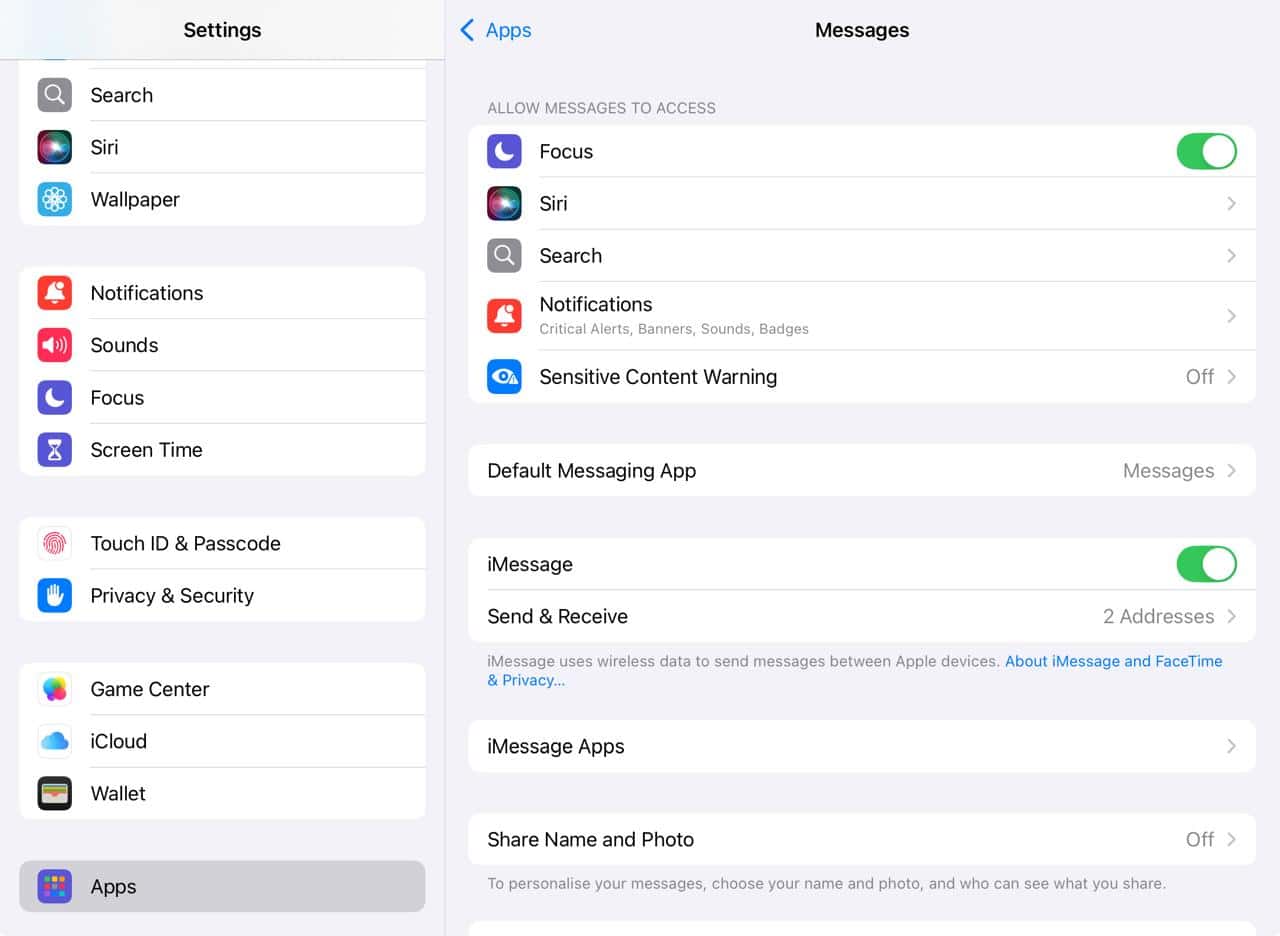
- Restart your iPad completely.

This simple reset can fix many glitches.
3. Check Send and Receive Settings
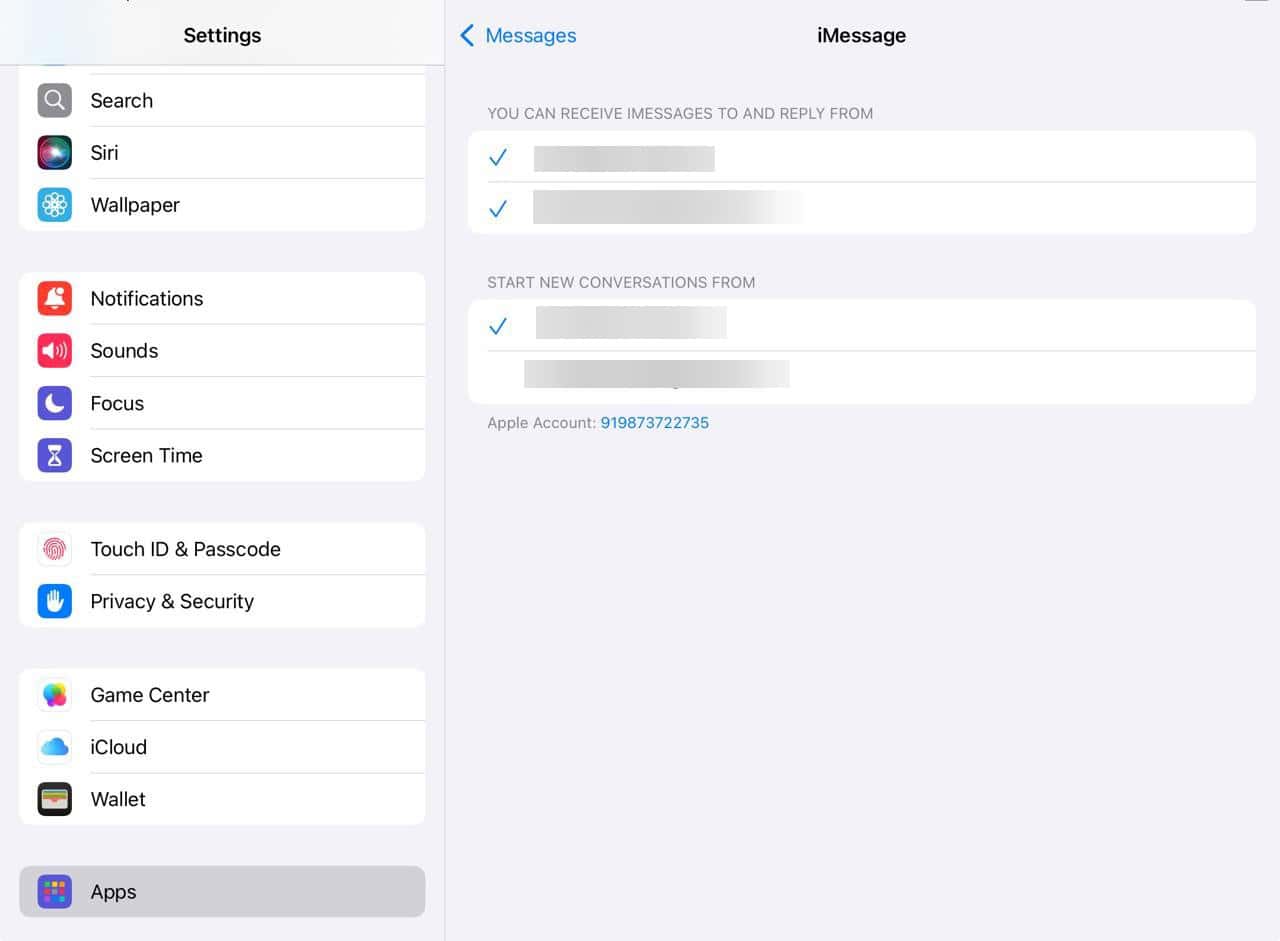
- Open Settings > Messages > Send and Receive.
- Make sure your Apple ID and phone number or email are correctly selected under “You can receive iMessages to and reply from” and “Start new conversations from.”

4. Sign Out and Back Into Apple ID
- If iMessage still fails, go to Settings > tap your name > sign out of your Apple ID > then sign back in.
- This refreshes your account settings across the iPad.
5. Check Date and Time Settings
- Go to Settings > General > Date and Time and make sure Set Automatically is turned on.
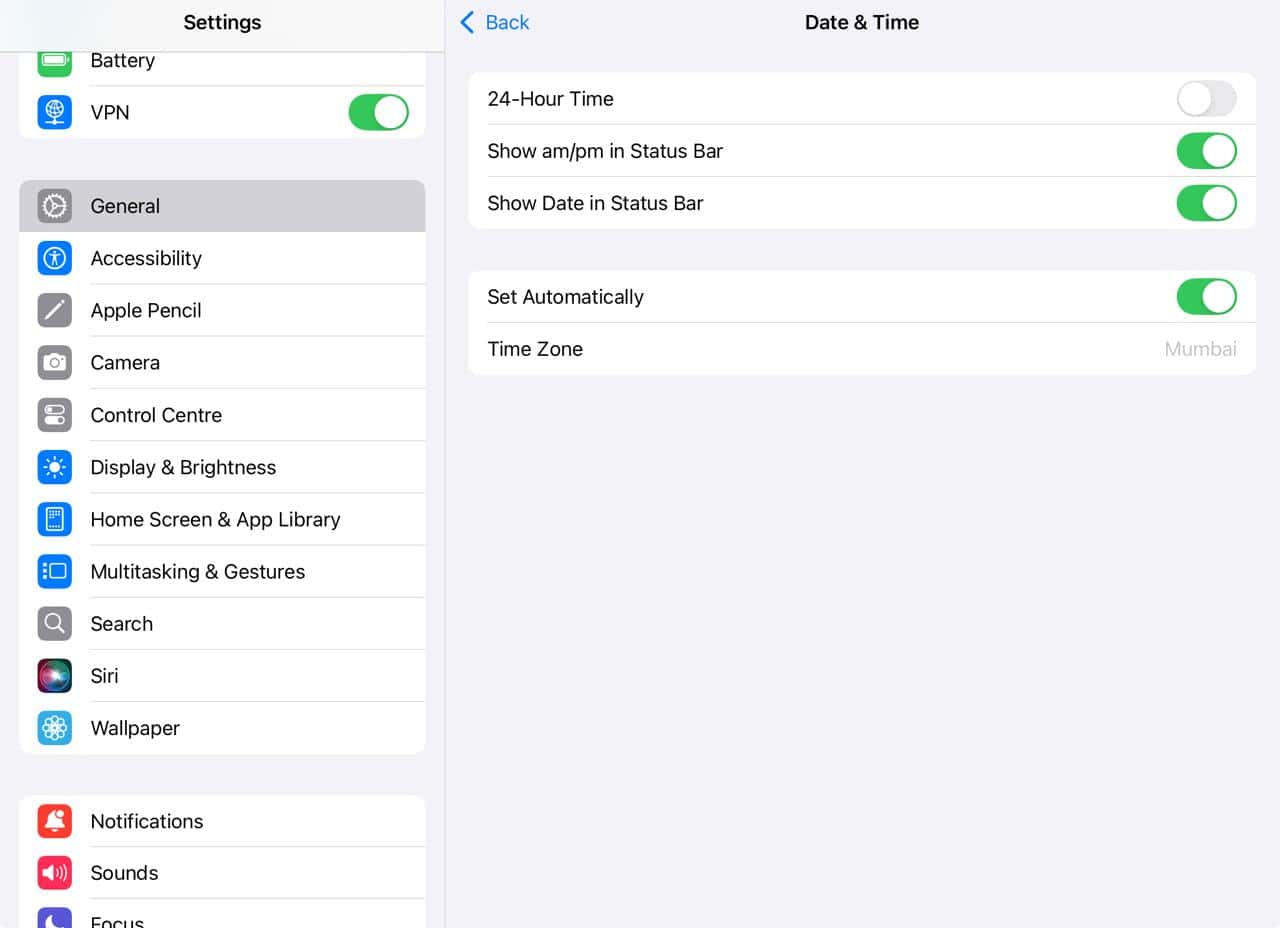

The wrong time zone or date can prevent you from activating iMessage.
6. Check for Service Outages
Sometimes the issue is with Apple’s servers. Visit Apple’s System Status page to see if iMessage is down. If it is, you will need to wait for Apple to resolve it.
7. Reset Network Settings if Needed
- As a last resort, go to Settings > General > Transfer or Reset iPad > Reset > Reset Network Settings.
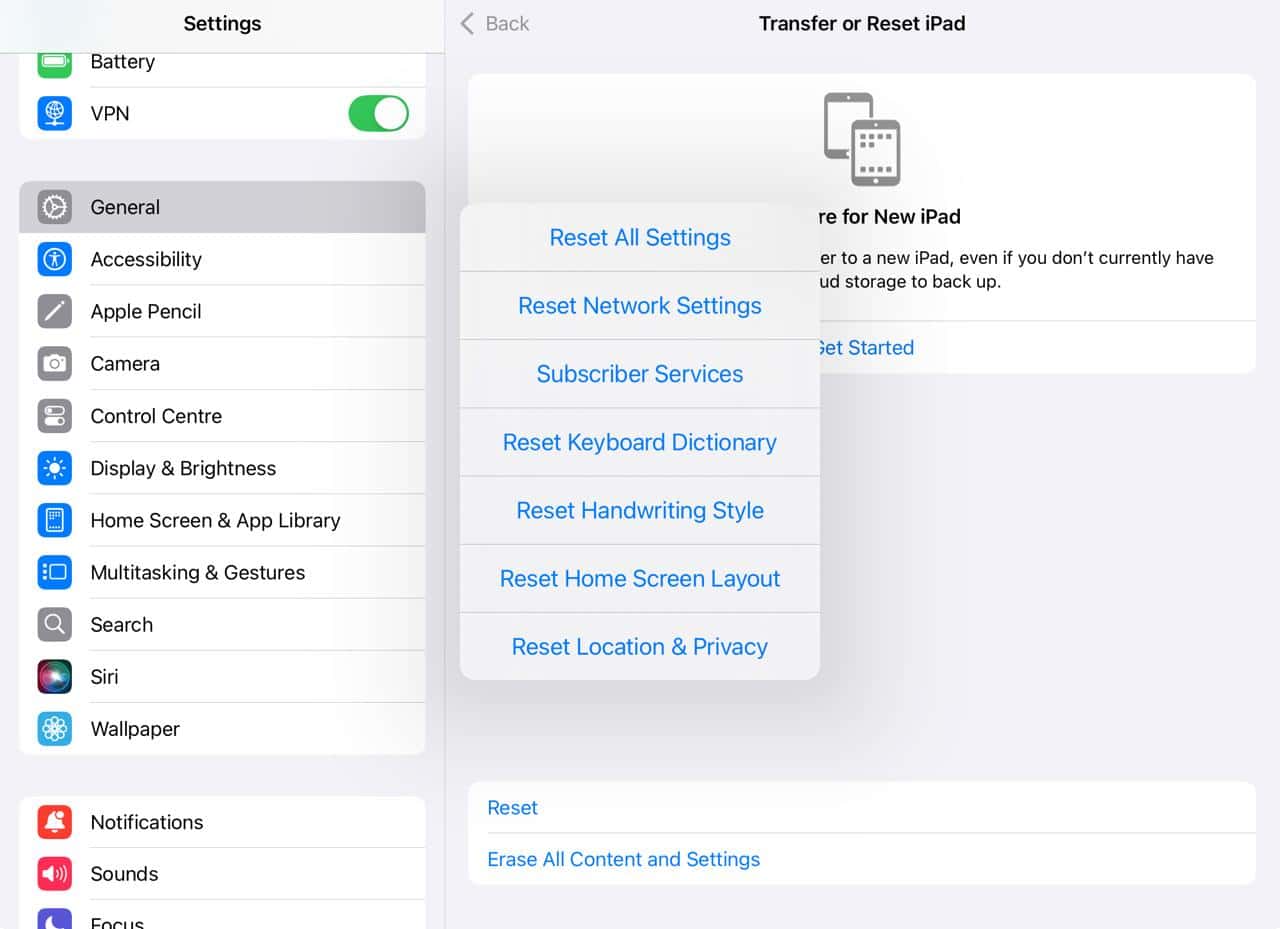

This clears Wi Fi and VPN settings and often fixes stubborn connection issues.
Tips
- Restart both your iPad and any linked devices, like your iPhone. It can help messages sync properly.
- Disable any VPN or iCloud Private Relay, as they may block the ports iMessage uses.
- On your iPhone, enable Text Message Forwarding if you want SMS to also reach your iPad.
- Keep your iPad updated with the latest iPadOS since Apple regularly fixes message-related bugs in updates.
Frequently Asked Questions
Your Send and Receive settings might not match, or iMessage is not activated properly on the iPad.
Check your internet, date and time settings, and let it sit for up to 24 hours. Sometimes activation takes time.
If all else fails, backing up and restoring your iPad or even resetting it completely can resolve persistent iMessage issues.
Yes. Apple’s system status might show everything is fine even if your region is impacted. Check other outage tools or forums for local reports.
Summary
- Ensure your iPad has a stable internet connection.
- Toggle iMessage off and on, then restart the device.
- Verify your Send and Receive settings are correct.
- Sign out of your Apple ID and sign back in.
- Set the date and time to update automatically.
- Check Apple’s System Status for service outages.
- Reset Network Settings if the issue persists.
Conclusion
Getting iMessage back on track does not have to be hard. Start with simple fixes like checking your internet and restarting. If it still fails, working through the account and setting checks usually does the trick. Only consider resets or contacting Apple Support as a final option.
With these steps, your iMessage should be up and running smoothly again. And once it is, learn how to use iMessage and make the most out pf it!


