
Dr. Mac shows you how to get more screen real estate for free (as long as your Mac and iPad are new enough…)
Mac
The Mac – or “Macintosh” if we’re going back to 1984 – is the first computer to effectively market a graphical computer to the masses, all delivered by Apple (or, at the time, Apple Computer).
The Mac has gone through several stages of evolution and iteration since 1984, including the MacBook Air, MacBook Pro, Mac mini, iMac, iMac Pro, Mac Pro, Performa, Power Mac (including the G4 Cube!), iBook, and more. It remains one of the most popular computers you’ll see in business, schools, and homes today.

'OSX.ZuRu' Malware Spreads From Trojanized Apps via Sponsored Search Results
The latest Mac malware to be discovered is called OSX.ZuRu. It spreads via infected apps from sponsored search results.
The legitimate and the malicious iTerm2 application bundles contain a massive number of files, including several Mach-O binaries. Moreover, the malicious version appears largely benign (as is the case with most applications that have been surreptitiously trojanized). As such, it takes us a minute to uncover the malicious component.

Apple Releases Security Update for macOS Big Sur, macOS Catalina
Alongside its security updates for watchOS, iOS, and iPadOS, Mac users are receiving a macOS Big Sur 11.6 update and one for macOS Catalina.
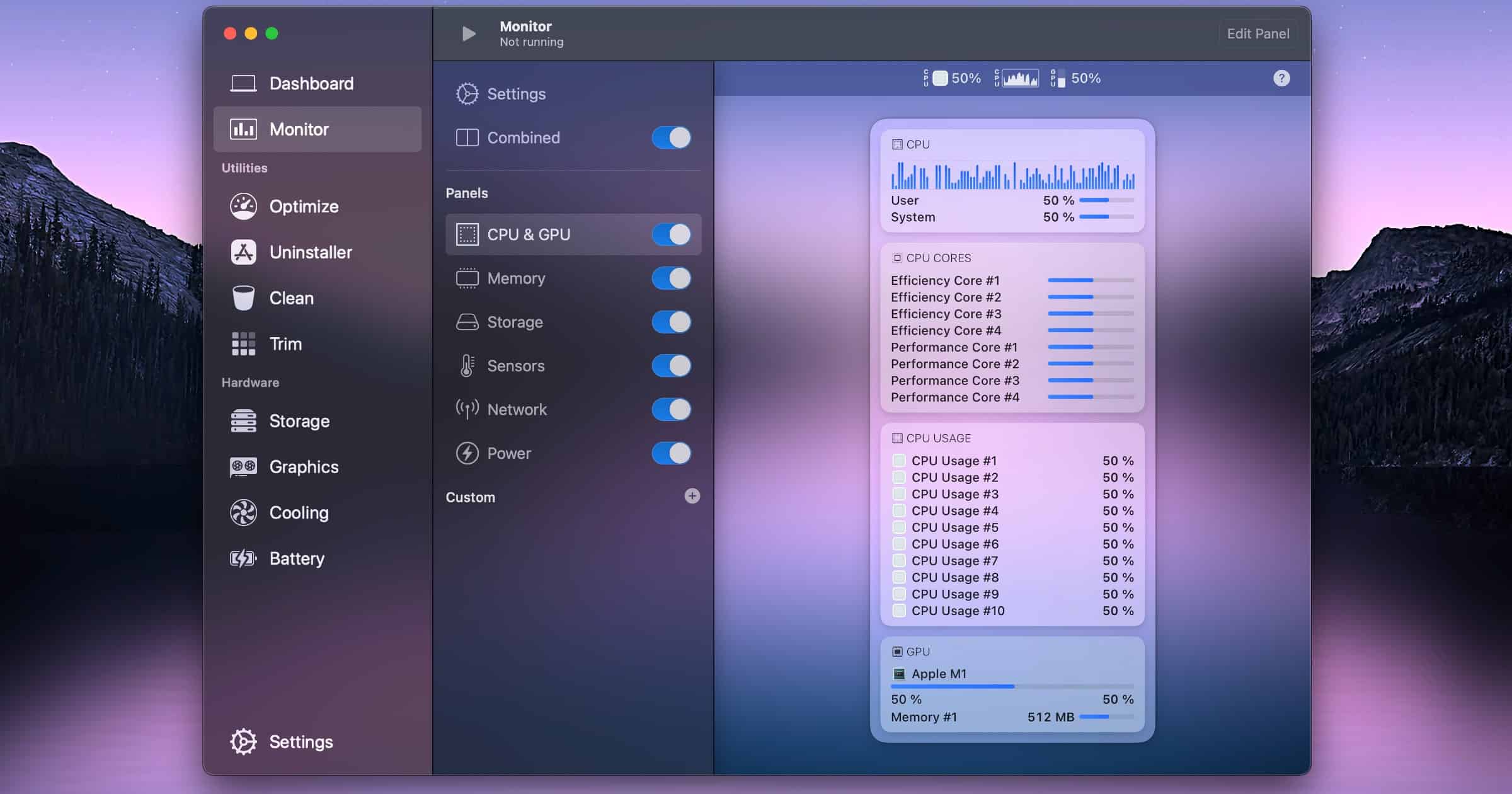
Update to 'Sensei' Brings a Monitoring Tool to Check Your Mac's Performance
Sensei Monitor is a new feature in Sensei that allows you to monitor your Mac performance in realtime, right from the menu bar. Create and customize panels and status bar items with different widgets to create the ultimate Mac menu bar system monitor, tailored just for you. Sensei Monitor has been in development for over a year, and features an advanced statistics engine as well as a design that fits in perfectly with modern versions of macOS. Developed using cutting-edge technology such as SwiftUI, it features an intuitive editor where the user can customize their monitoring using drag and drop. Here are the Mac features you can monitor: CPU, CPU Cores, GPU, RAM, Storage, Network, Temperature Sensors, Fan Speeds, Battery, Process Usage (CPU / RAM / Energy).

Norfolk State University to Give Students iPad Pros Fall 2021
This fall, Norfolk State University will provide students, faculty, and staff with Apple products and training for app development.

Lawyers Investigate M1 MacBook Screen Cracks
Migliaccio & Rathod LLP announced an investigation into Apple over reports from users that their M1 MacBook displays have cracked.

Apple 2021 Fall Event Scheduled for September 14, Invites Reveal
Apple has sent out official invites for its 2021 Fall product event. It’s set for September 14 at 10:00AM PT, 1:00 ET.
Use Amphetamine To Keep Your Mac Awake!
Want your Mac to stay awake? Have you tried Amphetamine for your Mac? Learn more in Mac Geek Gab 887.

OWC Launches Jellyfish Manager 2.0 With Cloud Backup Integrations
OtherWorld Computing announced on Thursday the launch of Jellyfish Manager 2.0. It offers cloud backup integrations, a dashboard, and a new design.
To Buy Or Not To Buy An M1 Mac?
Wondering if you should buy an M1 Mac now or wait? Find out more in Mac Geek Gab 886, then maybe you’ll decide to buy a Refurbished Mac Here.

Back Up Your Files With Twelve South's StayGo Mini USB-C Hub
Twelve South’s new StayGo mini USB-C Hub is a tiny accessory for your iPad and Mac that delivers four extra ports for your device.

Hyper Launches 6-in-1 USB-C Hub for 24-Inch M1 iMac
On Monday Hyper launched a 6-in-1 USB-C hub for the 24-inch M1 iMac. It clamps onto the bottom of the display to expand your ports.

4 More Must-have Mac Menu Bar Add-ons
We have four more great Mac menu bar add-ons to follow up from last week’s list. They’ll all help do even more with your Mac, so read on to see our list.

What Other Products do iPhone Owners Have?
The latest analysis from Consumer Intelligence Research Partners examined some of the common products that iPhone owners own.

Incase Launches ‘Reform’ Hardshell MacBook Pro Case
Incase has launched a hardshell case for the 13-inch MacBook Pro. It gives customers up to four feet up drop protection.
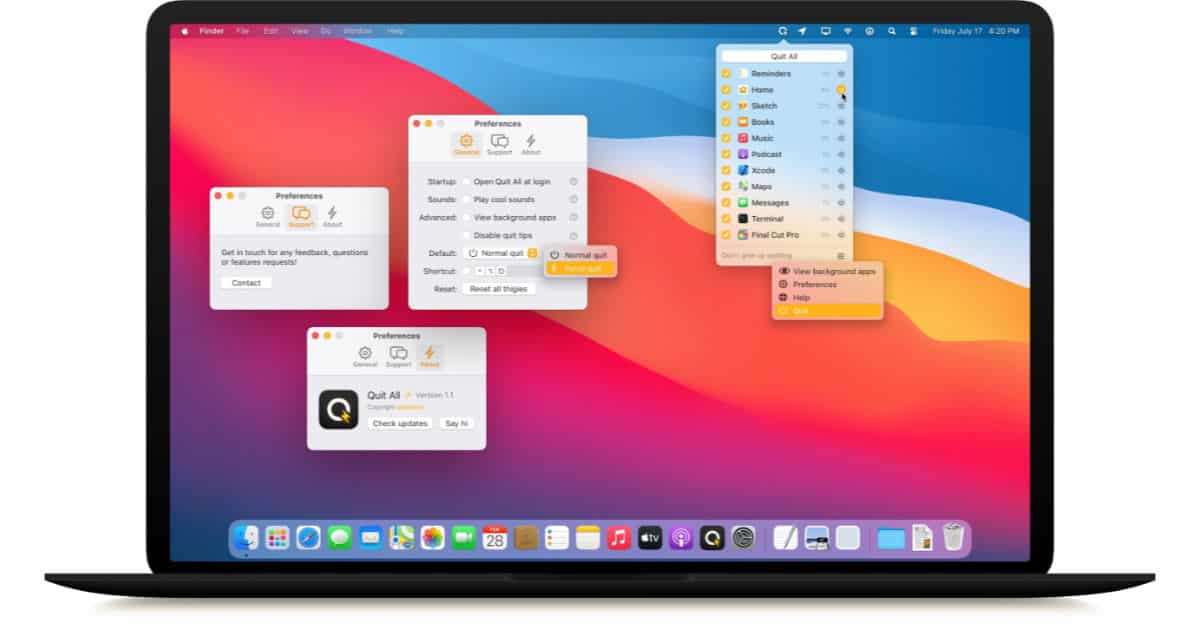
Quit Every Running App on Your Mac the Easy Way with Amico App's Quit All
Quitting all the open apps on your Mac involves a lot of Command-Q typing or building your own Automator action, or now just installing Quit All from Amico Apps. This cool app lets you quit every running app on your Mac from the menu bar with a mouse click, and you can view and quit hidden processes, too. You can also force quit frozen apps, or quit just the one or two apps you don’t need running. Quit All costs US$5 and is available for download at the Amico Apps website.

WhatsApp Public Beta Comes to the Mac, iPad-native Version in the Works
A macOS public beta for the private messaging app WhatsApp is available now with features not yet available in the regular public release, and there’s also confirmation of an iPad-native app in the iPhone app code.

The Secret Security Features in macOS Big Sur
There are security features that Apple tells us about on stage at keynotes, and then there are hidden improvements it doesn’t mention.
macOS has gradually made the UNIX security model irrelevant. For example, even the superuser is only allowed to access the private documents of a regular user with the user’s permission—permission that is given on a per-application basis, through that protector of users and bane of developers known as the Transparency, Consent & Control (TCC) framework.

Video Editor 'DaVinci Resolve' Now 3 Times Faster on M1 Macs
Blackmagic Design announced on Friday that its DaVinci Resolve video editor is now up to three times faster on M1 Macs. It also gives customers up to 30% longer battery life.
DaVinci Resolve 17.3 also supports a new option on Mac computers with M1 for H.265 hardware encoding. Customers can choose to prioritize speed vs quality when rendering, further improving render times up to 65%. Plus, DaVinci Resolve will now decode AVC Intra files using the media engine built into the Apple M1 chip, making decoding and playback faster when working with these file formats.

6 Powerful Add-ons You Need in Your Mac Menu Bar
Looking for some great menu bar add-ons that’ll make using your Mac even better? Check out TMO’s list of six must-have menu bar items.

Tell Apple You Oppose iOS 15 CSAM Detection With This Petition
Apple’s recent announcement that it will add a CSAM detection system to devices has angered many. Fight For The Future created a petition.

Apple Promotes ‘Back to College’ Deals With 20% Off AppleCare+
In an email to customers on Tuesday, Apple shared some of its Back to College deals for 2021 that include AirPods and AppleCare+.

Dashlane Password Manager Releases Mac Catalyst App
Dashlane announced on Monday that its Mac app now supports Catalyst, and says it is the first password manager in the Mac App Store to do so.

Mac Gaming, Crypto Credit Cards, iOS 15, with Jeff Butts - ACM 553
Bryan Chaffin and Jeff Butts talk about the current state of Mac gaming, with Jeff focusing on improved Mac support at Steam. They also dive deeper into crypto credit cards where you can either spend your crypto and/or earn cryptocurrency rewards like Bitcoin on your purchases. And, Jeff has been deep into iOS 15 betas, and he talks about some of his favorite new features.