
OWC has announced the release of SoftRAID 6.2 update with features like multiple RAID options and APFS support.
Mac
The Mac – or “Macintosh” if we’re going back to 1984 – is the first computer to effectively market a graphical computer to the masses, all delivered by Apple (or, at the time, Apple Computer).
The Mac has gone through several stages of evolution and iteration since 1984, including the MacBook Air, MacBook Pro, Mac mini, iMac, iMac Pro, Mac Pro, Performa, Power Mac (including the G4 Cube!), iBook, and more. It remains one of the most popular computers you’ll see in business, schools, and homes today.

HYPER Launches Foldable Laptop Stand With 7-Port USB-C Hub
On Tuesday HYPER announced its newest product, the HyperDrive 7-in-1 USB-C Hub Stand for MacBooks and PC laptops up to 17 inches.

WaterField Designs Reveals Sexy Attaché for 2021 MacBook Pros
WaterField Designs announced a carrying case for the 14-inch and 16-inch MacBook Pros called Tech Folio Brief.

Jamf Announces Same-Day Support for macOS Monterey
Jamf, a company that provides device management solutions for businesses, announced its support for macOS Monterey.

2021 MacBook Pro Review Says Device is Great for Content Creators
PCMag has a review of the 14-inch MacBook Pro and the 16-inch model. Both are positive with the 14-inch Pro receiving a slightly higher score.
The new 14-inch MacBook Pro has so many advantages over the 13-inch model that, if you are a professional user bound to macOS, and with the cash to invest in a seriously capable workhorse, your decision really comes down to whether you should buy the 14-inch or the 16-inch model. You can safely leave the 13-inch M1 MacBook Pro model off the list.

macOS: How to Enable Touch ID Authentication for Sudo in Terminal
A few days ago, a commenter in The Mac Observer’s Mac Geek Gab Forum shared a way to use the sudo command in Terminal and use Touch ID.

The MacBook Pro May Not Get a Cellular Model Until 2024
For now, photographers and other people in the field will have to tether their MacBook Pro to their iPhone to actually upload their content.
Apple’s 5G laptop strategy right now is to tell you to buy an iPhone. The math is pretty simple: Qualcomm’s modems, which Apple has a deal to use at least through 2022, are a big cost on Apple’s ledger both financially and politically. Sure, Apple could price Qualcomm-packing laptops so it makes a profit, but the company doesn’t want to be even more dependent on its longtime frenemy as a supplier.

These New Sleeves are Perfect for Carrying Your MacBook Pro
Speck has released sleeves for the MacBook Pro. One fits 13-inch to 14-inch laptops and the other is great for your 15-inch to 16-inch models.

WaterField Designs Releases New Bag and Sleeve for 2021 MacBook Pro
Just in time for the new MacBook Pros, WaterField Designs has released a Bolt Sling bag along with a protective Neo Sleeve.

macOS Monterey Arrives to Customers on October 25
Apple announced on Monday that the new MacBook Pros will be available to download later in October with a bunch of new features.

2021 MacBook Pro Features New Everything: Body, Display, Ports
A new generation of MacBook Pros was the main highlight of Monday’s Apple event. It has a new unibody-design, powerful chips, and a notch.
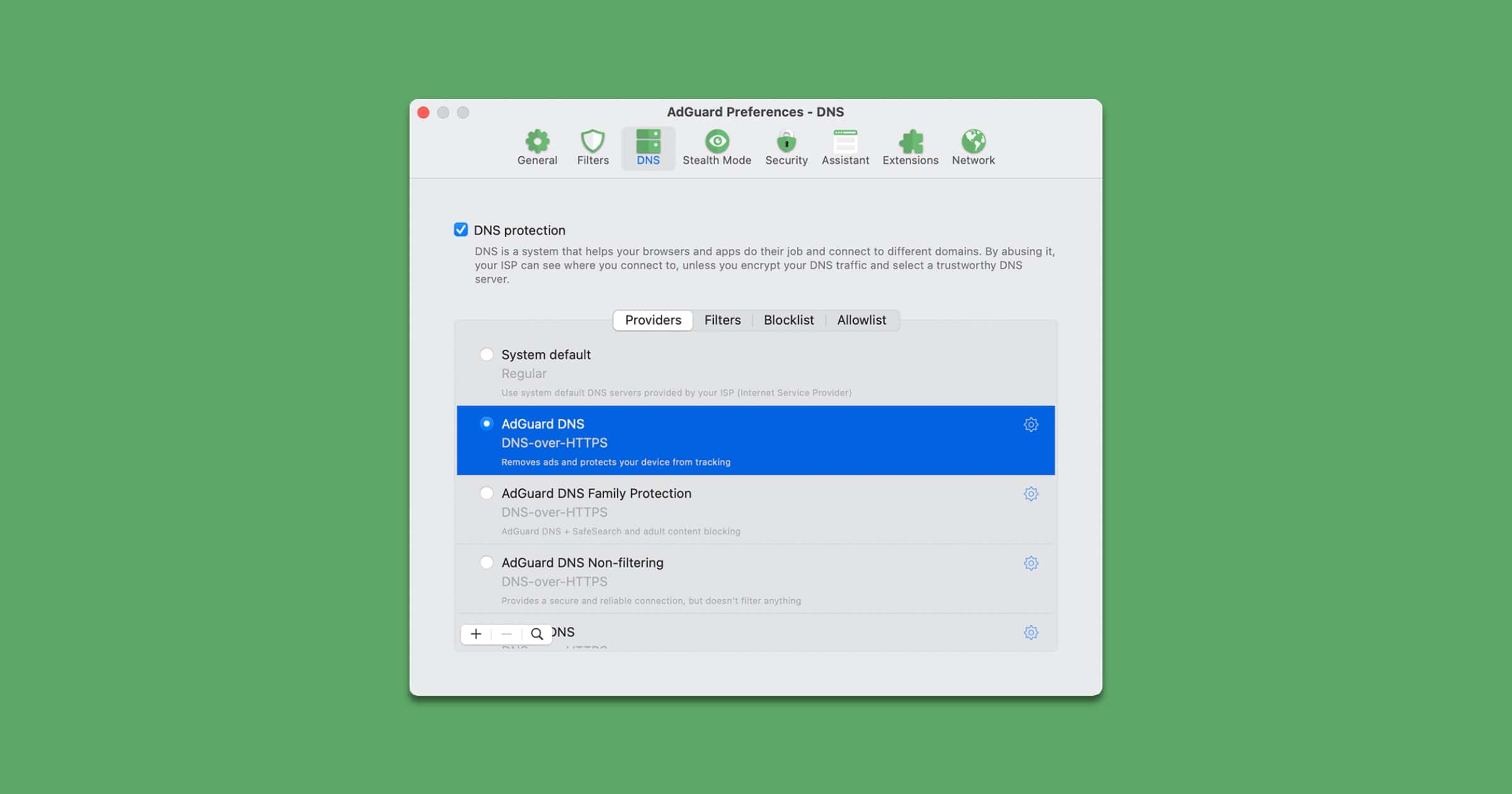
AdGuard for Mac Supports M1, macOS Monterey, adds DNS Filtering
AdGuard for Mac has a new update, and it brings DNS filtering, support for Apple Silicon, and compatibility with macOS Monterey. “From now you needn’t rely on a DNS server provided by your ISP by default, you have the luxury of making choices — cherry-pick DNS servers from known DNS providers or even add custom DNS servers. You can also add domains to DNS blocklist or allowlist and add complicated rules using DNS rules syntax.”

Apple Unleashed Speculation – TMO Daily Observations 2021-10-12
Charlotte Henry and Bryan Chaffin join host Kelly Guimont to discuss the freshly announced Apple Event happening October 18.
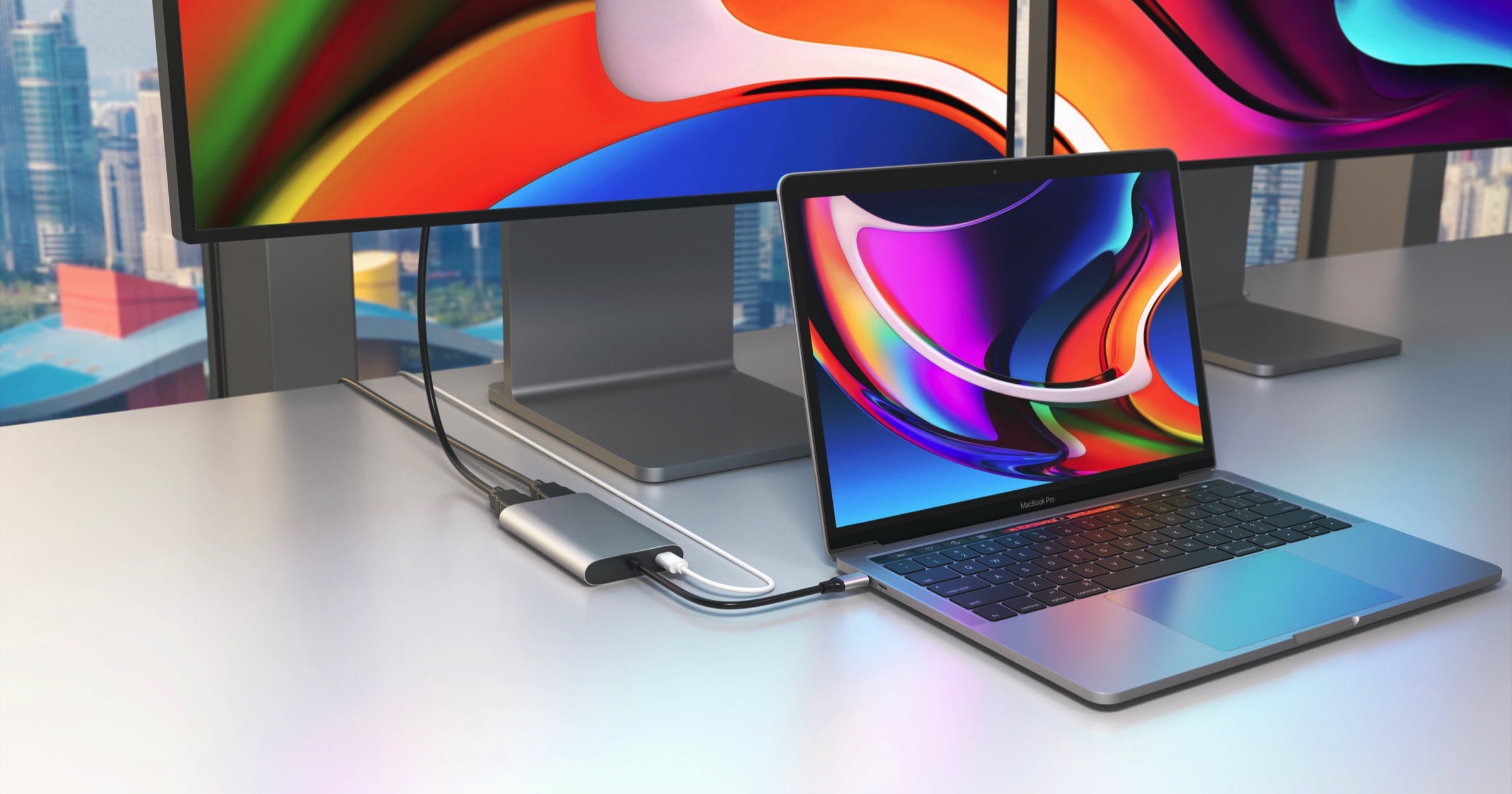
HYPER Releases Dual 4K HDMI Display Support to M1 MacBooks
HYPER has unveiled two products that help you extend your M1 MacBook’s display, Plug-n-Play devices that don’t need software drivers.

Microsoft to Release Office 2021 for Mac on October 5
Microsoft has announced the release of Microsoft 365, its subscription for its services. The standalone Office 2021 will also be available

Incase Launches A.R.C. Collection of Sustainable Bags
Incase has released a collection of sustainable bags called A.R.C. Collection. They use premium, eco-friendly materials.

'Total War: ROME REMASTERED' Now Available for M1 Macs
On Thursday, Feral Interactive announced that Total War: ROME REMASTERED is now available on the Mac App Store, complete with native support for Apple silicon. A rebirth of the genre-defining strategy game, ROME REMASTERED comes with an extensive graphical overhaul and improvements to almost every aspect of gameplay. High definition models, textures and visual effects bring the game world to life on modern displays, with 4K optimization, ultra-widescreen and UHD resolution setting the stage for empires to rise again. Also included are two expansion packs which have been given the same remastering treatment as the main game. Recreate history’s most ambitious military campaign in Alexander, or re-write history as marauders encroach on the gates of Rome in Barbarian Invasion.

OWC Announces Thunderbolt Dual DisplayPort Adapter for External Displays
On Thursday OWC has announced Thunderbolt Dual DisplayPort Adapter. It lets you add up to two 4K or one 8K external display for your Mac.

Mac Users Report Seeing a 'Device Support Update' Today
People are reporting seeing a Mac device support update on Thursday. The update doesn’t share a lot of details.

'Before Your Eyes' From GoodByeWorld Games Comes to Mac
In Before Your Eyes, players embark upon a thought-provoking journey with the Ferryman who is tasked with shepherding souls to the afterlife. They move through time by using real-world blinking to interact and progress through the story. Before Your Eyes’ unique blink interaction mechanic offers a novel way for players to control the story and become more immersed, as their progress is determined through their eyes and detected through the player’s webcam. Purchase Before Your Eyes on Steam as part of a deluxe content bundle including the game, its complete soundtrack in MP3 and lossless formats and an artbook with concept art, character designs and insight from the team for US$13.49. The deluxe content is also available separate from the game for US$7.99.

How to Schedule Your Mac to Reboot
There are plenty of times when you could benefit from a fresh start on your Mac. Let’s look at how to schedule your Mac to reboot.

Brydge Releases 'Stone Pro TB4' Universal Docking Station
Brydge has released a Stone Pro TB4 universal docking station. It supports Thunderbolt 4 and is compatible with Windows 10 | 11, macOS, and ChromeOS.

macOS Finder Bug Lets Certain Files Run Arbitrary Commands
Researcher Park Minchan reported a bug within macOS Finder that lets certain files execute commands. It affects all versions of macOS up to Big Sur.
A vulnerability in the way macOS processes inetloc files causes it to run commands embedded inside, the commands it runs can be local to the macOS allowing the execution of arbitrary commands by the user without any warning / prompts.
Originally, inetloc files are shortcuts to an Internet location, such as an RSS feed or a telnet location; and contain the server address and possibly a username and password for SSH and telnet connections; can be created by typing a URL in a text editor and dragging the text to the Desktop.

M1 Reverse Engineering Document Published for Research
Maynard Handley, one of the developers of Apple’s QuickTime, has published a 350-page PDF about his work in reverse engineering the Mac M1 chip.