

If you use Apple’s iCloud Photo Sharing service—which is sort of the company’s way of allowing a private shared picture album for your friends and family—then you may need to know that you can delete your own comments if you regret having posted something. For people like me with foot-in-mouth syndrome, this is a godsend! Here’s what you’ll do on iOS: First, of course, you’ll open Photos on your iPhone or iPad. Then if you visit the “Shared” tab and find the image you said something about, you can reveal its comments by swiping up or by tapping the number of comments at the bottom.
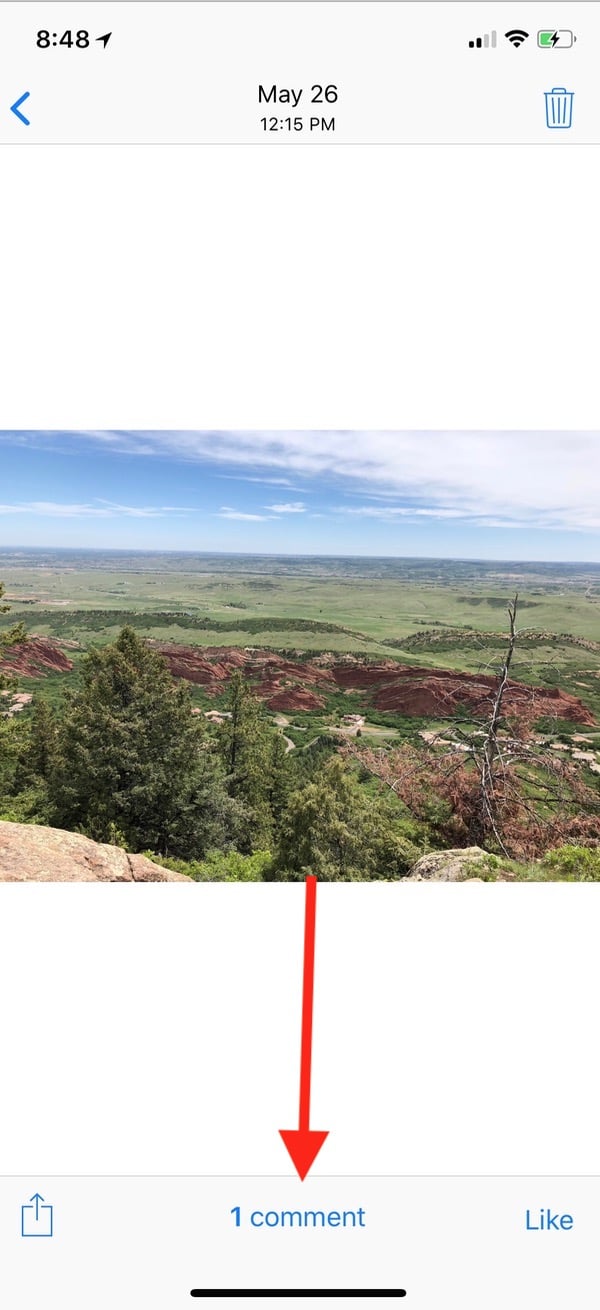
Find the unfortunate thing that you typed…
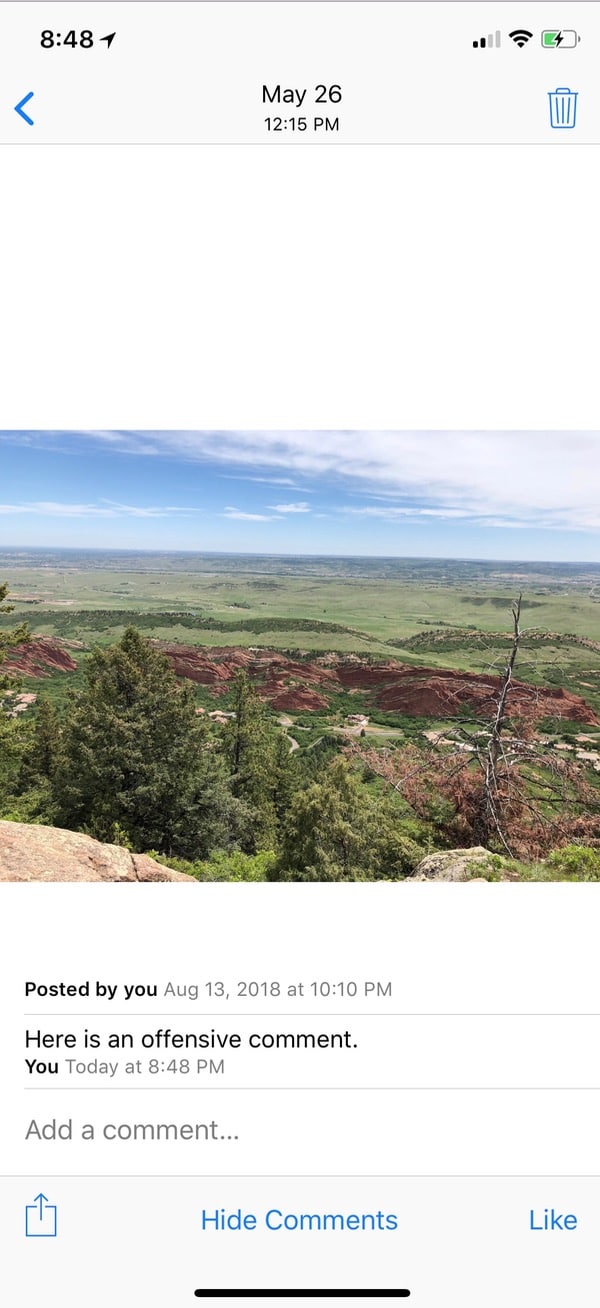
…and tap and hold on it briefly, then release. You’ll get a little menu that’ll appear with “Delete” as one of the choices.

On the Mac, this is easy, too. Within Photos’ sidebar, find the sharing stream that contains your comment, and then double-click the picture in question to open it.
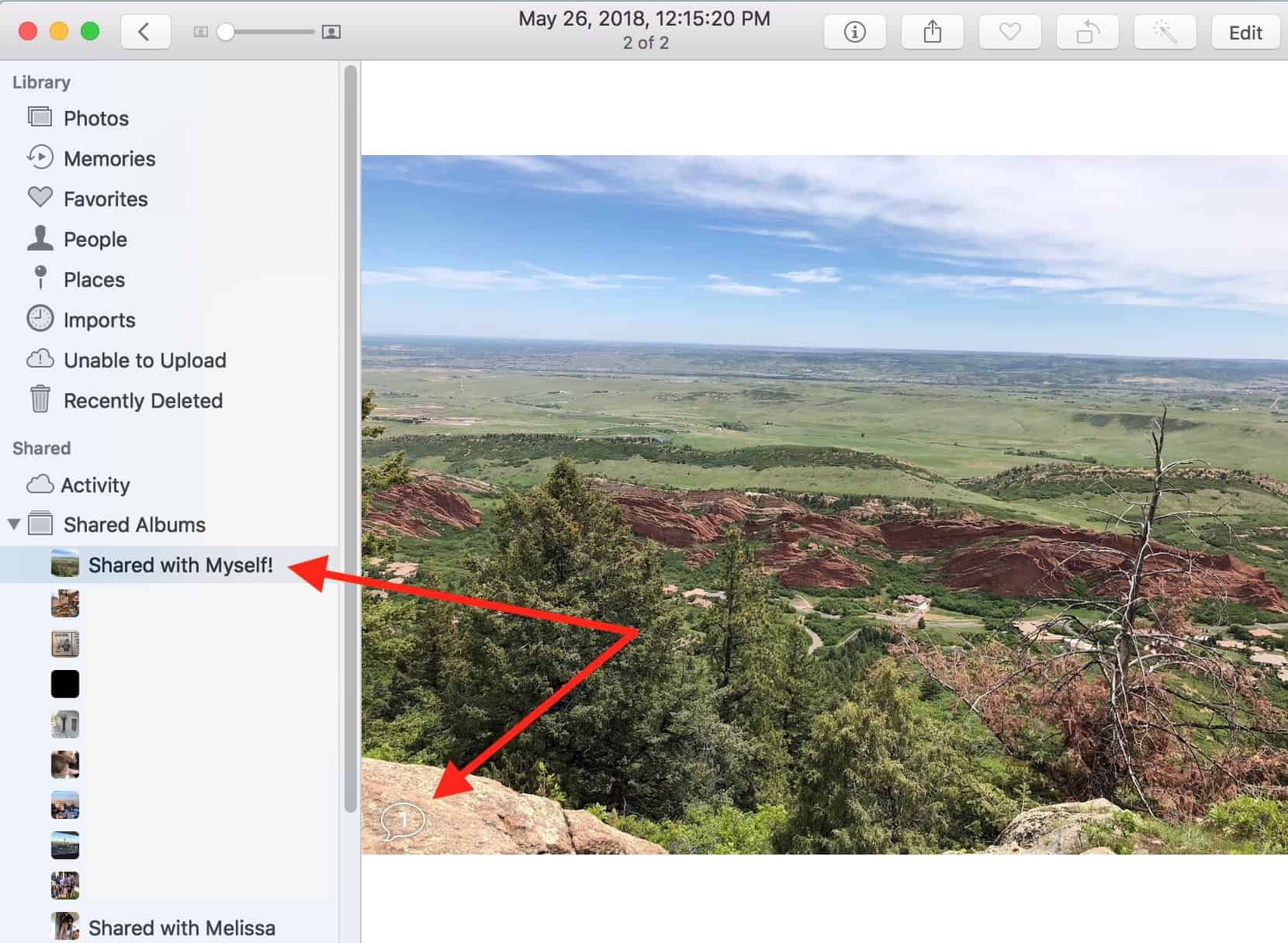
As I’ve indicated above, you’ll see a small conversation bubble in the lower-left corner of the image. If you click that bubble and hover over your comment with your cursor, you’ll reveal a red “Delete” option.
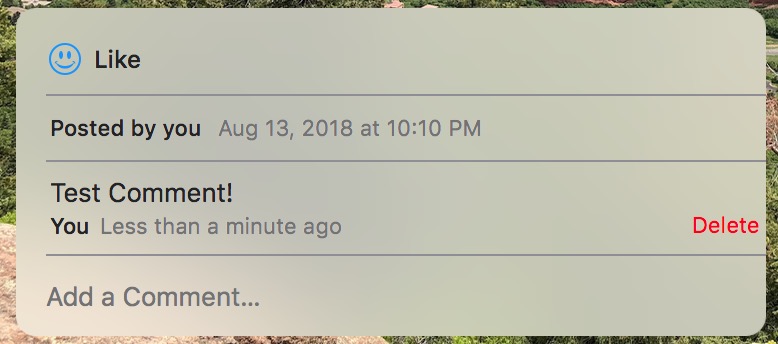
It’s important to note that deleting comments in this way doesn’t just remove them from your sight—it’ll get rid of them on everyone else’s devices, too. So if you truly opened your mouth and inserted your foot, you can fix it! Assuming no one else has seen what you said, that is. Also, you can use this to delete other people’s offensive comments if the Photo Sharing stream is one you personally created. Time to go save Aunt Mildred from her own terrible taste in jokes, I suppose.
Don’t miss the best of The Mac Observer
Set us as a preferred source and our Apple reporting ranks higher in your Google Search results and Discover feed — one tap, no account changes.


Which is the usual reason that comments need to be deleted.
Well, I wasn’t gonna say it… 😉