
Apple has a new summertime Apple Pay promotion that’ll save you money when you buy movie tickets through Fandango, food through Grubhub, and more. The promotion runs from July 19th through August 1st.
Mac
The Mac – or “Macintosh” if we’re going back to 1984 – is the first computer to effectively market a graphical computer to the masses, all delivered by Apple (or, at the time, Apple Computer).
The Mac has gone through several stages of evolution and iteration since 1984, including the MacBook Air, MacBook Pro, Mac mini, iMac, iMac Pro, Mac Pro, Performa, Power Mac (including the G4 Cube!), iBook, and more. It remains one of the most popular computers you’ll see in business, schools, and homes today.

Apple Interface Consistency, Storage Permutations, Walmart Streaming Video - ACM 471
In this age of different devices and platforms, Bryan Chaffin and Jeff Gamet talk about the lack of consistency in Apple’s interfaces compared to the days when “Apple” meant “Mac.” They also go over some listener feedback (read criticism) about their rant last week on Apple’s storage pricing for new MacBook Pro models. Lastly, they discuss whether not Walmart can make a go in the streaming video market, and how that might actually work.

Core i9 MacBook Pro Throttling, When to Buy a New Mac - TMO Daily Observations 2018-07-18
Kelly Guimont and John Martellaro join Jeff Gamet to look at a report saying the Core i9 MacBook Pro is hobbled by thermal throttling, plus John explains how to better predict when Apple is about to release new Macs.

Apple releases macOS Movaje Public Beta 3
Apple released the third macOS Mojave public beta just a day after releasing the fourth developer beta.

Fantastical 2.5 for the Mac Adds Meetup Support
Flexibits rolled out Fantastical 2.5 for the Mac on Wednesday with Meetup support so you can see the events in your groups.

How to Predict When Apple Will Ship New Macs
It’s not an exact science by any means. But there are often subtle hints that Apple is ready to ship a new Mac. John has some tips.

iFixit 13-inch Touch Bar MacBook Pro Teardown Reveals Bigger Battery, More
iFixit finished tearing down the mid-2018 13-inch Touch Bar MacBook Pro and along with the redesigned keyboard they found a higher capacity battery, a T2 chip, and no chance for user upgrades.
Apple Seeds macOS Mojave Developer Beta 4, Supports 2018 MacBook Pro Models
The biggest known change is support for the new 2018 MacBook Pro models that shipped last week.
Informal Test Shows New MacBook Pro is Quieter
One of the features Apple is pushing for its new Touch Bar MacBook Pro is a quieter keyboard. Less clackity-clack will no doubt make a lot of people happy, but is it really quieter? TechCrunch did their own informal test with a previous generation keyboard and the new model. They recorded the results, and there is a difference between the two, but it may not be as dramatic as some were hoping for. Still, it’s quieter, and that’s something.

2018 Touch Bar MacBook Pro Keyboard Gets Potentially Dust-proof Barrier
Apple’s new Touch Bar MacBook Pro, released last week, has a new keyboard that appears to be redesigned to fix the failure issue plaguing the 2016 and 2017 models.

New Touch Bar MacBook Pro Supports True Tone on Some External Displays
Apple’s just released 2018 Touch Bar MacBook Pro is the first with a True Tone display, and that extends to a couple external displays, too.
The Mac mini Refresh Dream, Looking Towards ARM-based Macs - TMO Daily Observations 2018-07-13
Bryan Chaffin and John Martellaro join Jeff Gamet to debate what Apple could do with a Mac mini refresh versus what they’re likely to do, plus Jeff warms up to the idea of an ARM-based Mac.
New Touch Bar MacBook Pro - TMO Daily Observations 2018-07-12
John Martellaro and Andrew Orr join Jeff Gamet to share their first reactions to Apple’s just announced Touch Bar MacBook Pro refresh.

Apple Discontinues 2015 MacBook Pro
If you’re in the market for Apple’s 2015 MacBook Pro with Thunderbolt 2 and MagSafe 2 you better act fast because it’s been discontinued.

Apple Unveils Blackmagic eGPU for MacBook Pro
Along with new Touch Bar MacBook Pro models, Apple unveiled a new Blackmagic eGPU that’s available only through its own stores.

Apple Intros Leather Sleeve for 13-inch, 15-inch MacBook Pro
The just announced new MacBook Pro models are getting a little bling because Apple also released new leather sleeves for its 13-inch and 15-inch laptops.
Apple Updates Touch Bar MacBook Pro with 32 GB RAM, New Keyboard
Apple released updated 13-inch and 15-inch Touch Bar MacBook Pro models with up to 32 GB RAM, a redesigned keyboard, new processors, and more.
macOS Mojave 10.14 Developer Beta 3 gets Minor Update
Apple released a minor update for macOS Mojave 10.14 Developer Beta 3. The most obvious change is the build number, going from 18A32g to 18A32h.

Apple Releases iTunes 12.8 with AirPlay 2 Support
Along with macOS High Sierra 10.13.6, Apple released iTunes 12.8 with AirPlay 2 support.

Apple Eurasian Regulatory Filing Indicates 5 New Macs, 5 New iPads
The regulatory filing specifies that the Macs will run macOS High Sierra, while the iPads will run iOS 11, strongly suggesting these new devices will be announced soon.
Apple Registers New Macs, Yelp's Victory, and the Future of Cars - ACM 469
It seems Apple has registered 5 new Macs and iPads with a European regulatory agency. Better yet, the operating systems tagged to go with these not-yet-announced devices suggests they could come soon. Bryan Chaffin adn Jeff Gamet also discuss why you should be happy Yelp won a major court fight, regardless of whether you like Yelp. For their third segment, they take on viewer questions about this so-called car revolution.
Apple Releases macOS 10.14 Mojave Developer Beta 3
Apple wrapped up its beta-palooza on Tuesday with macOS Mojave Developer Beta 3. Apple also released new developer betas of iOS 12, watchOS 5, and tvOS 12.
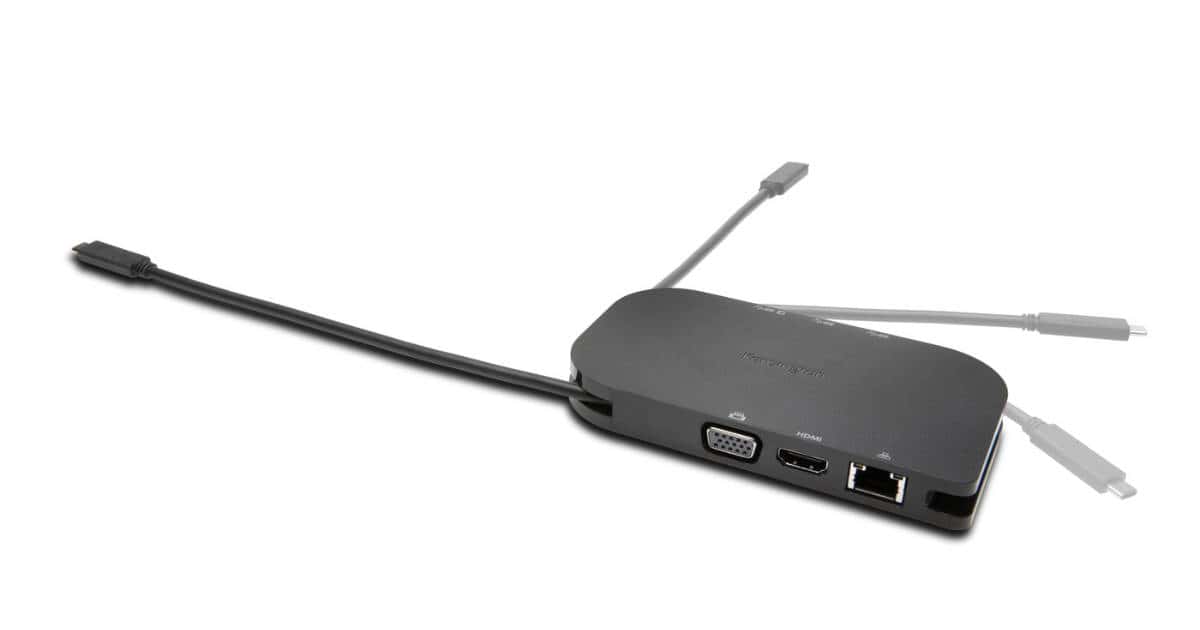
Kensington Intros USB-C and Thunderbolt 3 Mobile Docking Station
Kensington has a new portable USB-C docking station for Thunderbolt 3 and USB-C equipped Macs and other PCs. The eloquently named SD1600P Universal USB-C Mobile 4K Docking Station includes USB-C pass-through power, HDMI (4K@30Hz) and VGA Full HD video out, two USB 3.0 ports and a USB-C data sync port, Gigabit Ethernet, and a fold-away cable for connecting to your computer. The dock is priced at US$99.99 and is compatible with macOS, Windows, and Chrome.
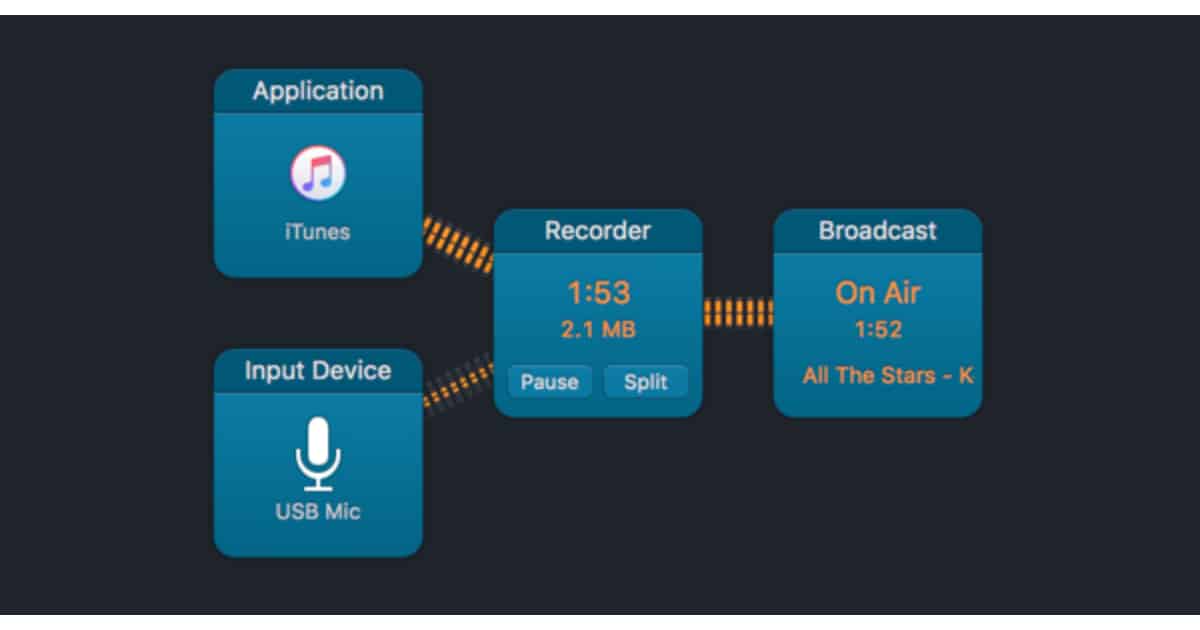
Audio Hijack 3.5 Adds Broadcast Streaming Support
Audio Hijack 3.5 for the Mac is out and it adds a feature we lost when Nicecast was discontinued: the ability to livestream over the internet. The version 3.5 update adds a Broadcast block for Shoutcast and Icecast servers, which is just what podcasters need to livestream as they’re recording shows. It also supports multi-broadcasting and adaptive bitrates, plus switching between two inputs. Audio Hijack 3 is priced at US$59 and the update is free for version 3 users. You can get the app at the Rogue Amoeba website.