iPhone Duo matches the iPhone 18 Pro on wireless. Apple’s press release confirms the N1 chip for Wi-Fi 7, Bluetooth 6 and Thread, the C2 modem with mmWave 5G in the US, and eSIM-only service with more than 500 supported carriers, while the tech specs add second-generation Ultra Wideband, NFC with reader mode and three…
Tips
iPhone Duo Apple Pencil Support: What Works, Which Pencil, and Why It Is 'Coming Later This Year'
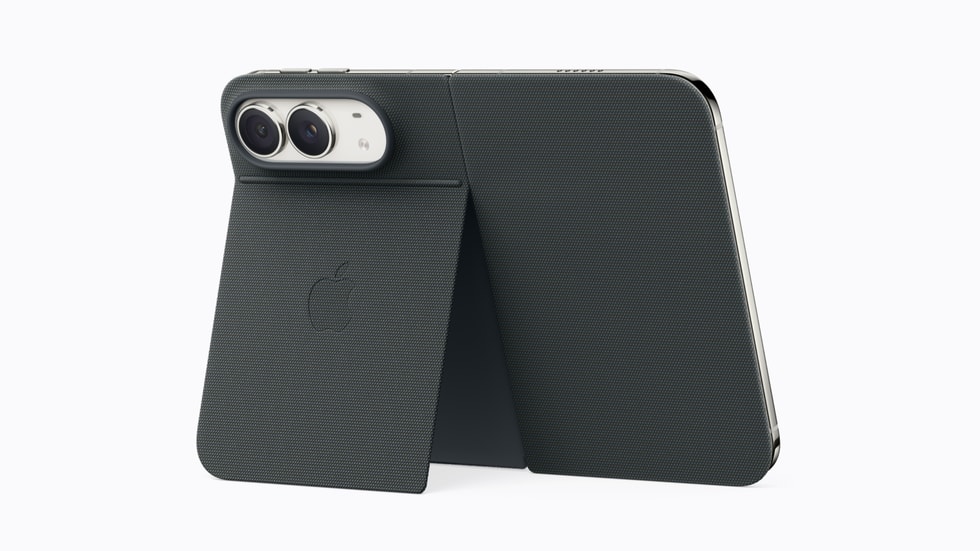
iPhone Duo will support Apple Pencil on both of its displays, according to Apple’s press release, which names one model, the Apple Pencil (USB-C), and says support arrives later in 2026. No date is attached, and the Duo itself does not ship until Friday, October 23. Pencil support was one of the rumors we tracked…
iOS 27 on iPhone Duo: Split View, StandBy and the 'Posable' Positions Explained
iPhone Duo ships with iOS 27.1, not the iOS 27.0 that reaches other iPhones on Monday, September 14, and Apple’s press release lists four features built for the foldable: Split View for running two apps side by side, an upgraded StandBy, a redesigned Dynamic Island and a new Call Context widget. Apple’s product page adds…
How Much Does iPhone Duo Cost? $1,999 Up Front, $83.29 a Month, or a $57.99 Apple Upgrade Lease
iPhone Duo costs $1,999 for the 256GB model in the US. Apple’s press release gives two other ways to pay: $83.29 a month for 24 months, or an Apple Upgrade lease from $57.99 a month on a 24-month term. Prices for the 512GB, 1TB and 2TB tiers are not published. The monthly figure follows the…
What You Give Up With iPhone Duo: No Telephoto, No Face ID, No Physical SIM, October Wait
The iPhone Duo’s $1,999 price buys the largest display Apple has ever put in an iPhone. Apple’s own spec sheets also show four things the $1,199 iPhone 18 Pro has that the Duo does not: a dedicated telephoto lens, Face ID, a physical SIM tray, and a phone in your hand in September rather than…
iPhone Duo storage: Here's which tier to buy between $1,999 and $3,199
iPhone Duo comes in 256GB, 512GB, 1TB and 2TB, and Apple’s Store page prices all four: $1,999 for 256GB, $2,199 for 512GB, $2,599 for 1TB and $3,199 for 2TB. Apple’s press release also gives the base model at $83.29 a month for 24 months. The iPhone 18 Pro offers the same four tiers, from $1,199…

iPhone Duo vs iPhone 18 Pro Camera: Variable Aperture and Telephoto vs Dual Fusion, Which Wins?
iPhone Duo and iPhone 18 Pro both have 48MP main cameras, but the Pro’s has a variable aperture from f/1.48 to f/4 and sits next to a telephoto lens, while the Duo’s is fixed at f/1.6 and covers zoom with an integrated 2x crop. On optics alone the iPhone 18 Pro wins; the Duo answers…
iPhone Duo Video: 4K Dolby Vision at 120fps, Cinematic Mode and Dual Capture Explained
iPhone Duo records 4K Dolby Vision video at 24 to 120 fps on its rear cameras, with Cinematic mode, Dual Capture, 4K time-lapse, Center Stage on the rear camera and what Apple calls ultra-stabilized video. The press release adds that Cinematic effects can be applied at 60 fps after capture. The 120 fps ceiling is…
How to Charge iPhone Duo Fastest: 60W USB-C, 35W Plus MagSafe, and 25W Qi2 Compared
The fastest way to charge iPhone Duo is a 60W USB-C adapter, which Apple says takes the phone to 50 percent in about 20 minutes. A 35W adapter paired with MagSafe gets there in about 30 minutes, and MagSafe, Qi2 and Qi-certified wireless chargers, all capped at 25W, also reach 50 percent in about 30…
iPhone Duo Has Touch ID, Not Face ID: How the Side Button Works Open and Closed
The iPhone Duo unlocks with Touch ID built into the side button, not Face ID. According to Apple’s tech specs, the sensor works whether the phone is open or closed, supports multiple fingers and can be paired with unlock with Apple Watch. The iPhone 18 Pro and 18 Pro Max, announced the same day, keep…
iPhone Duo Colors: Night Sky and Star White, and Why Apple Launched With Only Two
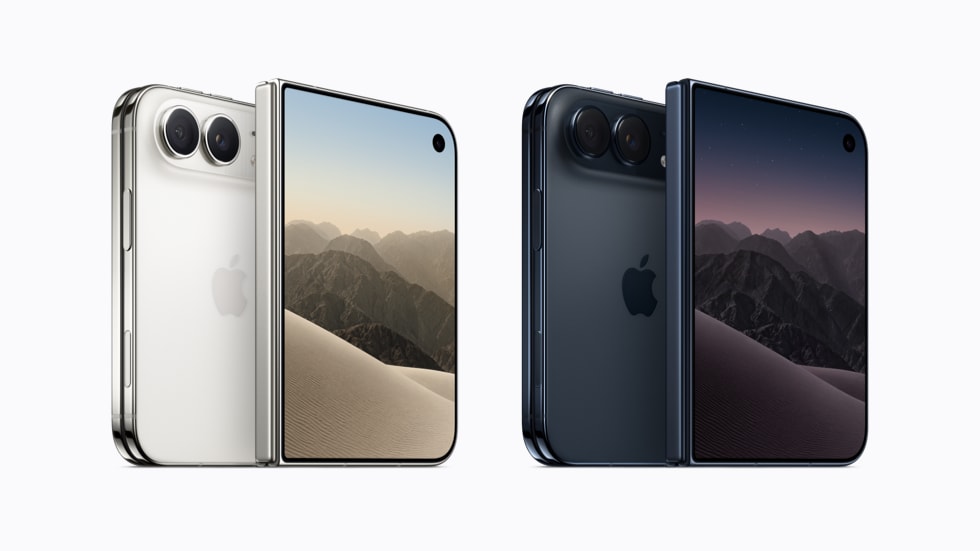
The iPhone Duo comes in two colors, Night Sky and Star White, according to Apple’s product page and press release. That is half the choice Apple offers on the iPhone 18 Pro, which launched the same day in Black, Silver, Glacier and Burgundy. Early keynote coverage described the pair simply as dark blue and white;…
iPhone Duo Design: 5.2 mm Thin Open, Grade 5 Titanium, Ceramic Shield Both Sides and IP68
The iPhone Duo is 5.2 mm thick when open and 11.3 mm when closed, weighs 254 g, and is built from a mirror-polished Grade 5 titanium frame with Ceramic Shield 2 on the front and Ceramic Shield on the back. It carries an IP68 rating to a maximum depth of 6 meters for up to…
iPhone Duo Displays Explained: 7.6-Inch Inner, 5.4-Inch Outer, 120Hz ProMotion and 3000 Nits
The iPhone Duo has two displays: a 7.6-inch folding inner display at 1878 by 2670 pixels and 430 ppi, and a 5.4-inch outer display at 1398 by 2034 pixels and 460 ppi. Both are Super Retina XDR OLED panels with ProMotion up to 120Hz, Always-On and 3000 nits peak outdoor brightness, according to Apple’s tech…
Who Should Buy iPhone Duo? 5 People It Is For and 5 It Is Not
iPhone Duo costs $1,999, folds open to a 7.6-inch display, and arrives October 23. That is $700 more than the iPhone 18 Pro Max and $800 more than the iPhone 18 Pro, so the question is not whether the Duo is good, it is whether it is for you. This is our analysis based on…
iPhone Duo vs iPhone 18 Pro Max: $700 More for the Fold, Spec by Spec
iPhone Duo starts at $1,999 for 256GB, and the iPhone 18 Pro Max starts at $1,299 for the same storage. That $700 gap buys a 7.6-inch folding display, a titanium frame and Touch ID, and it costs you a dedicated telephoto lens, Face ID, a SIM tray and about five weeks of waiting. Both phones…
iPhone Duo Battery Life: Dual Batteries, 44 Hours Closed, 31 Hours Open, and the 60W Charging Catch
iPhone Duo has two batteries, one in each half, and Apple rates it at up to 24 hours of typical use, up to 44 hours of video playback on the outer display and up to 31 hours on the inner display. Wired charging reaches 50 percent in about 20 minutes, but only with a 60W…
iPhone Duo's Under-Display FaceTime Camera: What Apple Says It Can and Cannot Do
iPhone Duo hides a FaceTime camera under its 7.6-inch inner display. Apple’s tech specs give it an f/1.8 aperture and 1080p video at 30 to 60 fps, and that is close to everything Apple has published about it. It is the first iPhone with a camera behind the screen, and Apple has been careful about…
Smart Take, Duo Preview, Kid Cue and Duo FaceTime: The Four Camera Tricks Only iPhone Duo Can Do
iPhone Duo has four camera features that no other iPhone offers: Smart Take, Duo Preview, Kid Cue and Duo FaceTime. All four depend on the same thing, a second display that faces the person in front of the camera while you frame the shot on the big inner screen. Apple’s product page lists the four…
iPhone Duo Release Date and Pre-Order: October 16 Pre-Orders, October 23 Launch, and Why It Is Not September
iPhone Duo pre-orders open Friday, October 16, 2026 at 5 a.m. PT, and the phone goes on sale Friday, October 23 in more than 70 countries and regions, with 28 more following on Friday, October 30, according to Apple’s press release. That is five weeks after the iPhone 18 Pro reaches stores on September 18.…
iPhone Duo Cameras Explained: 48MP Dual Fusion, No Telephoto, and Four Cameras in Total
iPhone Duo has four cameras: a 48MP Main and a 48MP Ultra Wide on the back, a 12MP Center Stage camera on the outer display, and an under-display FaceTime camera behind the inner display. Apple calls the rear pair the 48MP Dual Fusion camera system, and there is no separate telephoto lens. That makes the…
What Chip Is in the iPhone 18 Pro? A20 Pro, N1 and C2 Explained in Plain English
The iPhone 18 Pro runs on the A20 Pro, Apple’s first chip built on a 2-nanometer process, paired with the N1 wireless chip and the C2 cellular modem. All three are Apple-designed, and the same trio is in both the iPhone 18 Pro and the iPhone 18 Pro Max. Three named chips in one phone…
Buying Your First Apple Watch in 2026: Series 12 vs Ultra 4 and What the New Health Sensing Changes
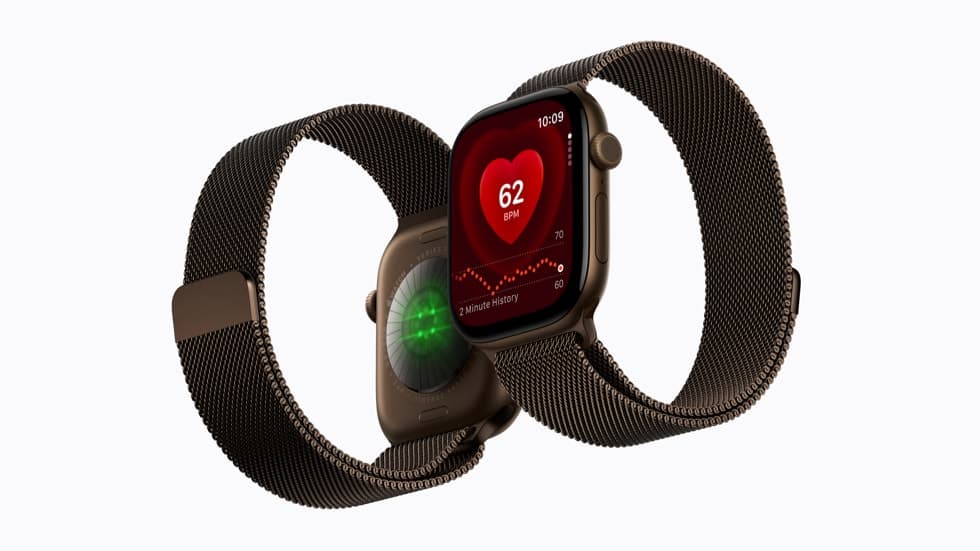
If you have never owned an Apple Watch, today’s lineup comes down to two choices: Apple Watch Series 12 from $399 or Apple Watch Ultra 4 from $799. Both use the new S11 chip and the same Health Sensing System, so the health features that Apple spent most of its keynote on do not depend…
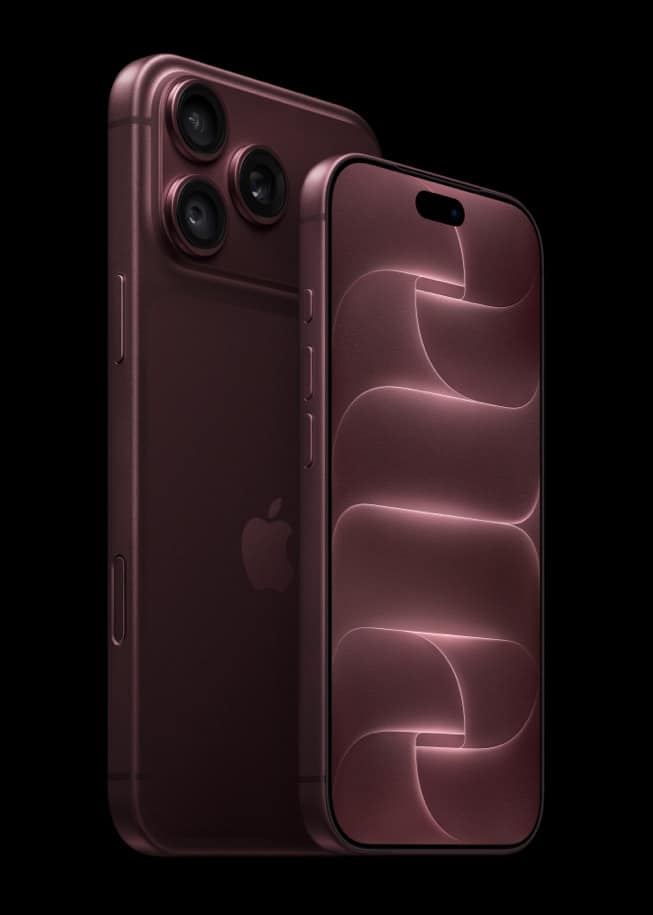
Apple's Recycled Materials by the Numbers: iPhone 18 Pro, Apple Watch Series 12 and Ultra 4 Compared
Apple attached recycled-content figures to all three of the metal products it announced today. The iPhone 18 Pro and Apple Watch Series 12 are each 40 percent recycled material overall, while the Apple Watch Ultra 4 leads the lineup at 45 percent. All three ship in 100 percent fiber-based packaging. The overall percentages hide different…
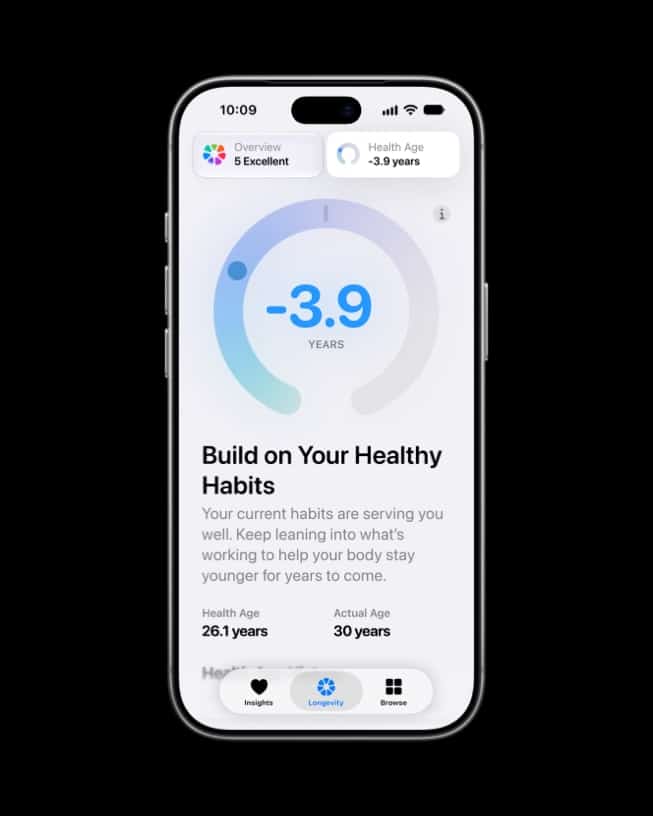
Apple's New Health Features: Which Need an Apple Watch, Which Need an iPhone, and Which Need Both
Apple spread its new health features across three places today: the Health Sensing System in Apple Watch Series 12 and Ultra 4, watchOS 27 for existing watches, and a redesigned Health app arriving with iOS 27 on September 14. Some features need only an iPhone, some need only a new watch, and the most talked-about…